Kimi Deep Research Overview
What is Deep Research?
Deep Research is one of the first Agent products launched by Kimi, powered by Kimi-Researcher, a model developed in-house by Moonshot AI. Kimi-Researcher is trained with End-to-End Agentic RL. It is a next-generation Agent model built for complex research tasks: it does more than answer questions—it works like a real researcher, independently completing the entire workflow from task planning to report delivery.
Workflow
For every question it receives, Kimi-Researcher independently completes the full research workflow:
- Clarification: proactively asks follow-up questions while understanding the task, building a clearer problem space;
- Deep thinking: performs an average of 23 reasoning steps per task, independently organizing and resolving the requirements;
- Proactive search: for each task, plans an average of 74 keywords and finds 206 URLs. The model then evaluates and selects the top 3.2% of content with the highest information quality, removing redundant and low-quality information;
- Iterative reasoning: decides whether supplementary retrieval is needed based on intermediate results, dynamically adjusting the research path;
- Tool use: independently calls tools such as browsers and code execution to process raw data and generate analytical conclusions;
- Report generation: integrates all information into a structured long-form report with cited sources
To ensure output quality and information coverage, Kimi-Researcher runs asynchronously, spending more time on step-by-step reasoning, retrieval, and writing. After all, a truly valuable research outcome would normally take a human several days to complete.
Final deliverables
After each research task is completed, you will receive two deliverables:
- A detailed, traceable Deep Research report
- The report is more than 10,000 Chinese characters on average;
- It cites about 26 high-quality, traceable sources on average;
- All citations are embedded in the body text. You can click to jump to the source and highlight the original text, making verification and tracing easier.
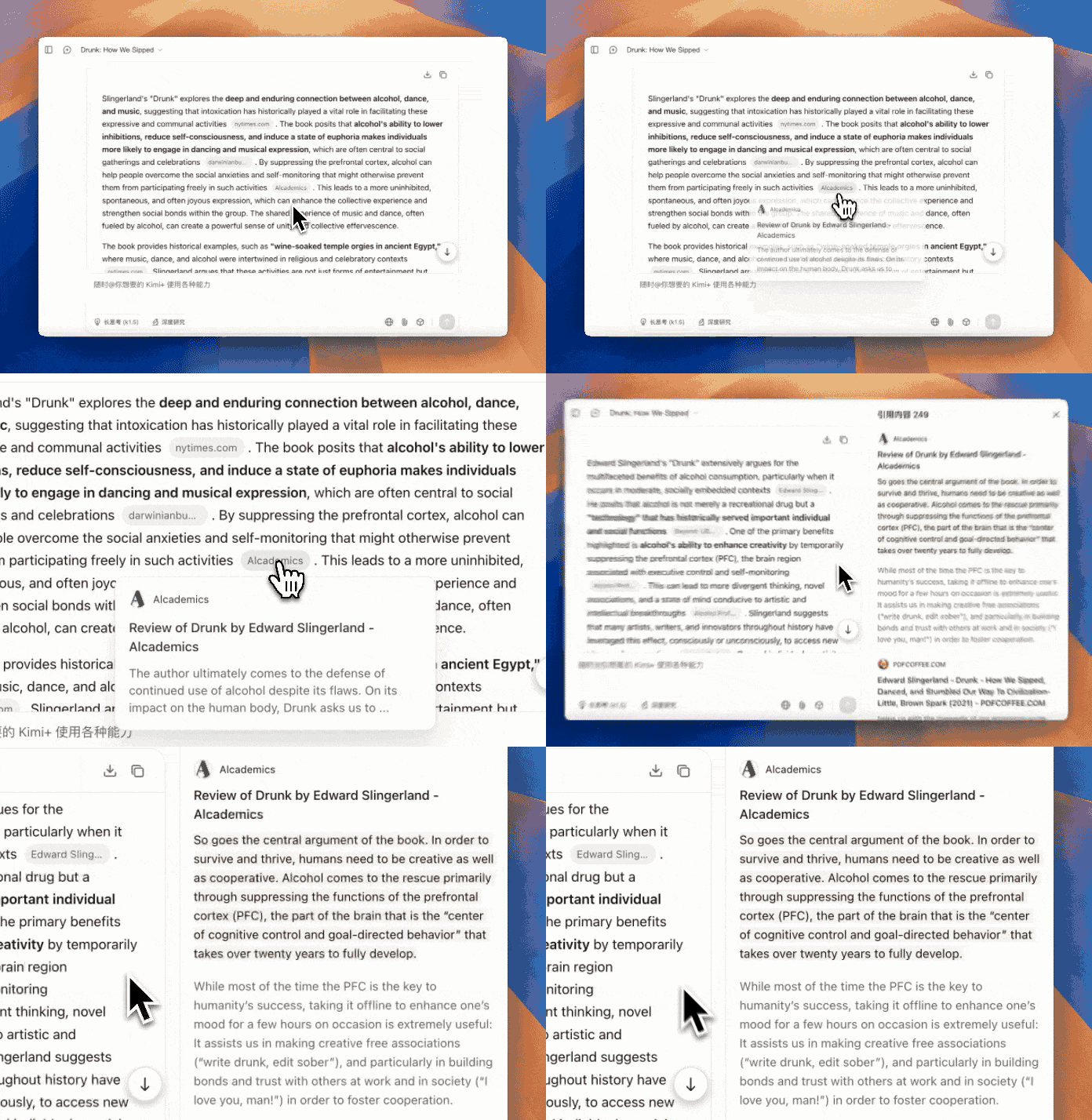
- An interactive, shareable dynamic visualization report
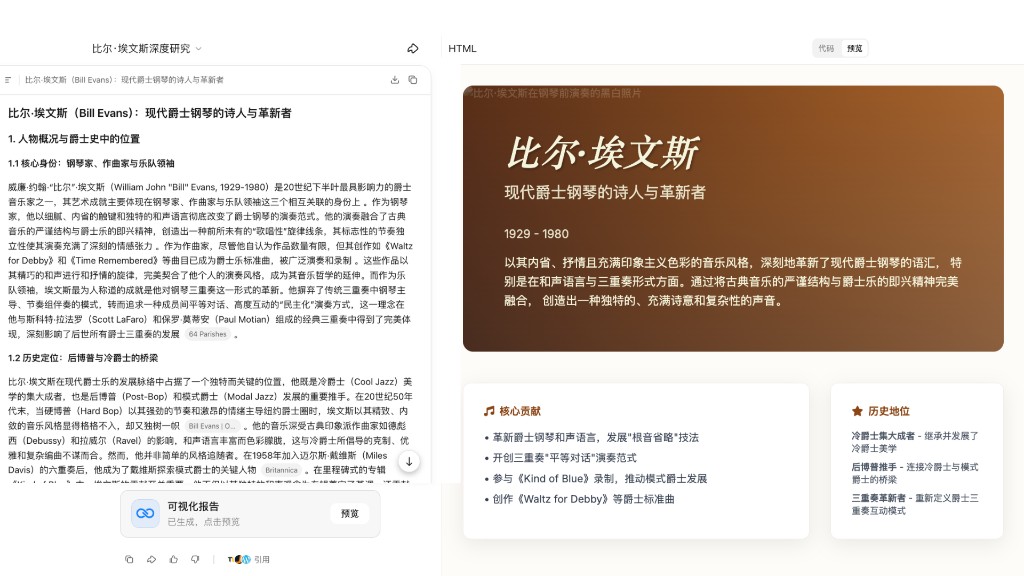
- Structured layout and mind maps make key information such as trends and anomalies clear at a glance;
- You can quickly grasp the overall structure and key conclusions without reading the full report;
- Supports generating and sharing an online link for easy presentation.
Use cases
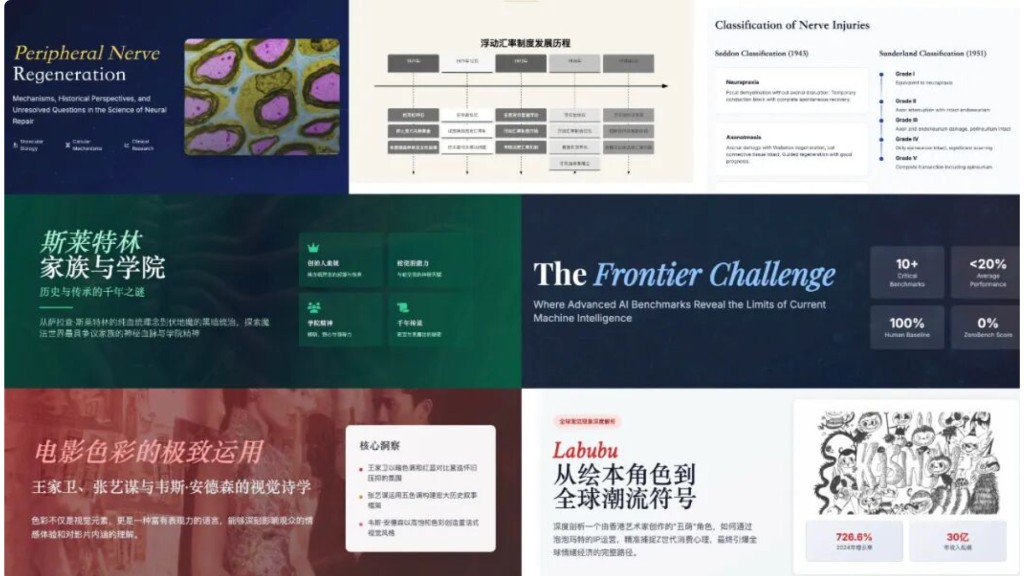
- Professional research: investment analysis, industry research, academic topics, strategic planning, financial analysis, and other professional research needs
- Information integration: reviewing laws and regulations, retrieving complex materials, and summarizing information from multiple sources
- Knowledge and education: preparing teaching content, systematically reviewing frontier fields, and exploring topics in depth
- Everyday exploration: satisfying curiosity and understanding topics of interest and how the world works
Not suitable for:
- Creative writing: online fiction, scripts, lyrics, and similar writing tasks
- Entertainment questions: Ba Zi chart reading, fortune analysis, naming, lottery number prediction, and similar requests
- Fixed templates: writing resumes, filling in fixed-format form templates, or generating editable PPT files
How to use it
Product entry points
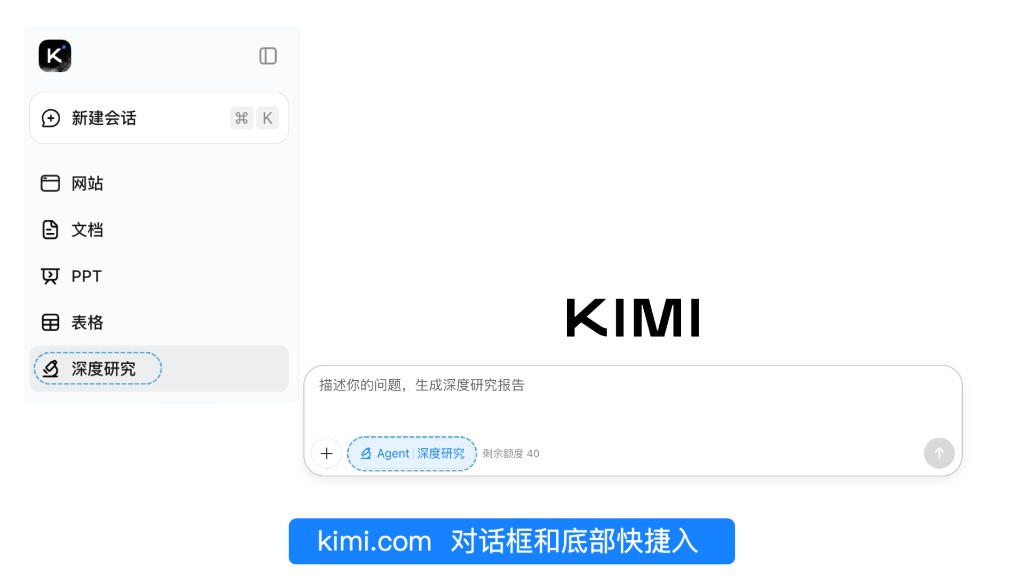
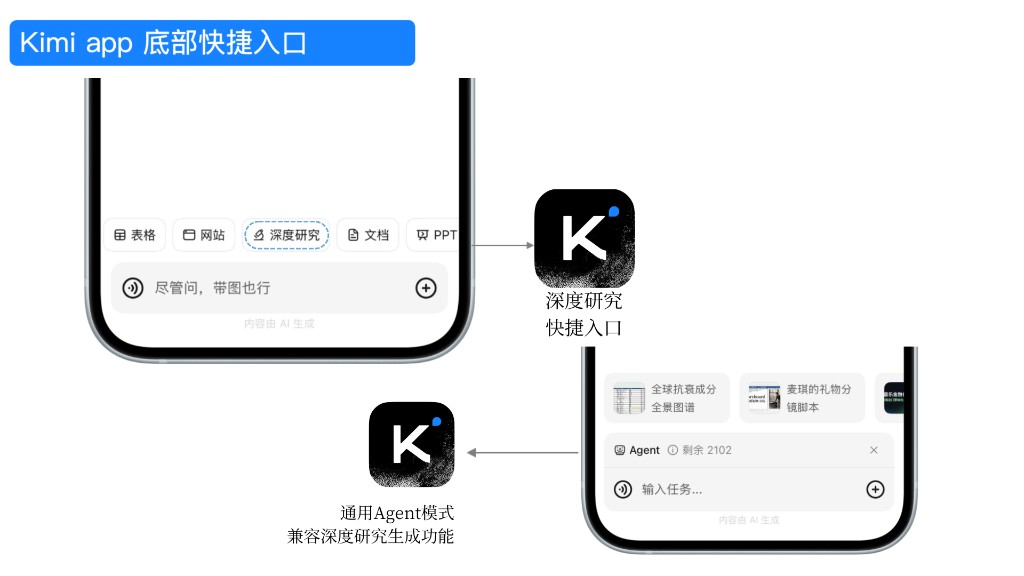
Deep Research entry points
- Web: https://www.kimi.com/deep-research
- Mobile/tablet: Open Kimi App → Taskbar → Switch to Deep Research Agent mode
Steps
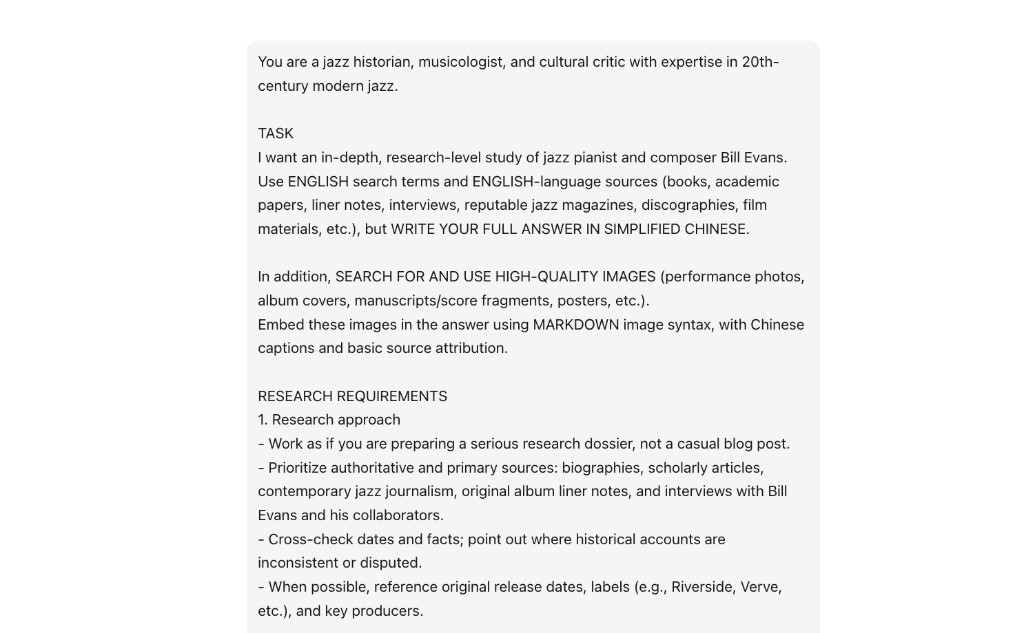
- Enter and send your research question;
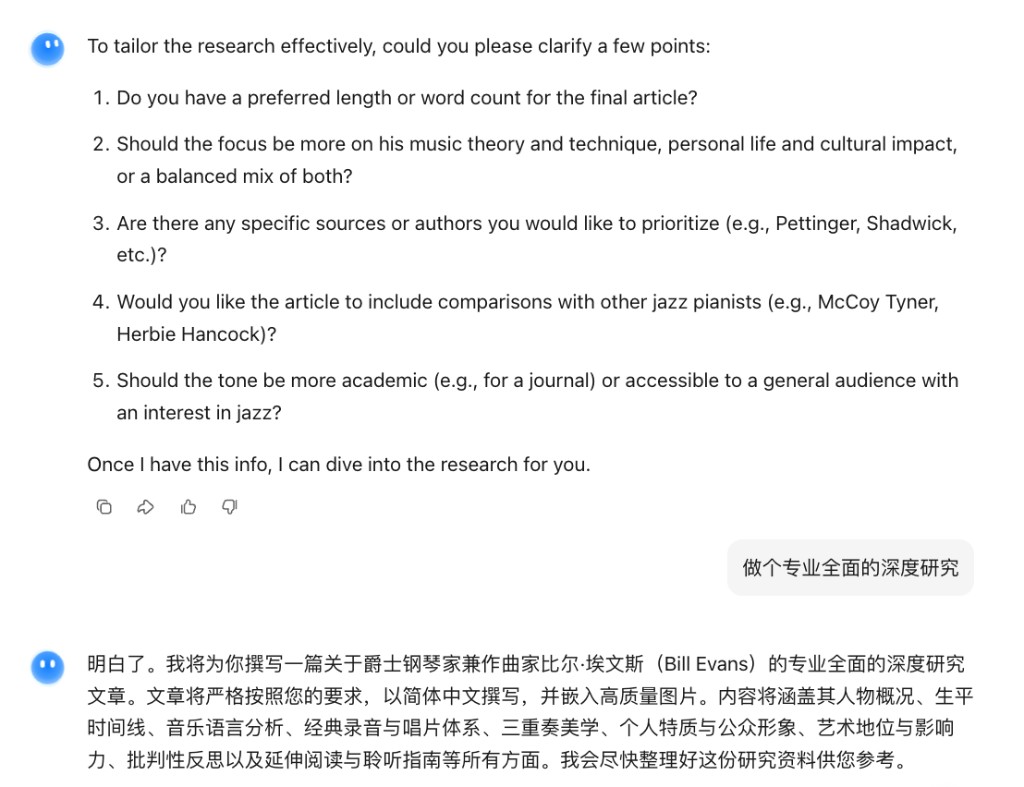
- Based on the Clarification questions returned by Kimi, confirm or refine the research direction. You can also click “Include everything” to skip;
- The system enters the automatic execution stage. You can view retrieved keywords, the reasoning process, and visited URLs in real time;
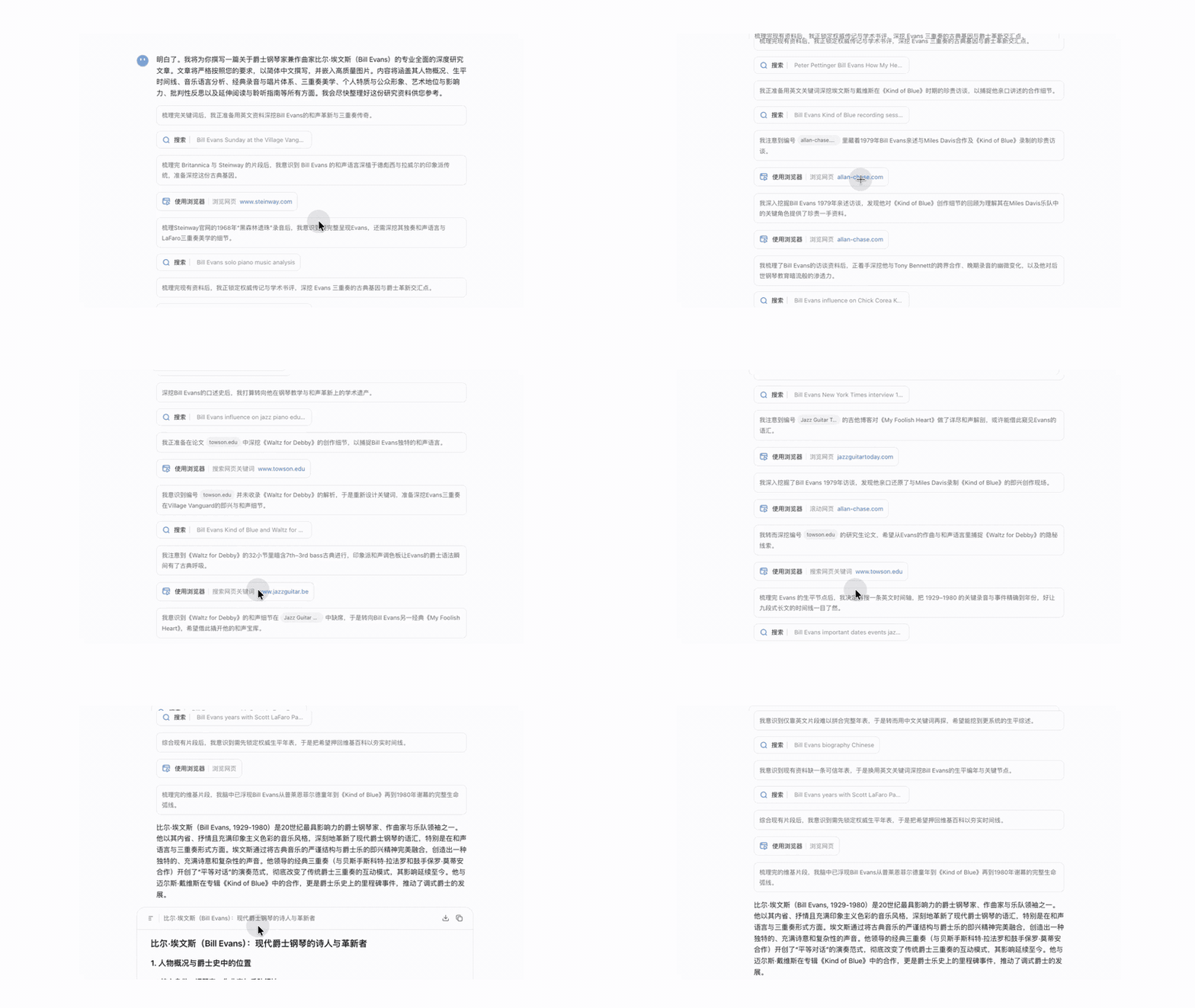
- After the research is completed, you will receive two outputs: a Deep Research report and a visualization report:
- Deep Research report (Markdown format): a traceable report of over 10,000 Chinese characters with a table of contents, multiple sections, and structured formatting;
- Visualization report (HTML format): an interactive visualization report that can be publicly shared
- Preview, download, or share as needed: the report can be exported as PDF or Word; the visualization report supports preview, source code copying, and public link sharing.
- Preview: click “Preview” to switch between web and mobile views;
- Copy HTML source code: click Preview, switch to “Code mode”, and copy the source code of the visualization report;
- Share: obtain a public share link;
Usage tips
- Before submitting a question: narrow the scope The research quality of Kimi-Researcher largely depends on how clear the question is. Before submitting, we recommend clarifying the following dimensions:
- Time range: define the information window to avoid outdated content, such as “from 2023 to the present”;
- Geographic scope: specify mainland China, overseas markets, or a particular market, such as “mainland China market only”;
- Source type: specify the types of information to prioritize, such as “prioritize official reports and academic papers”. For specific fields, you can further narrow the scope—for example, PubMed for medicine, or papers and evaluation results on arXiv or Papers With Code for AI;
- Problem breakdown: for broad and complex questions, split them into multiple sub-questions and research them separately instead of submitting everything at once. This improves depth and accuracy each time.
- During Clarification: actively calibrate the research direction After you submit a question, Kimi will return a Clarification confirmation. This step is critical to research quality, so make full use of it:
- Clearly state any directions you do not want covered to help the model avoid distractions;
- Add the specific dimensions or angles that need special attention;
- If the question is complex, add background information or usage scenarios here to help the model understand the research intent more accurately. Note: If your input at this stage is too long, unclear, or deviates from the original question, the research direction may go off track. Keep your reply concise and specific.
- During execution: wait patiently and avoid stopping the task manually
Notes
- Execution time: Deep Research usually takes 10–25 minutes. You can leave the page during execution; the task will run asynchronously in the background, and you will receive a notification when it is complete. If the page displays abnormally, refresh it. Do not click “Stop output”.
- Credit notes: Deep Research uses Kimi unified credits. One Deep Research task consumes about 5–10% of monthly credits (based on the Moderato plan). To check your credits:
- Web: Me → Settings → Subscription, where you can view your current credit balance, next refresh time, and recent usage details
- App: Me → Membership Plan → Subscription
- Credit refund: if a task fails due to reasons such as tool call failure, credits will be automatically refunded.
- Input quality: overly long or unclear question descriptions may cause deviations in the research direction. We recommend entering concise and specific research questions.
- Scope: for simple Q&A needs, use normal chat mode for faster responses.
- User agreement: Deep Research must comply with Article 4 of the Kimi User Service Agreement. If your input violates the user usage rules, Kimi will suspend or stop providing services to you, and the credits for that single Deep Research task will be refunded.
Related resources
- Technical report: Kimi-Researcher: End-to-End RL Training for Emerging Agentic Capabilities
- Official WeChat announcement: Model as Agent: Kimi-Researcher (Deep Research) Begins Internal Testing
- User cases: Deep Research case gallery
Was this article helpful?