How Kimi WebBridge Works
How It Works
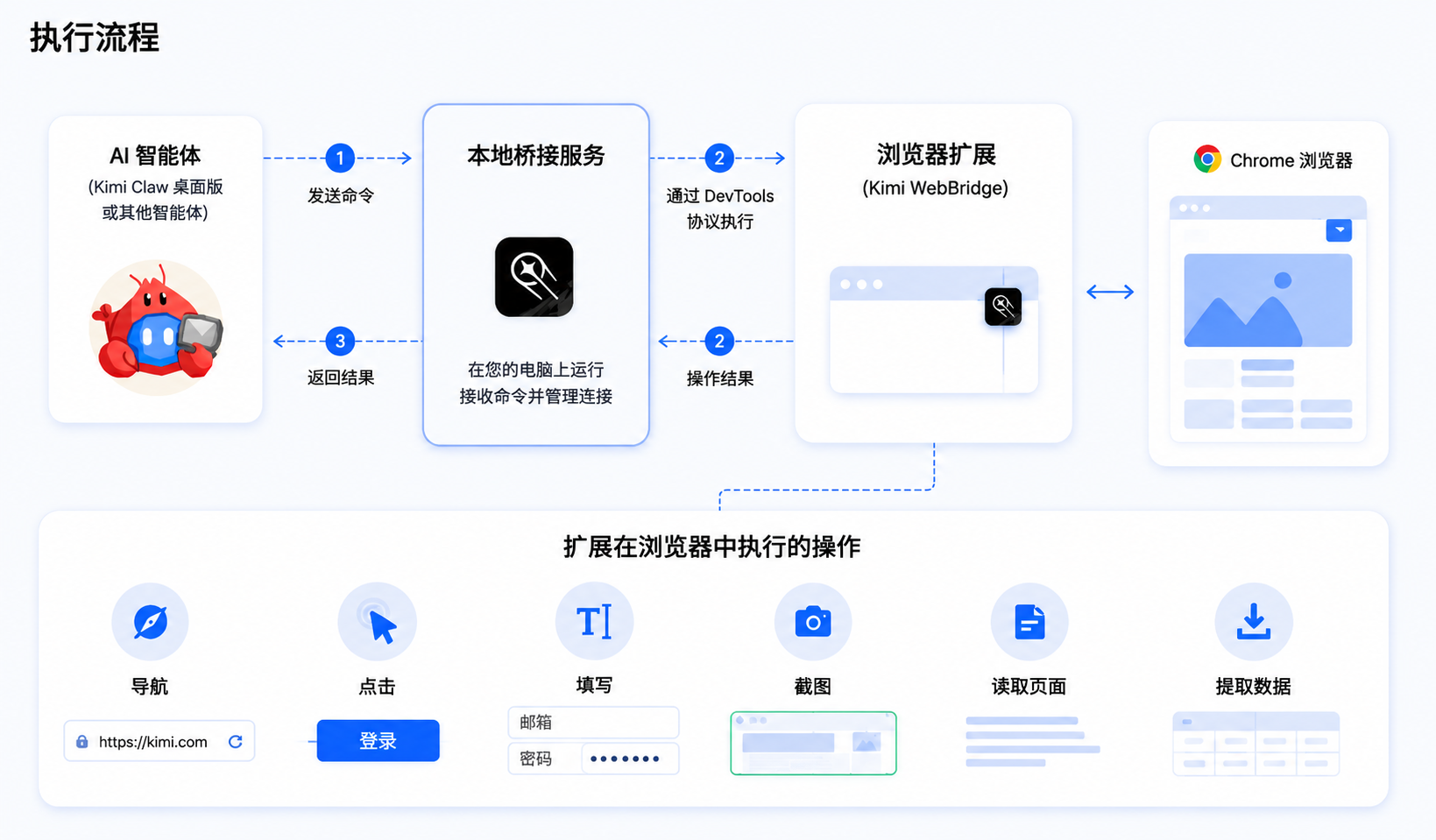
Kimi WebBridge works in the following way:
- Local bridge service: Runs a local service on your computer to receive instructions from Agent
- Browser extension: Performs specific actions in the browser based on Chrome DevTools Protocol
- Security isolation: All execution happens locally, so your login sessions and web page content never leave your device
Extension Interface
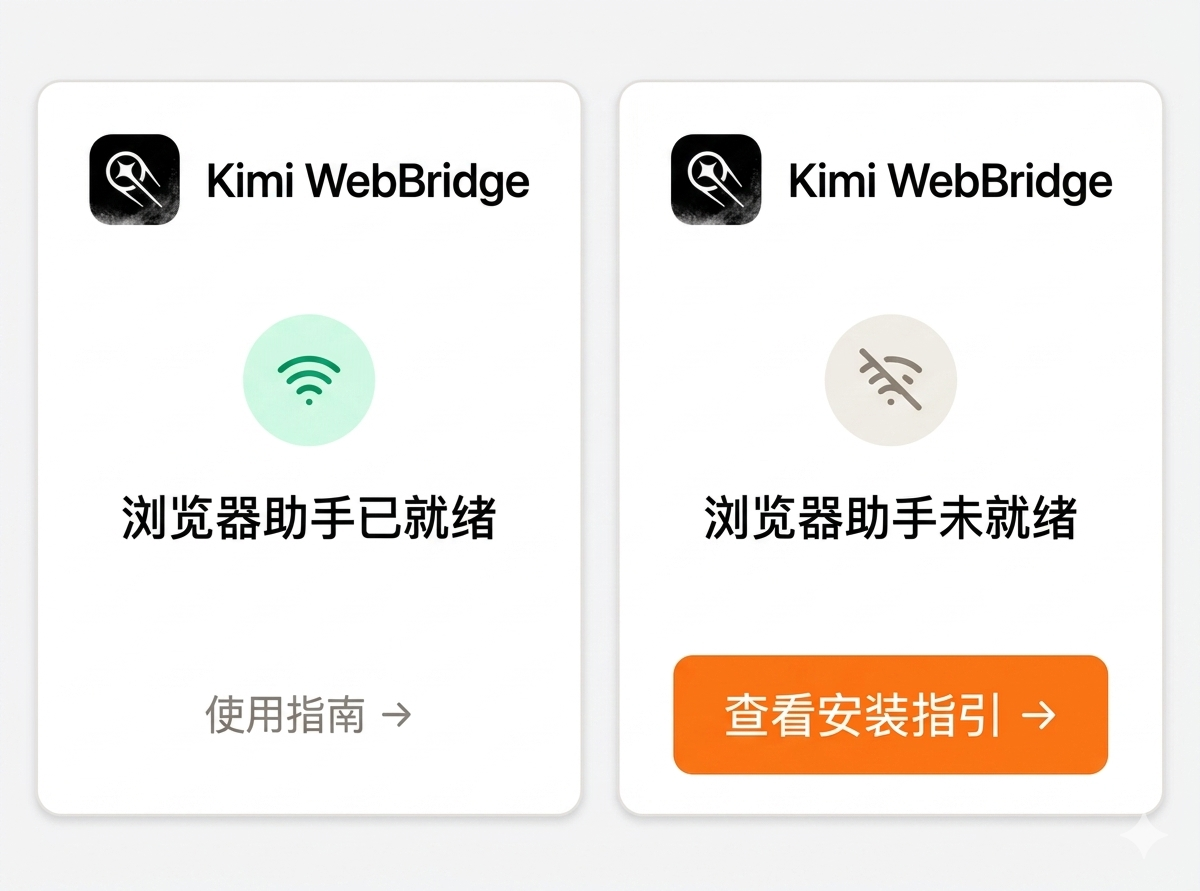
Click the WebBridge icon in the browser toolbar to view the current connection status:
Connected: WebBridge is working properly and can collaborate with Agent
Not connected: Check your configuration or rerun the connection command
Use Cases
| Feature | Description |
|---|---|
| Web navigation | Automatically open a specified URL |
| Element clicks | Simulate clicks on buttons, links, and other page elements |
| Form filling | Automatically enter text and select options |
| Page screenshots | Capture the current page or a specific area |
| Content extraction | Read page text, tables, and other structured data |
| Persistent login sessions | Use login states already saved in the browser |
- E-commerce price comparison: Search for products across multiple e-commerce platforms and compare prices automatically
- Information research: Browse web pages in depth and extract structured information
- Form filling: Automatically complete various online forms
- Data entry: Automatically organize web data and enter it in a specified format
For more examples, see the Kimi WebBridge official website.
Was this article helpful?