Common Phrases
Common Phrases is a quick prompting feature from Kimi. It lets you save prompts you use often and call them up with one click in any conversation, so you don’t have to type them again and again.
Best for
- Fixed-format tasks: For example, when you need Kimi to produce meeting minutes, weekly reports, emails, and similar content in a specific template every time
- Reusing high-quality prompts: Save carefully refined prompts and use them repeatedly
- Quick access to common instructions: Everyday high-frequency instructions such as “Summarize this article,” “Translate into English,” or “Organize this in a table”
How to add a common phrase
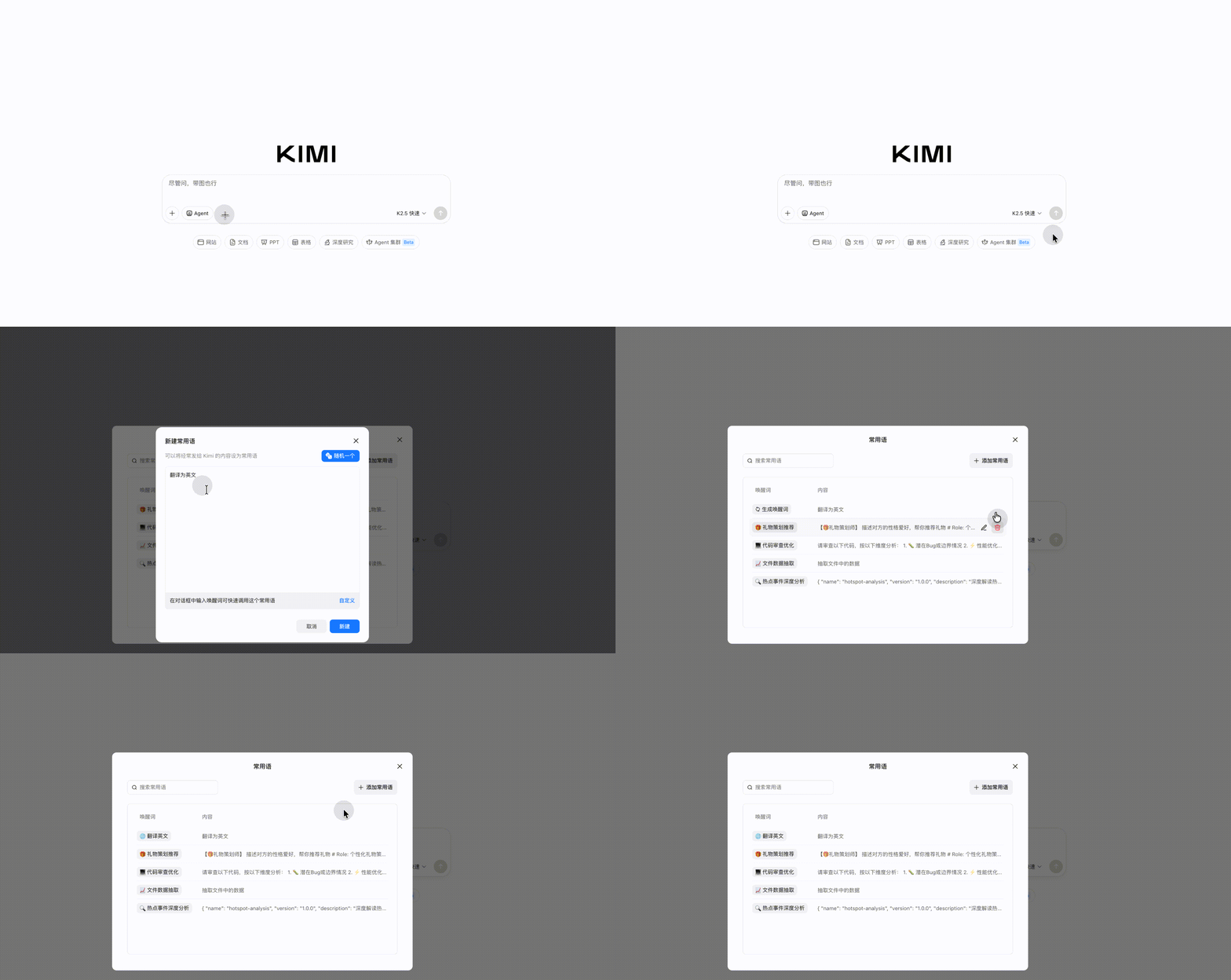
- Open kimi.com or the Kimi App
- Click the “+” button on the left side of the chat input box, or find the Common Phrases entry point
- Click “Add common phrase”
- Enter a title for the common phrase (for easy identification) and the specific content (the full prompt text)
- Save it
How to use common phrases
In the input box of any conversation, click the Common Phrases entry point and select a saved common phrase. The content will be filled into the input box automatically. You can send it directly, or add and edit it before sending.
Manage common phrases
- Edit: Click an existing common phrase to modify it
- Delete: Remove common phrases you no longer need
- Reorder: Put your most-used common phrases at the top for quick selection
Tips
- Save proven, high-quality prompts as common phrases to get stable, high-quality outputs every time
- Prepare a few common phrases for different work scenarios, such as writing, analysis, and translation, so you can switch modes quickly
- Common phrases support long text, so you can also save complex multi-step instructions
Was this article helpful?