Common Kimi Claw terminal commands
What is Terminal?
Terminal is required to install OpenClaw on macOS. It is a built-in Mac app that lets you control your computer directly with text commands instead of clicking icons with a mouse.
Kimi Claw Terminal:
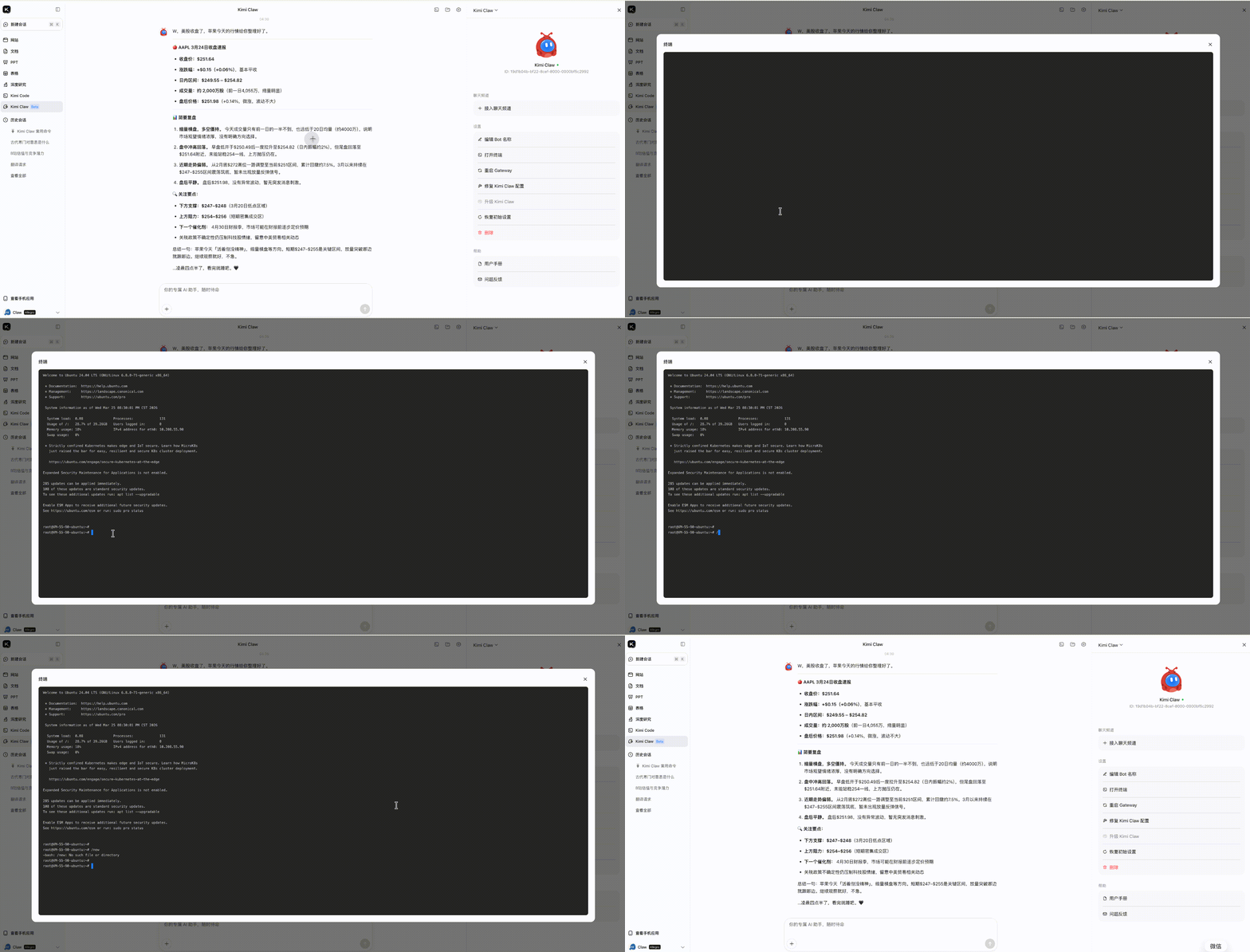
Click the “Terminal” button in the Kimi Claw web app to open the CLI. Commands entered in Terminal are executed directly and are not affected by the chat context.
Terminal commands and features
You can also enter commands directly in the Claw chat box to check Claw status or perform actions.
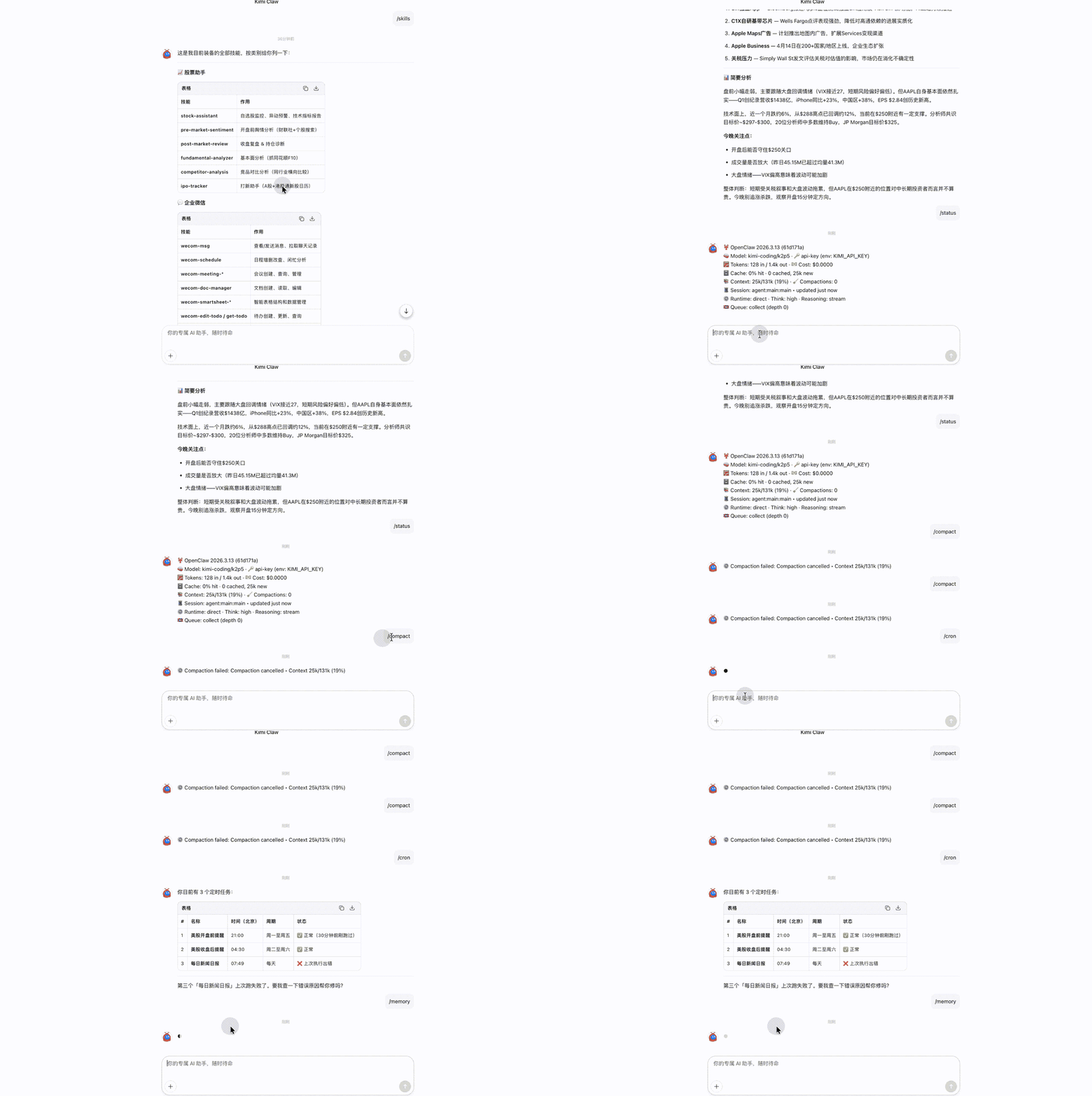
Terminal and plugins share the same interaction channel. Restarting OpenClaw Gateway will disconnect Terminal.
Basic system commands
| Command | Function |
|---|---|
/help | View all available commands |
/status | Check system status and connection health |
/ping | Test gateway response |
/cron | View/manage scheduled tasks (create, read, update, delete) |
/cron add "<schedule>" <command> | Add a scheduled task, for example /cron add "0 9 * * *" /news |
/cron rm <id> | Delete the scheduled task with the specified ID |
/config | View the current user configuration, such as email and notification method |
/config set <key> <value> | Modify a configuration item, for example /config set email [email protected] |
/file or /upload | View/manage the list of uploaded files |
/search <query> | Trigger an online search, overriding the system’s default search behavior |
/new | Start a new Session while preserving history |
/reset | Reset the current Session and clear the context |
/compact [instructions] | Compress the chat history while preserving key information |
/stop | Stop the current task/output |
Skill management
| Command | Function |
|---|---|
/skills | List all installed Skills |
/skills info <skill_id> | View details and configuration parameters for the specified Skill |
/skills install <url or id> | Install a new Skill |
/skills uninstall <skill_id> | Uninstall the specified Skill |
/skills update <skill_id> | Update a Skill to the latest version |
/skills reload | Reload all Skills after configuration changes |
Scheduled tasks
| Command | Function |
|---|---|
/cron | View the list of all current scheduled tasks |
/cron log <task_id> | View execution logs and error details for the specified task |
/cron enable/disable <task_id> | Enable or pause a scheduled task |
Memory Space
| Command | Function |
|---|---|
/memory | View the number of current memory entries and capacity usage |
/memory search <keyword> | Search historical memory entries |
/memory export | Export a memory file for backup |
Configuration and debugging
| Command | Function |
|---|---|
/config | View the current gateway and platform configuration |
/config reload | Reload the configuration file after modifying Feishu, email, or other credentials |
/logs | View recent system logs |
/debug on/off | Turn debug mode on or off to output detailed execution steps |
Quick diagnosis: If a Skill or scheduled task is abnormal, run /status → /logs → /cron log <task_id> in order to locate the issue.
Was this article helpful?