No replies or slow responses
If Kimi Claw does not reply or responds slowly, there may be several causes. Follow the steps below to troubleshoot.
Common causes
- Bridge disconnected: The connection between Kimi Claw and the server has been interrupted. Restart Gateway.
- High resource usage: The server is under heavy load. Please try again later.
- Instance offline: The Kimi Claw instance is offline and needs to be fixed in Settings.
Check whether Kimi Claw is offline
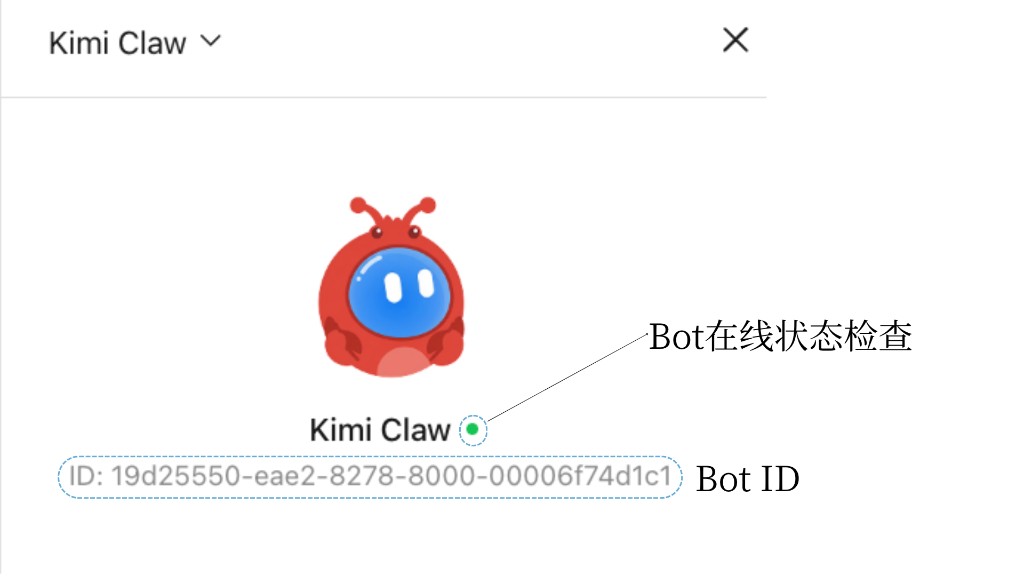
Open the Settings page. Under your profile picture, you’ll see the Bot ID and online status: a 🟢 green dot means online, and a 🔴 red dot means offline. If it shows offline, follow the fix path below.
Full fix path
Try the following steps in order until the issue is resolved:
- Send another message: Sometimes it is only a temporary delay, and sending another message may trigger a reply.
- Refresh the page: Close and reopen the Kimi Claw chat page.
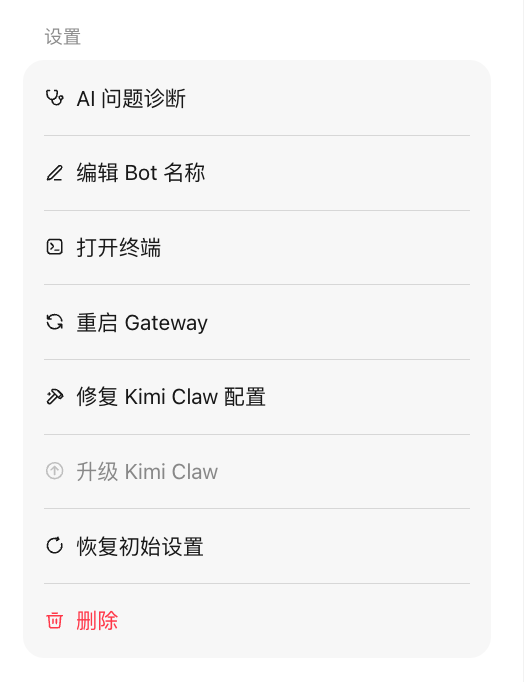
- Restart Gateway: Go to Settings, click Restart Kimi Claw, and wait for the restart to complete.
- Fix Kimi Claw configuration: In Settings, click “Fix Kimi Claw configuration”. The system will automatically detect and fix configuration issues.
- Restore initial settings: If none of the above works, choose “Restore initial settings” in Settings.
About restoring initial settings
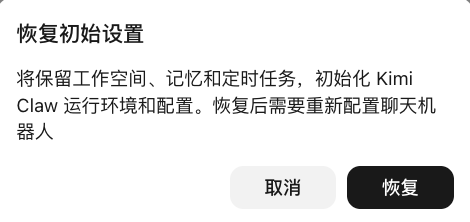
Restoring initial settings resets Kimi Claw to its initial state, but:
- ✅ Kept: Files in your workspace, long-term Memory, and scheduled tasks
- ❌ Needs reconfiguration: Chatbots such as WeChat, Feishu, and WeCom need to be connected and configured again
AI issue diagnosis
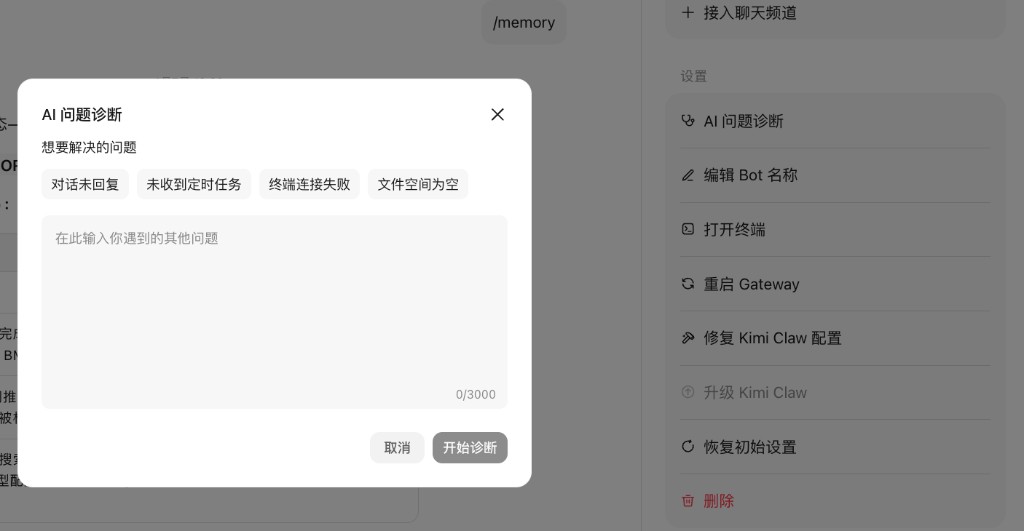
If the issue still cannot be resolved, you can let AI diagnose it in either of the following ways:
Method 1: Send /status in the chat to view system status, or send /logs to view recent logs. This can help identify the specific cause.
Method 2: On the Kimi Claw page, click “Settings” → “AI issue diagnosis”, enter the issue you encountered, and include the logs and error messages so AI can diagnose and fix it.
Was this article helpful?