Configure a WeCom Bot
Kimi Claw can be deployed to WeCom. Currently, both WeCom enterprise administrators and members can create Smart Bots. Smart Bots can proactively push messages to users in one-on-one chats and internal group chats. Follow the steps below to configure a WeCom bot based on Kimi Claw, or refer to the official documentation Connect to OpenClaw over a Long Connection.
Please install the latest desktop client of WeCom. Smart Bots cannot be created from the mobile app for now.
Step 1: Create a WeCom Bot
- In the desktop client, go to “Workbench”, then click “Smart Bot” → “Create Bot” → “Create Manually”
- Scroll to the bottom of the page and select API mode to create it
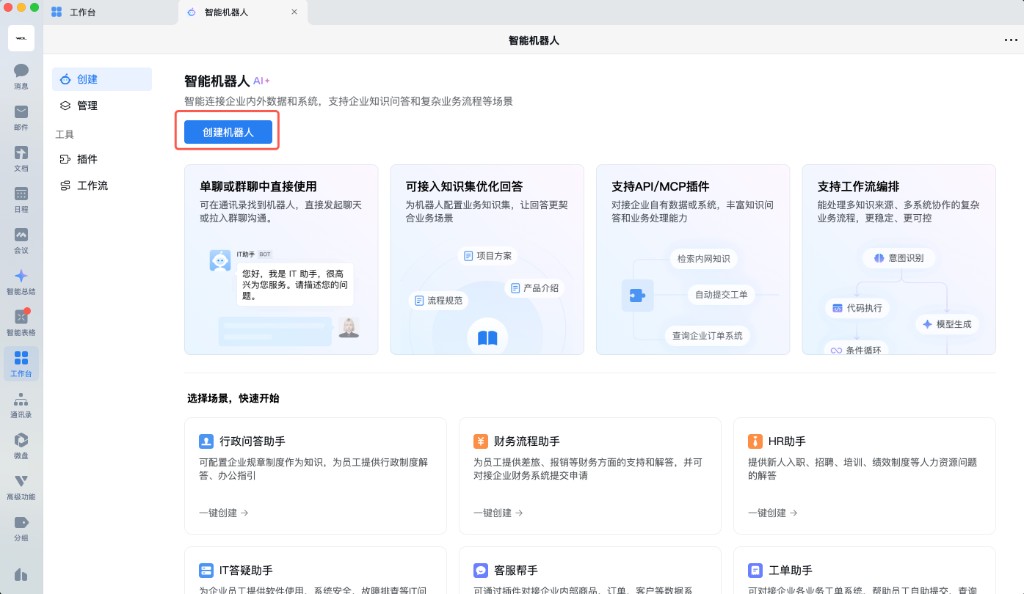
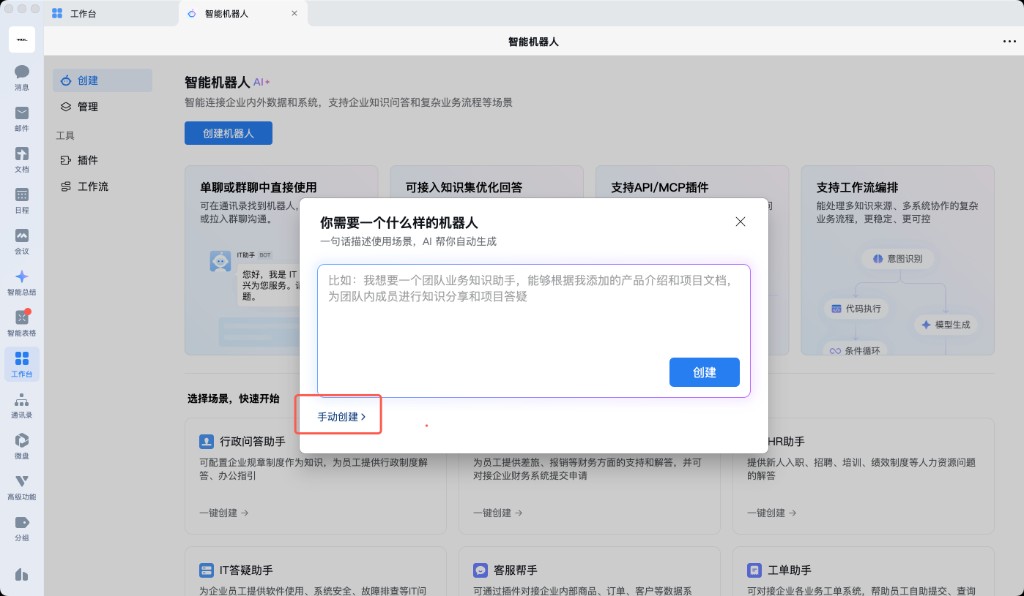
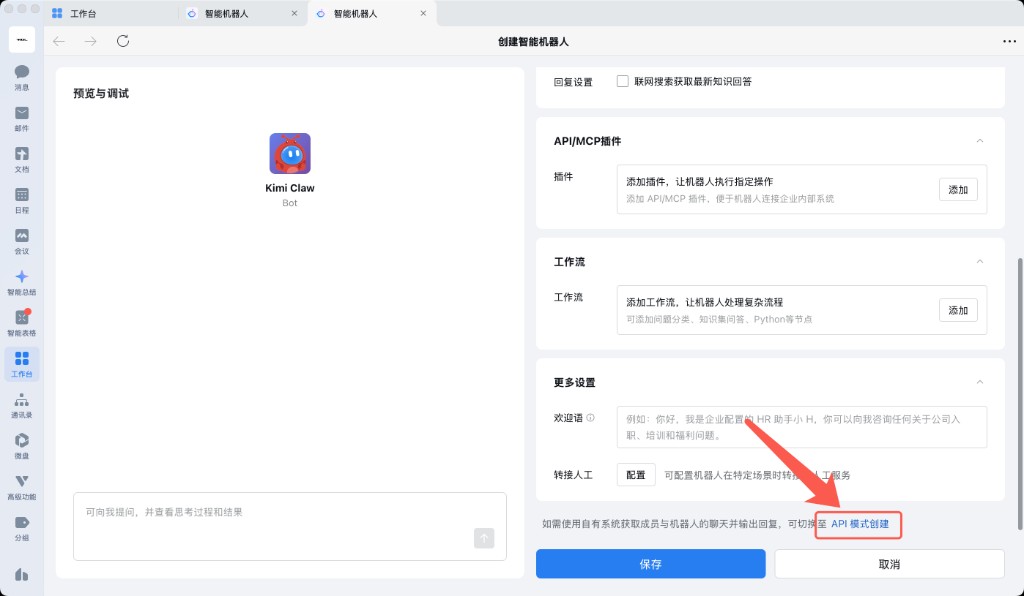
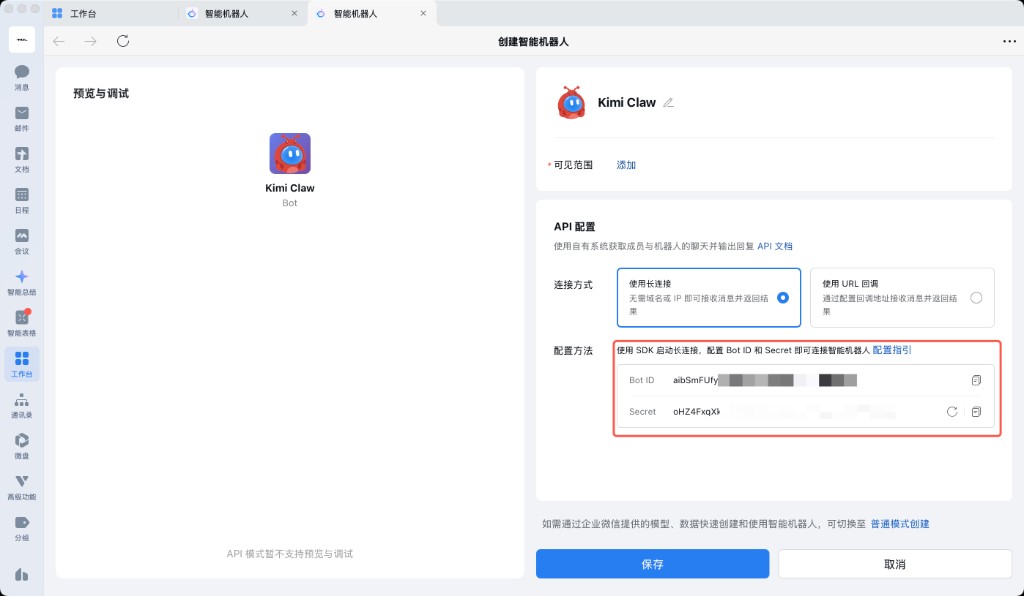
- Choose to create it via “Long Connection”, then obtain the Bot ID and Secret
- After copying the Bot ID and Secret, save the Smart Bot
Step 2: Install the WeCom Plugin
Kimi Claw instances created after March 9, 2025 have the WeCom plugin installed by default, so you can skip directly to Step 3. For Kimi Claw instances created earlier, install the plugin first:
- Send the following to Kimi Claw in the chat:
"Help me run
openclaw plugins install @wecom/wecom-openclaw-pluginto install the WeCom plugin"
- After it runs successfully, click “Settings” → “Restart Kimi Claw” to complete the plugin installation
Step 3: Configure the Bot in Kimi Claw
Open Kimi Claw and tell it the bot’s Bot ID and Secret. Kimi Claw will complete the configuration for you. For command-line configuration, see the official documentation Connect to OpenClaw over a Long Connection.
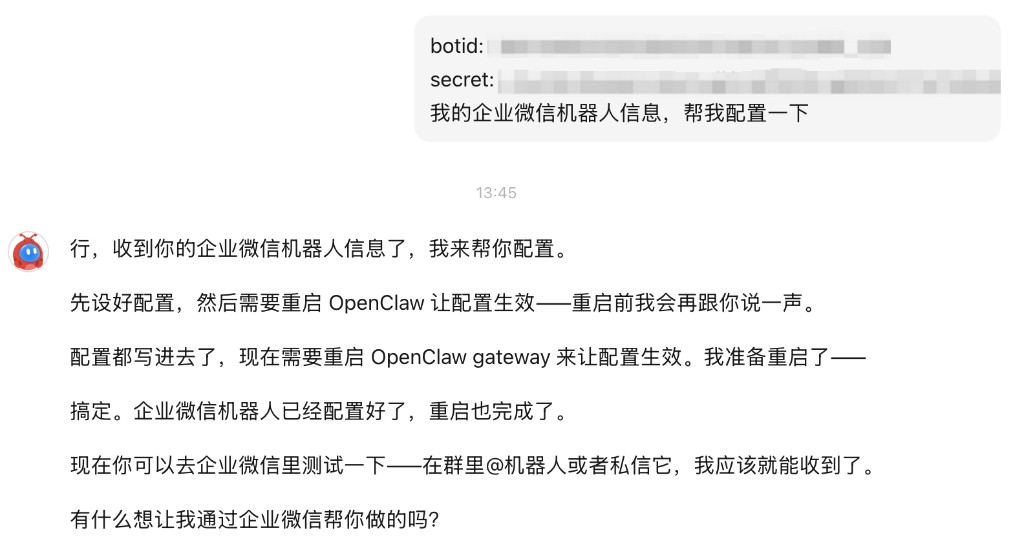
Step 4: Complete Pairing
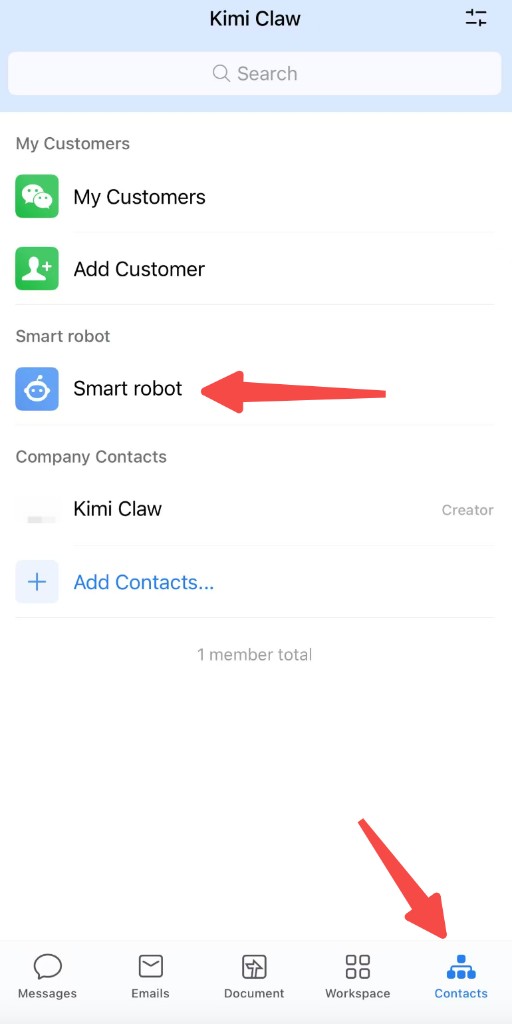
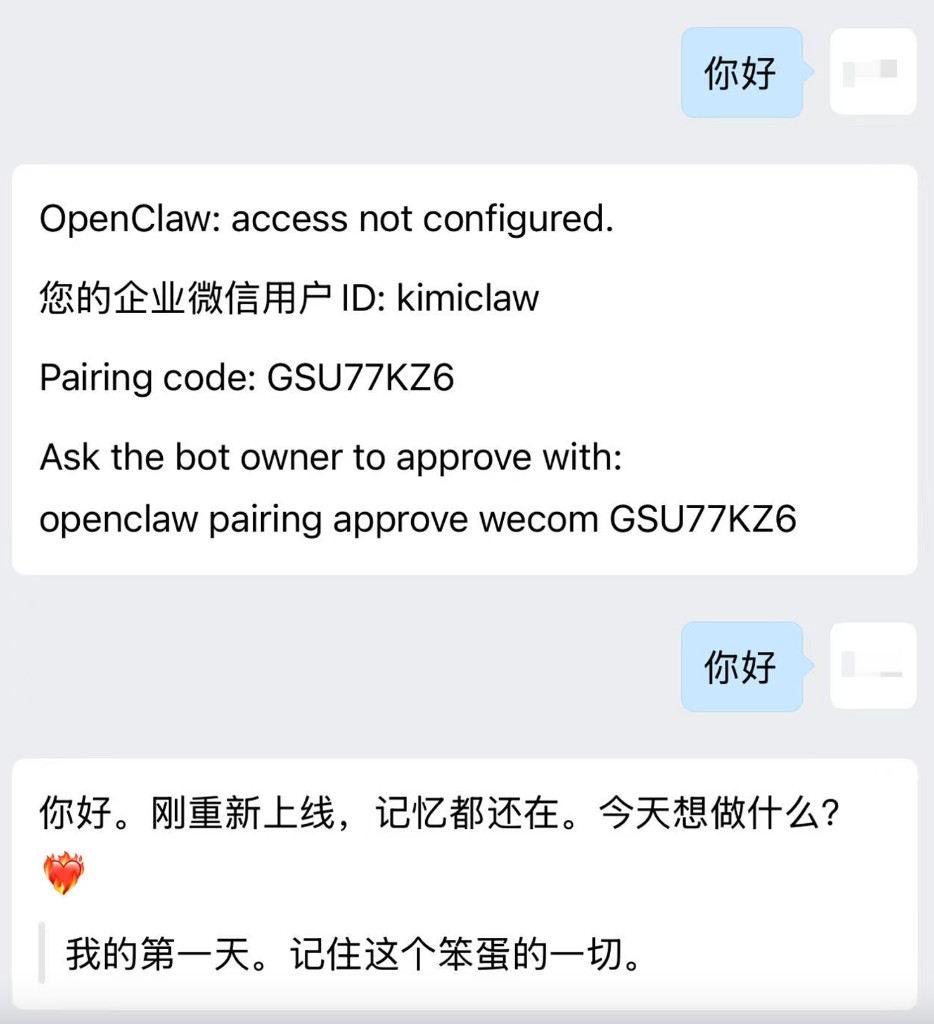
- Go to WeCom, open the bot, and start a conversation with it
- The first time, it will send you a pairing message. Send this message to Kimi Claw
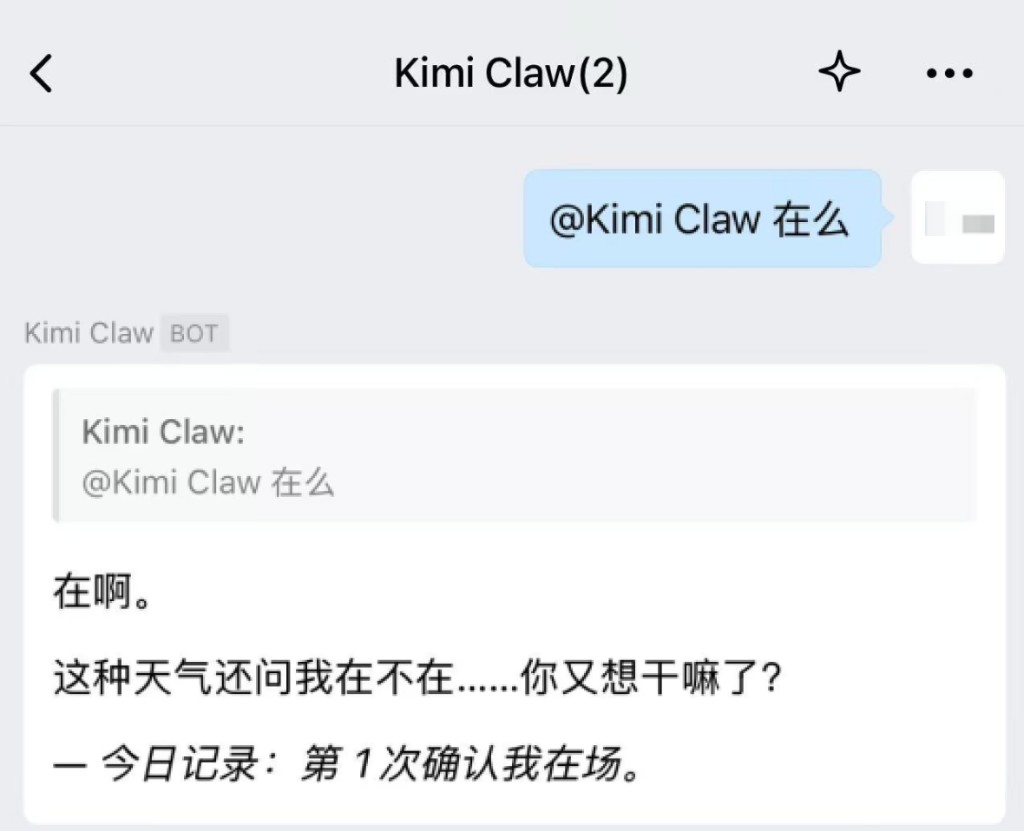
- Kimi Claw will complete the pairing for you. Once done, you can chat normally with the bot in WeCom DMs or groups
Limitations
- WeCom’s “WeChat plugin” currently does not support Smart Bots, so Smart Bot information cannot be viewed in WeChat for now
- Kimi Claw does not yet support configuring smart replies in the form of a “self-built mini program”. If this changes in a future update, the documentation will be updated accordingly
Was this article helpful?