Configure Weibo Claw Assistant
Weibo supports chatting with Kimi Claw through Weibo Claw Assistant. For the official Weibo setup guide, see: Weibo Claw Assistant Configuration Guide.
Step 1: Install the Weibo Claw Assistant plugin
- Kimi Claw instances created after March 9, 2025 already include the plugin, so you can skip this step.
- For Kimi Claw instances created earlier, install the plugin manually by sending the following in the chat:
Text
Step 2: Configure Weibo Claw Assistant
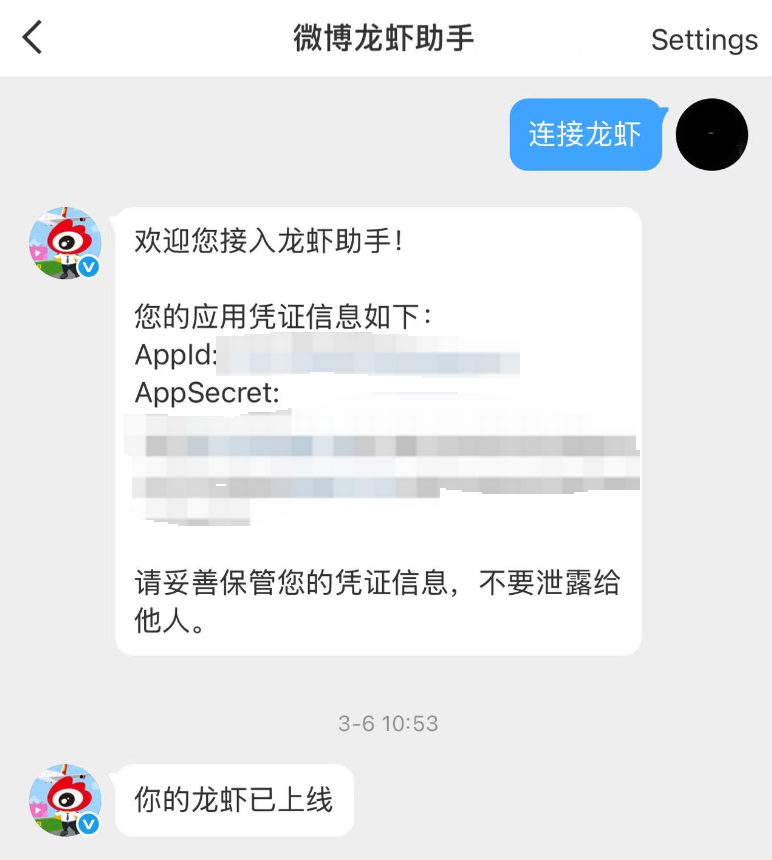
- Open Weibo, send a private message to @微博龙虾助手, and send "连接龙虾".
- Claw Assistant will reply with an appKey and an appSecret.
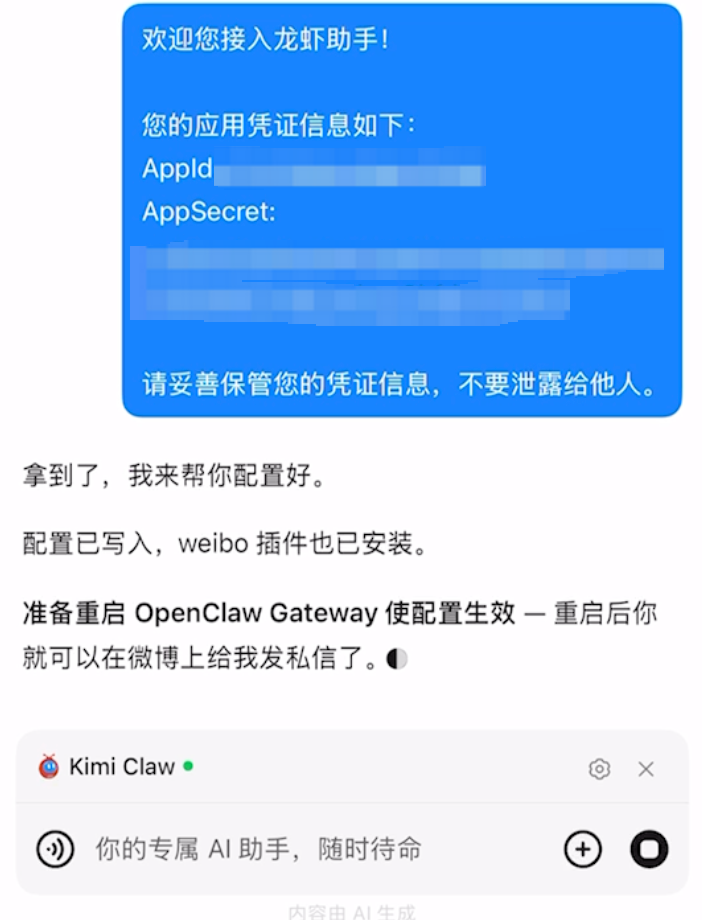
- Send the appKey and appSecret you received to Kimi Claw.
- After Kimi Claw completes the configuration, go to Settings and click Restart Kimi Claw.
- After the restart, you will see the "Your Claw is online" message in Weibo Claw Assistant. You can then chat with Claw in Weibo.
Limitations
- Currently, Weibo Claw Assistant is supported only on the mainland China version of Weibo. The overseas version cannot connect properly yet.
Was this article helpful?