Introduction to Kimi Memory Space
What is memory?
Kimi has truly learned to listen, and the more you talk, the better it understands you. Specifically: Kimi no longer responds only to the current chat. In every conversation with you, it records important details—your preferences, habits, style, and more. As you use it more, Kimi continues learning across sessions and keeps refining how it understands you. You no longer need to repeat your needs. Kimi will proactively consider “what we’ve talked about” and use that context to generate more relevant, coherent responses.
What will be remembered?
Kimi has trained a dedicated model so it can selectively remember conversation content that is valuable to you. Before saving anything, Kimi first asks itself two questions to decide whether it should remember it:
- Who is the user in front of me?
- What does this user care about, prefer, or dislike?
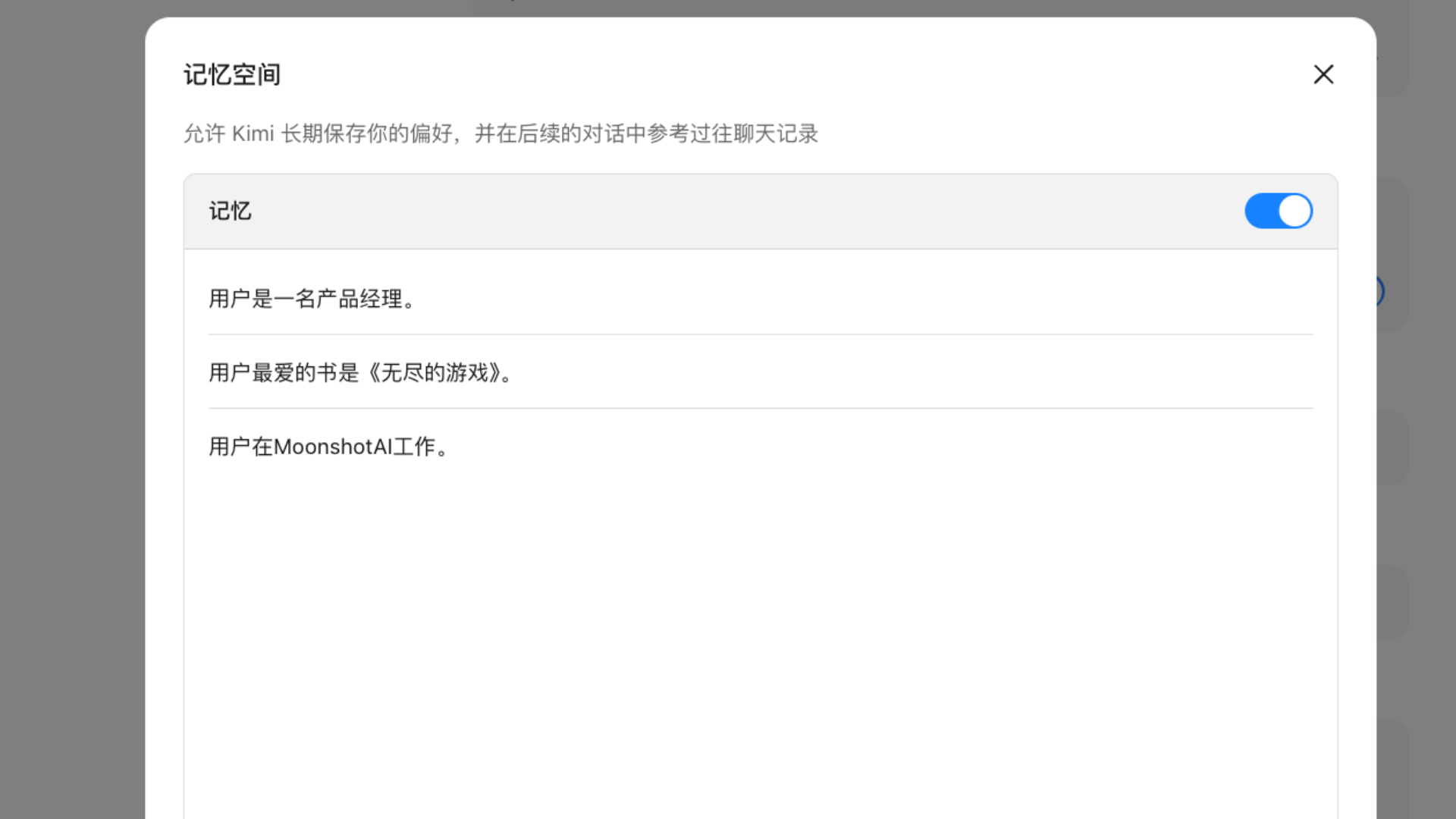
Note: Kimi will not remember unauthorized private information, such as health details, passwords, or addresses, unless you explicitly ask it to.
How to trigger memory
Memory is now a built-in capability of Kimi and can be triggered through natural conversation. Ways to update or manage Kimi’s memory:
(1) Give direct instructions in a conversation (most common) You can directly ask Kimi in natural language to update its memory:
| Action | What you can say | Kimi’s response |
|---|---|---|
| Add a memory | “Remember that I like coffee” “Note down that my employee ID is 9527” “Remember that I’m a project manager from now on” | Kimi will call the memory tool to save it |
| Modify a memory | “Correction: I’ve moved to Shanghai” “Update: I’m now a senior engineer” | Kimi will replace the old memory |
| Delete a memory | “Forget that I like coffee” “Delete the memory about my employee ID” “Clear all memories” | Kimi will remove the specified memory or all memories |
Note: You have full control over memory. It will not be used for model training, and you can turn it off or clear it at any time.
(2) Manage it in Settings (interface operation)
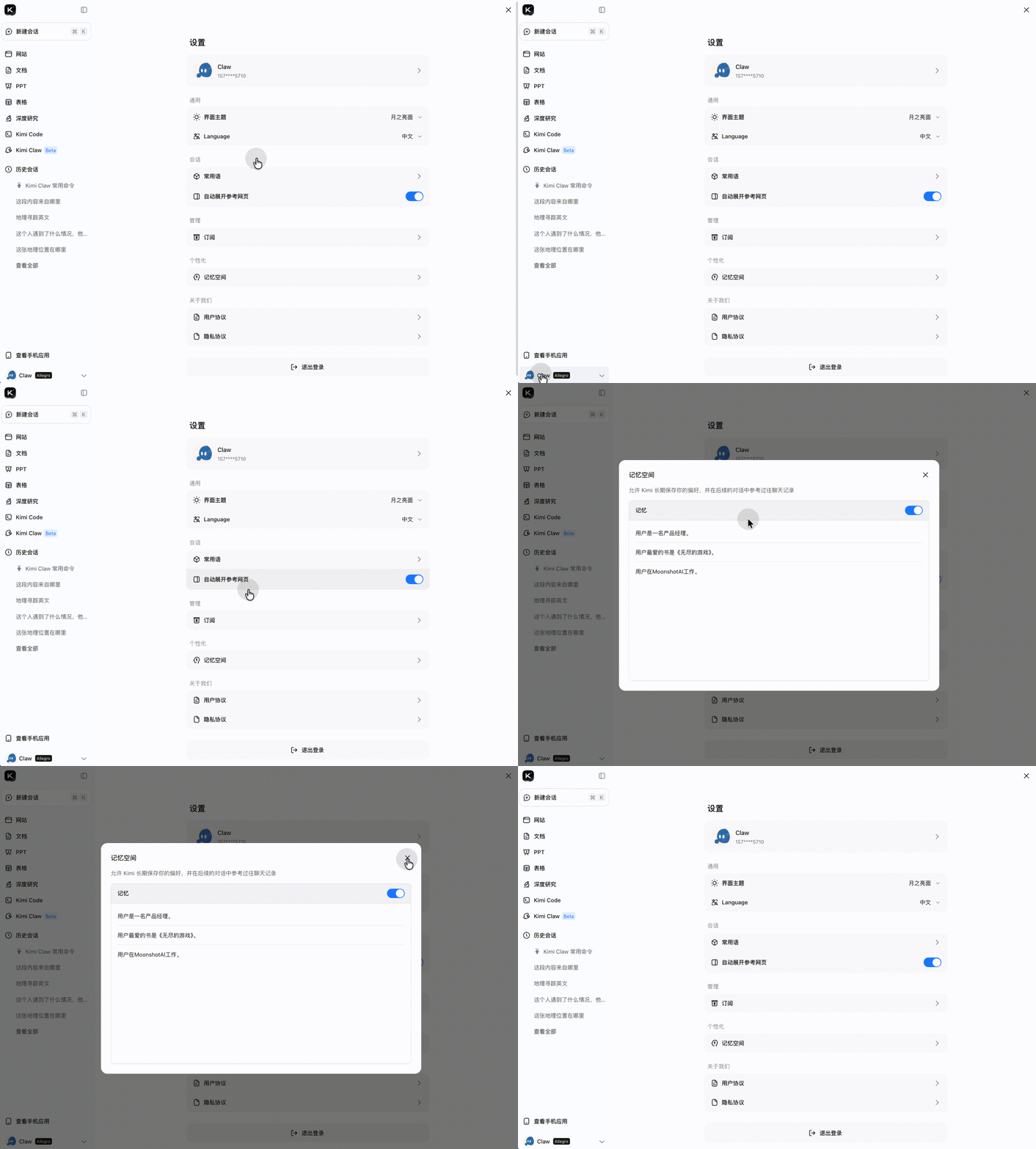
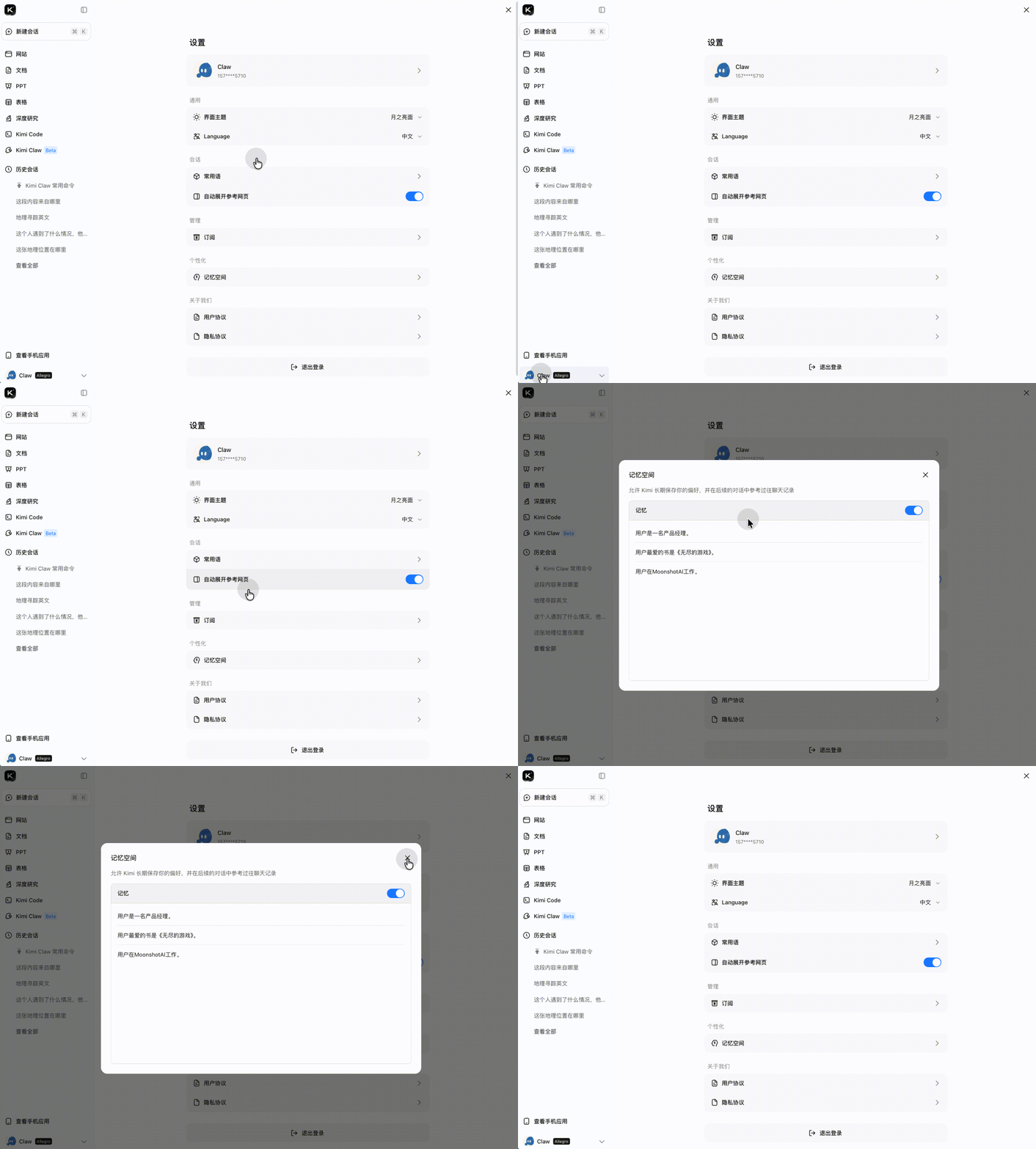
Following the system prompts, you can also manage memory yourself in Settings:
- Web/Mobile App: Settings → Personalization → Memory Space
- View all saved memory entries here
- Manually delete memories you no longer need
Add a memory
This can be triggered automatically during a conversation. For example: “My name is xxx, but my friends call me xxxx” “I’m a primary school math teacher, so my courseware should be suitable for children” “Please don’t send me emoji again in the future” “I usually use c++ code” “From now on, don’t repeat the same points over and over, and don’t use punctuation”
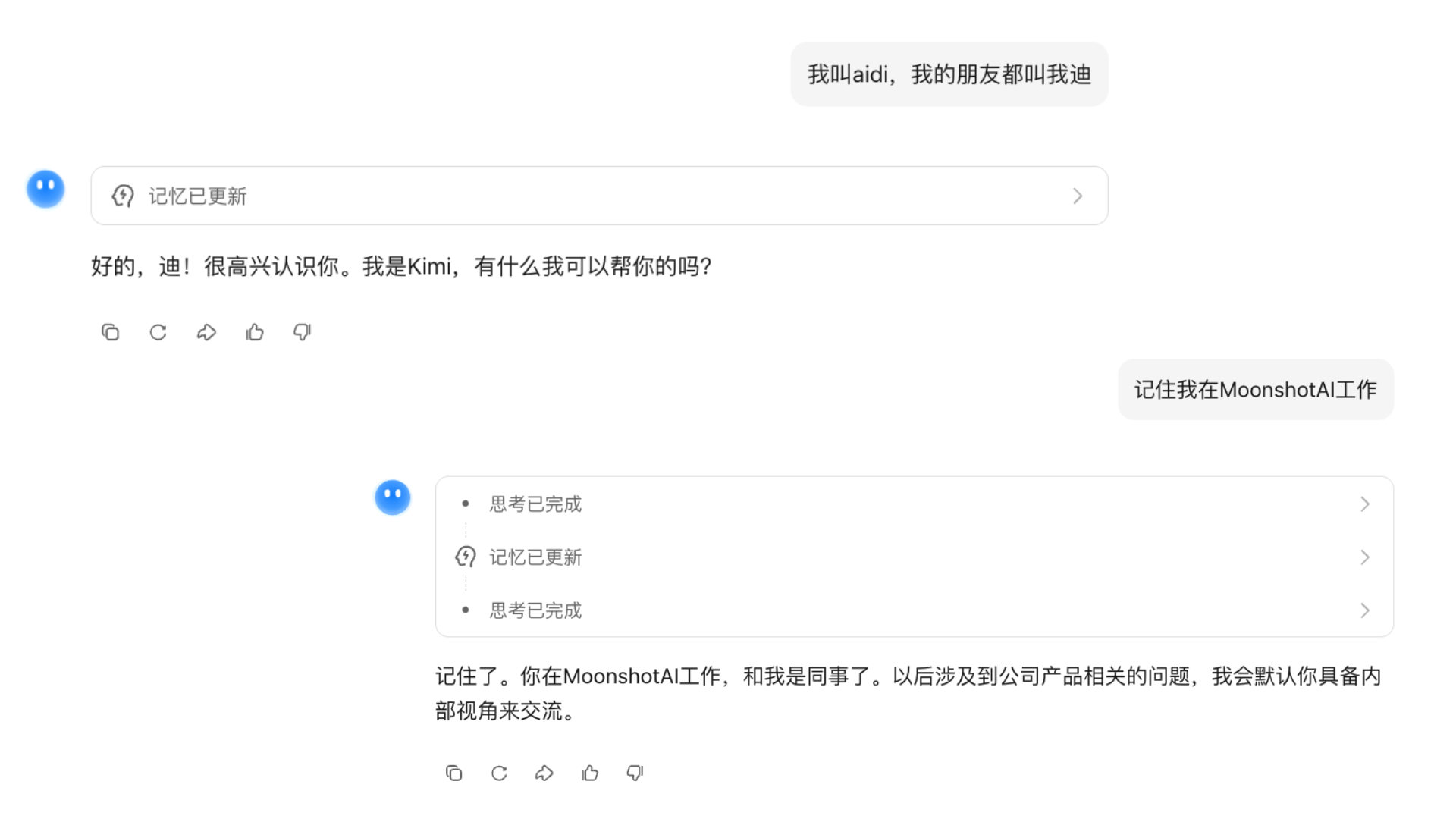
If there is something you especially want Kimi to remember, you can emphasize it separately: “Remember...” “Please remember...” “..., don’t forget”
Update a memory
After adding a memory in a conversation, you can delete any single memory you no longer need. You can also go to User Profile - Settings - Personalization - Memory Space and click to delete an individual memory.
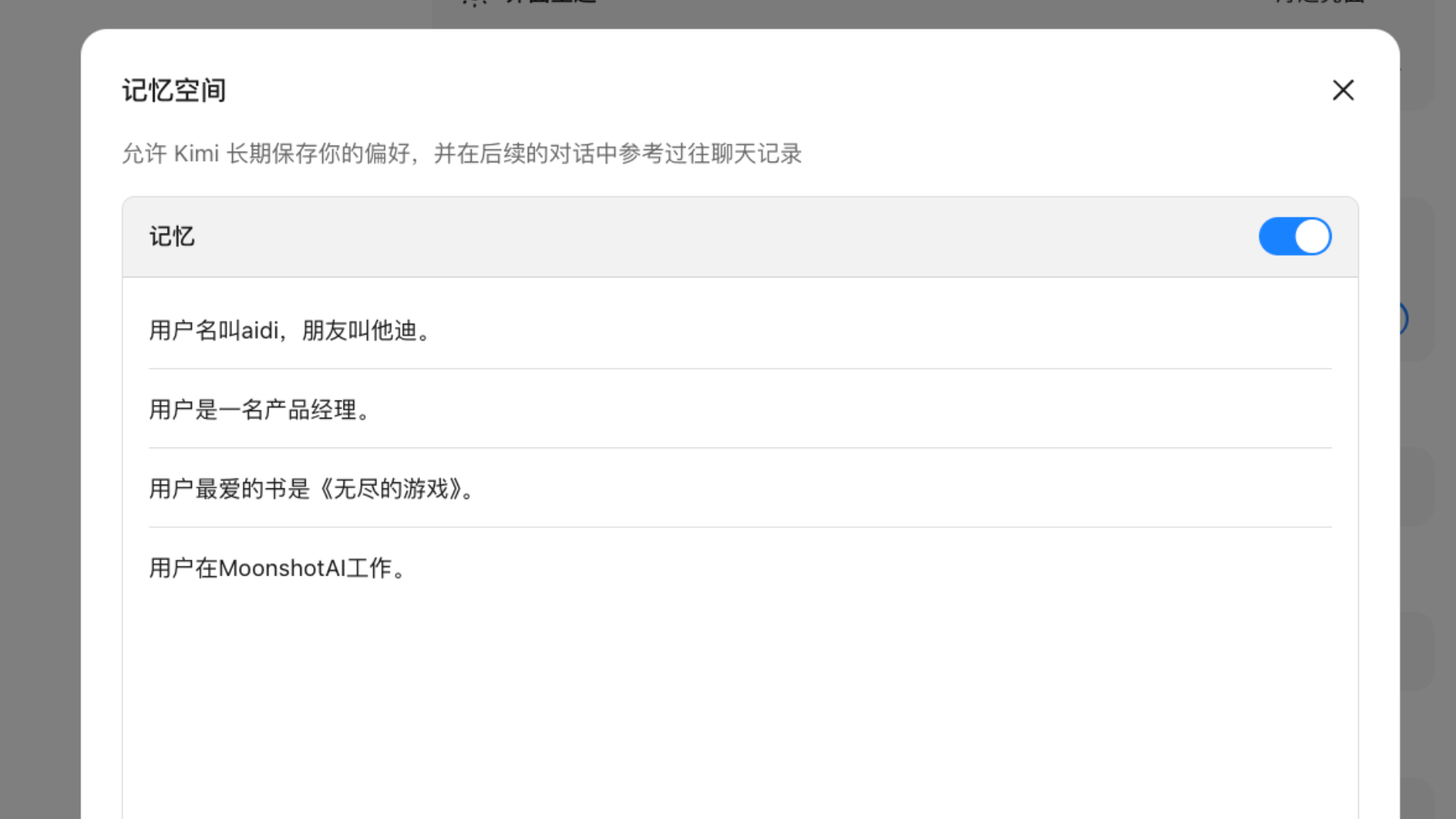
Delete (forget) a memory
Go to User Profile - Settings - Personalization - Memory Space and click to delete an individual memory.
View memories
Ask directly: “What do you currently remember about me?”
💬 User: What do you currently remember about me?
View result
Memory limits
Memory Space has the following limits:
- Up to 50 memories can be stored
- Each memory can contain up to 500 characters
- Memories created before April 2026 may exceed this limit; these memories will still be retained
- To edit an old memory with more than 500 characters, you must first shorten it to within 500 characters
- If you try to save content longer than 500 characters, the model will receive a “Content too long” prompt, and the user side will show “Memory update failed”
- If you use a non-Chinese interface, you may consider storing memories in Chinese to fit more information within the same character limit
- Each memory has an internal ID, but users cannot view these IDs. Therefore, mentioning a memory ID in a conversation will not help locate a specific memory