Introduction to Kimi Agentic Search
Kimi’s Agentic Search uses an End-to-End Agentic RL architecture. Unlike traditional tool orchestration, it lets AI decide when to search, which tools to call, and how to adjust its strategy, enabling it to complete complex information gathering and processing tasks. Compared with keyword matching in traditional search, Kimi’s search capabilities have undergone two major upgrades:
- Exploratory Search (October 2024) introduced LLM semantic understanding + real-time information retrieval, enabling automatic decomposition of complex questions and source tracing;
- Agentic Search goes further with autonomous planning and tool use, supporting multimodal tasks such as financial data queries, academic literature retrieval, and image search.
Web-Connected Search Settings
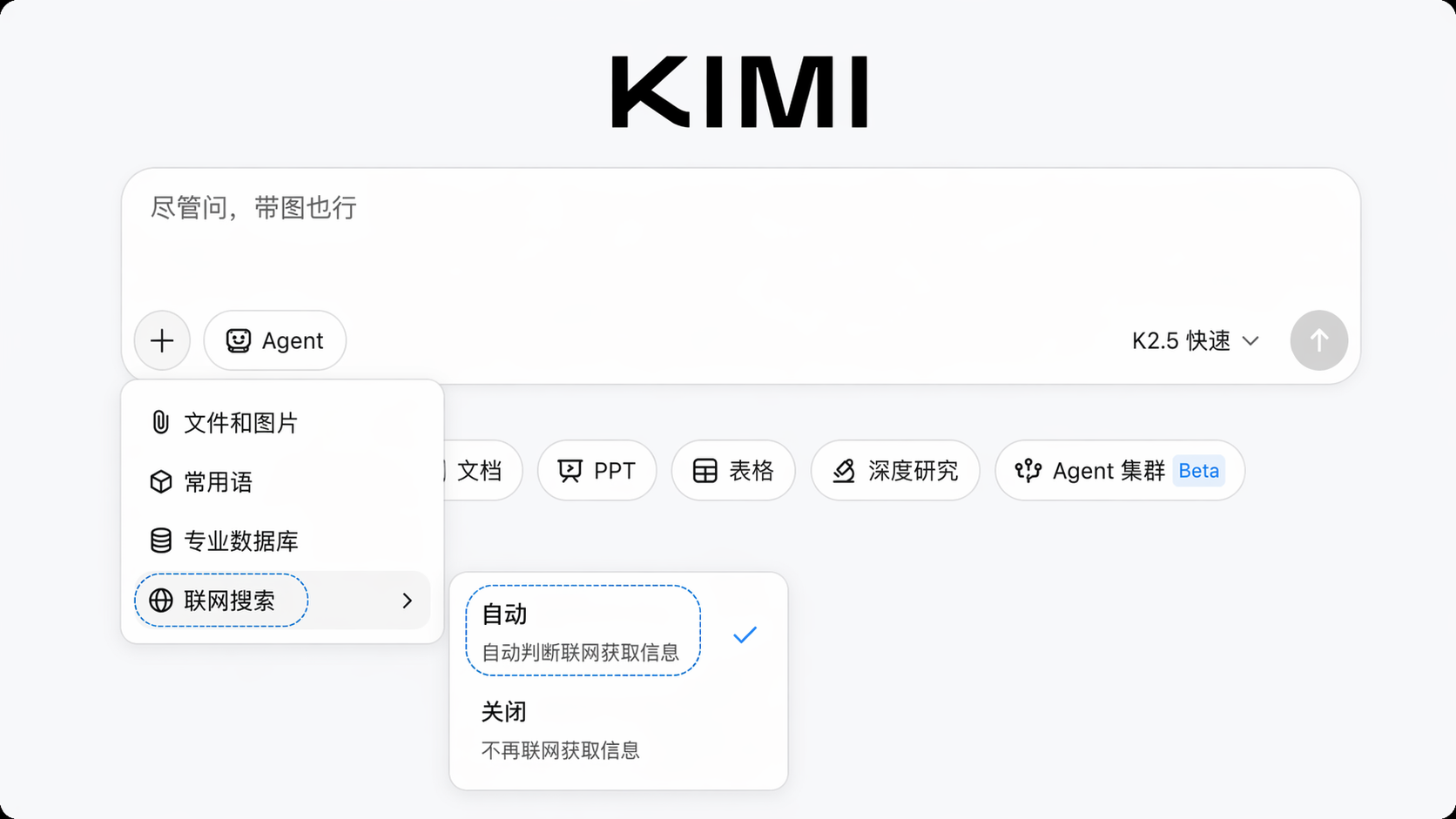
Web-connected search helps Kimi go beyond the time limits of its built-in knowledge and obtain the latest information that is timely, reliable, and traceable. Click the “Web-Connected Search” toggle below the chat input box (shown as the 🌐 icon). Once enabled, Kimi will independently determine whether your question requires real-time data, then intelligently call search engines and vertical databases to retrieve, integrate, and analyze information.
Core Capabilities
-
Both timely and authoritative Kimi retrieves information from the internet in real time, covering 100+ verified and trusted sources (including mainstream news media, government announcements, financial data platforms, and academic journal databases) to ensure information is both up to date and authoritative.
-
Traceable sources All search-based answers include reference links. You can click through to the original web pages to fully verify the authenticity and context of the information.
-
Global information access Kimi supports natural conversation in both Chinese and English. It can proactively retrieve non-Chinese materials (such as specified English news sources or Japanese technical documents) and automatically integrate multilingual information.
Recommended Use Cases
- Check the latest information (news updates, stock market quotes, policy changes)
- Verify uncertain information (online rumors, historical data, statistical definitions)
- Research professional topics (competitor updates, academic frontiers, industry standards)
Authoritative Source Labels
Kimi’s web-connected search filters information sources by relevance, authority, and timeliness. It automatically screens out risky sites, duplicate reposts from the same source, low-quality online content, and hallucinated model content, helping ensure results are valid and trustworthy.
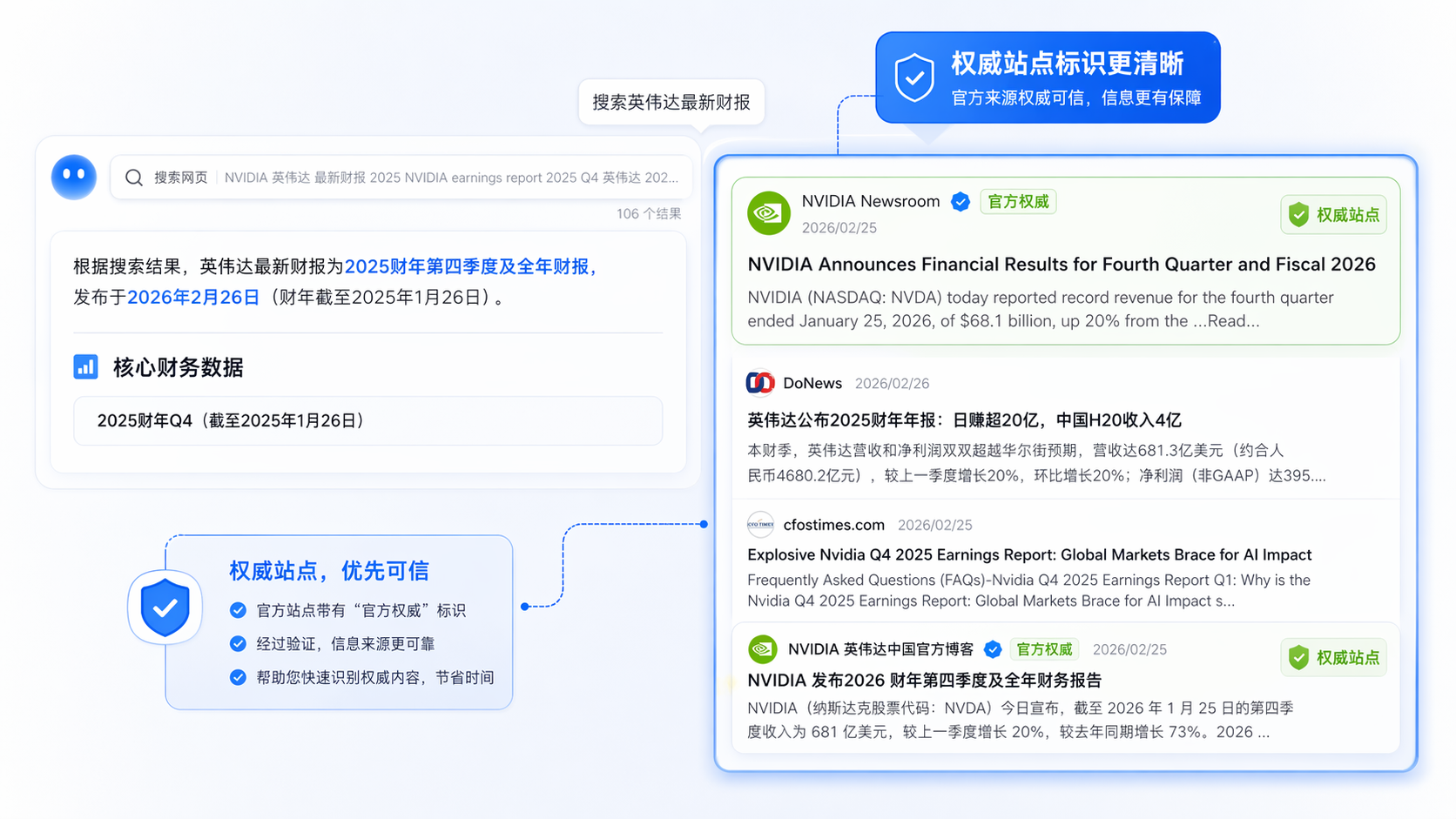
High-quality sources that pass Kimi’s strict screening are marked with authoritative labels in the answer (such as official website verification, academic verification, and media verification icons), making it easier for you to identify highly credible information. Source filtering mechanism
- Automatically removes: low-quality aggregation sites, unverified self-media, and expired cached pages
- Prioritizes: official government websites, authoritative media, academic journals, and official financial report channels
Professional Databases
In professional scenarios, Kimi can call vertical-domain databases to provide structured, traceable professional data.
- Global Finance Data: provides financial data such as global stocks, futures, and exchange rates
- Stock Finance data: financial data for China and global stocks, futures, indexes, and more
- Stock Financial Database: financial data for China and global stocks, futures, indexes, and more
- Tianyancha Enterprise Database: enterprise registration information, equity ownership, judicial risks, and more
- Academic data: academic information such as journals, papers, preprints, dissertations, and patents
- World Bank Economic Database: economic indicators such as GDP, population, employment, and trade for different countries
How to Use Professional Databases
Click the “+” button below the chat input box, select “Professional Databases”, then click “Try Now” to go to the database trial page.
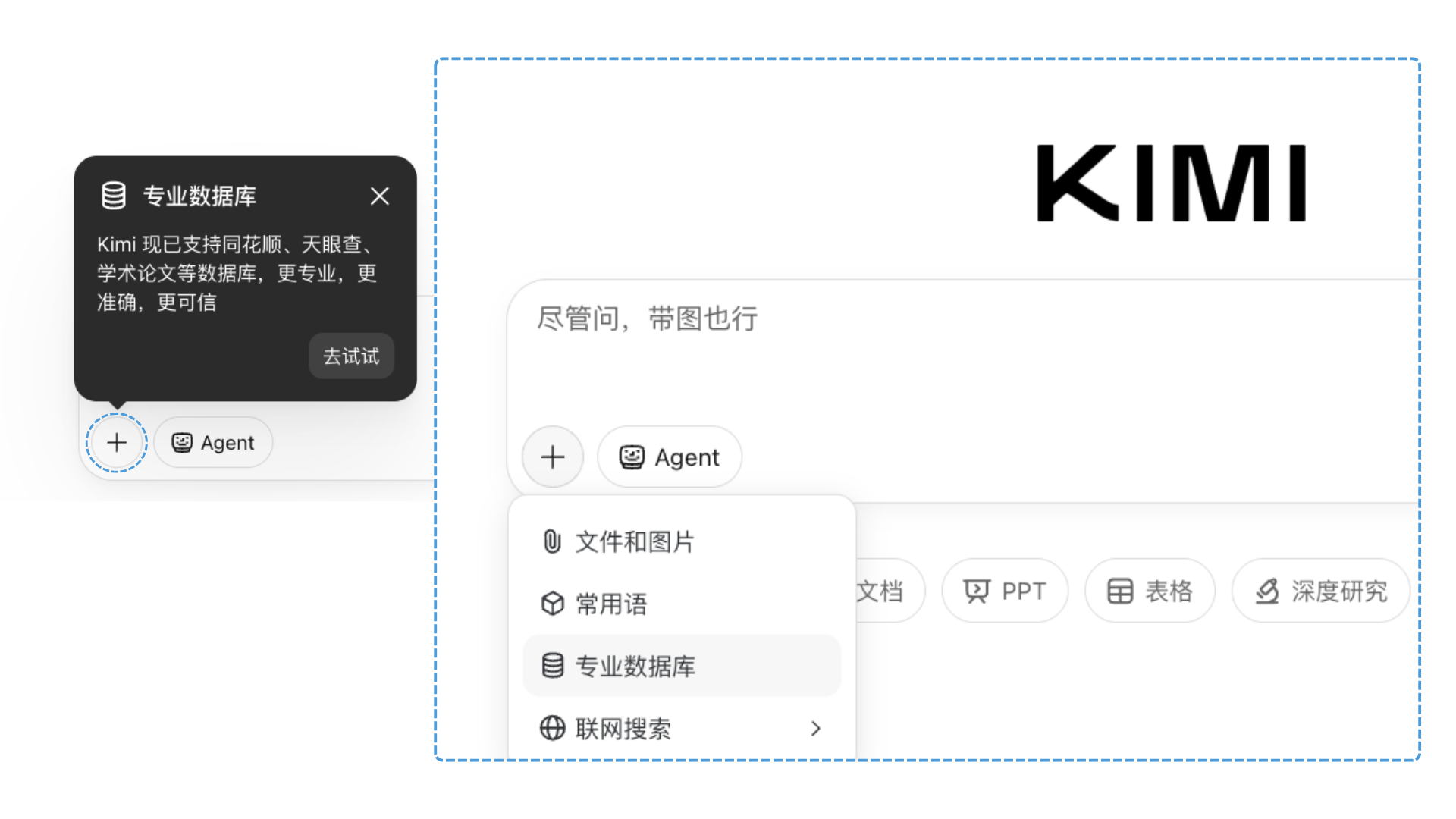
After enabling it, you can refer to professional databases directly in the conversation. Kimi will automatically retrieve information from the corresponding database and return the results.
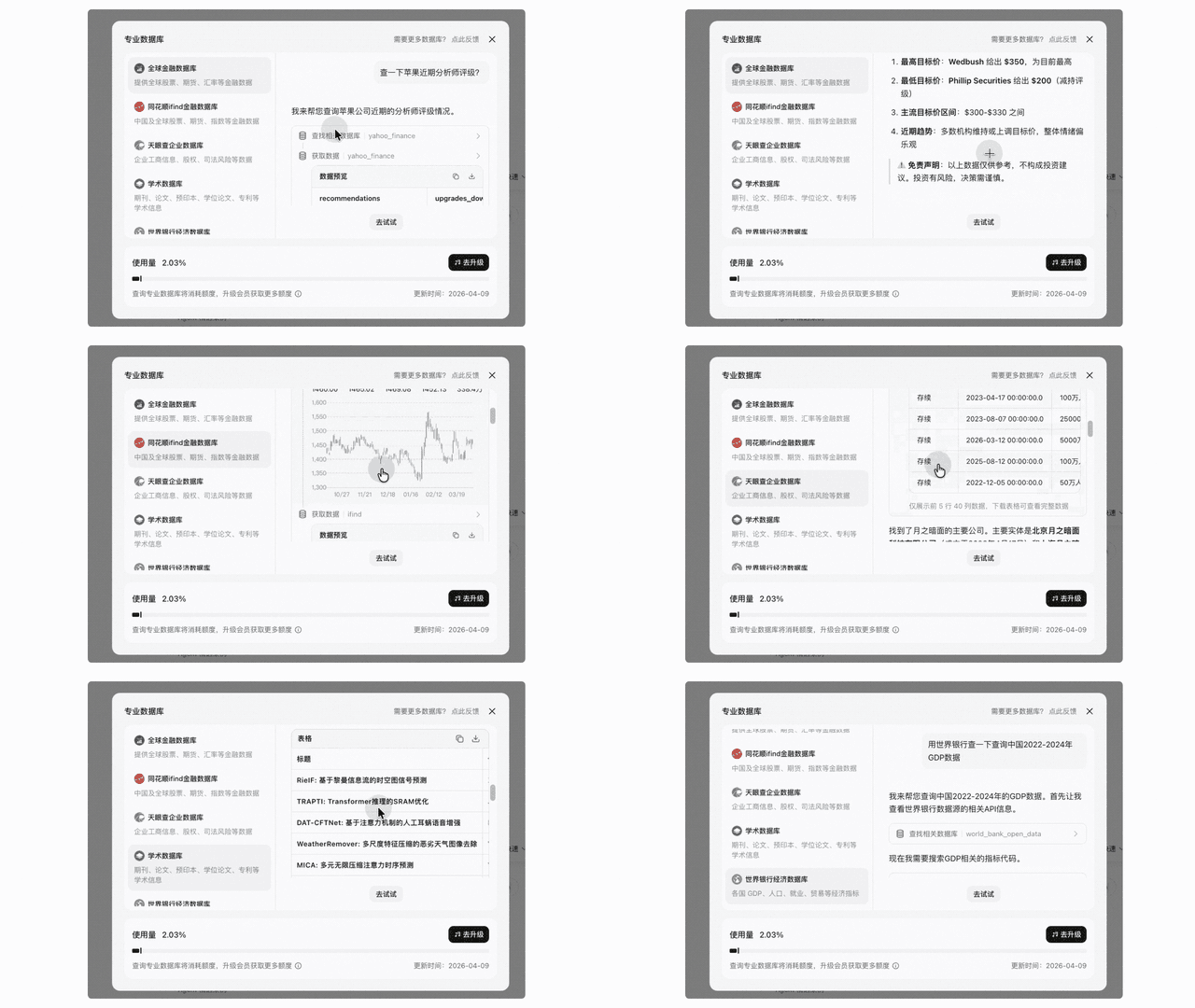
Examples:
User: Help me find the UK population in 2025 using the World Bank database
User: Look up the business registration information for ByteDance
User: Search for the latest papers on LLM inference optimization
Real Examples
💬 User: Did oil and gold prices go up today?
View result
💬 User: Search in Tianyancha: what position does 戴大昌 hold at 江苏恒尚信息系统集成服务有限公司?
View result
💬 User: Please pull from public websites (企查查 and 爱企查) the full list of external investment companies of 【凯辉(上海)私募基金管理有限公司】, including company names, establishment dates, and the registered capital of each company.
View result
💬 User: Compare the GDP, GDP per capita, and unemployment rates of the world’s three largest economies.
View result
Intelligent Search
Image Search
Kimi supports image-based search and understanding. After you upload an image, Kimi can automatically decide whether to call image search tools, recognize the image content, and retrieve related information.
How to Use
- Upload an image directly (JPG, PNG, and other formats are supported)
- Describe the image content or ask questions related to the image
- Kimi combines image recognition with web search to provide the image source, similar images, related information, and more
Knowledge Learning
💬 User: Where is this excerpt from?
View result
Geolocation Search
💬 User: Where is this location?
View result
Meme Interpretation
💬 User: What happened to this person, and what is he saying?
View result
Typical Scenarios
- Identify unknown objects, landmarks, and product models
- Find the source or original origin of an image
- Analyze data in charts or screenshots and retrieve relevant background information
Targeted URL Access in Search
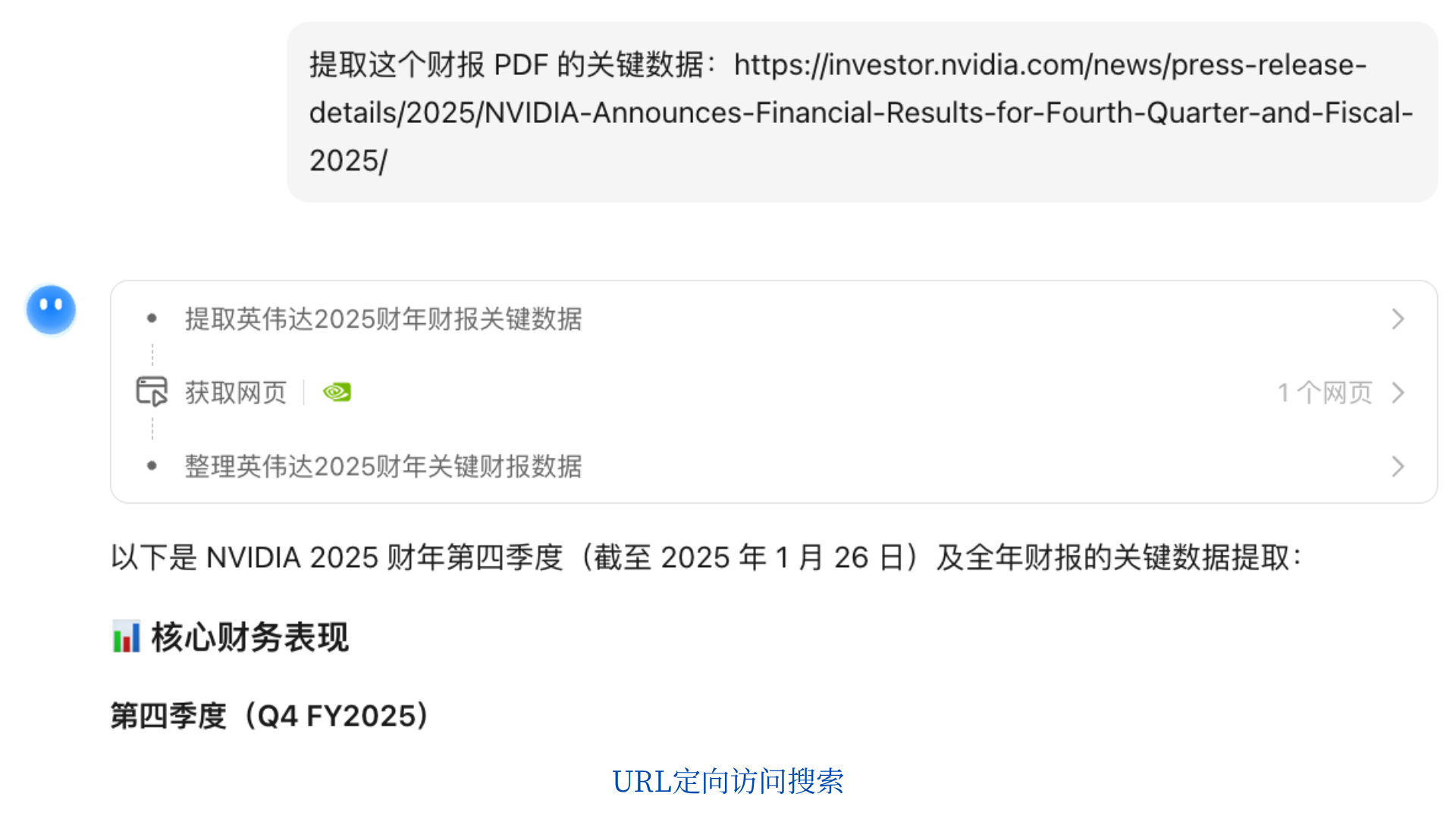
Kimi Search supports targeted URL (Uniform Resource Locator, an address string used on the internet to locate and access resources such as web pages, files, and images) access to obtain internet resources.
Typical Scenarios
- Content summarization: paste a link to a long article, news report, or technical blog, and let Kimi quickly extract the key points
- Financial report analysis: paste a listed company’s financial report PDF link to extract key financial data, year-on-year changes, and risk notes
- Image and multimedia reasoning: paste a page link containing images or charts, and let Kimi identify and interpret the visual information
- Competitor research: paste a competitor’s product page or pricing page, and let Kimi summarize feature comparisons and differences
- Quick paper reading: paste an arXiv or academic journal paper link to quickly get the abstract, methodology, and key conclusions
- Policy interpretation: paste a government announcement or regulation link, and let Kimi summarize the key clauses and scope of impact
How to Use
Paste a URL directly into the conversation, and Kimi will automatically fetch and analyze the page content: Example prompts:
- Summarize the key points of this article: https://example.com/article
- Extract the key data from this financial report PDF: https://example.com/report.pdf
- What information does the image in this link show: https://example.com/infographic
💬 User: Content summary
View result
💬 User: PDF reading
View result
💬 User: Search and reason over the content of a URL link
View result
Tips
- We recommend using publicly accessible links first (such as news pages or public PDF documents)
- Some password-protected pages or pages that restrict crawling may not be accessible
- For dynamically loaded web pages, Kimi may only be able to obtain the initial HTML content
- For Kimi shared conversation links, Kimi cannot read the conversation content again