Kimi Membership Invoicing
Kimi lets users issue electronic invoices themselves in a simple, convenient process. You can go directly to the membership subscription page to start.
Invoicing Steps
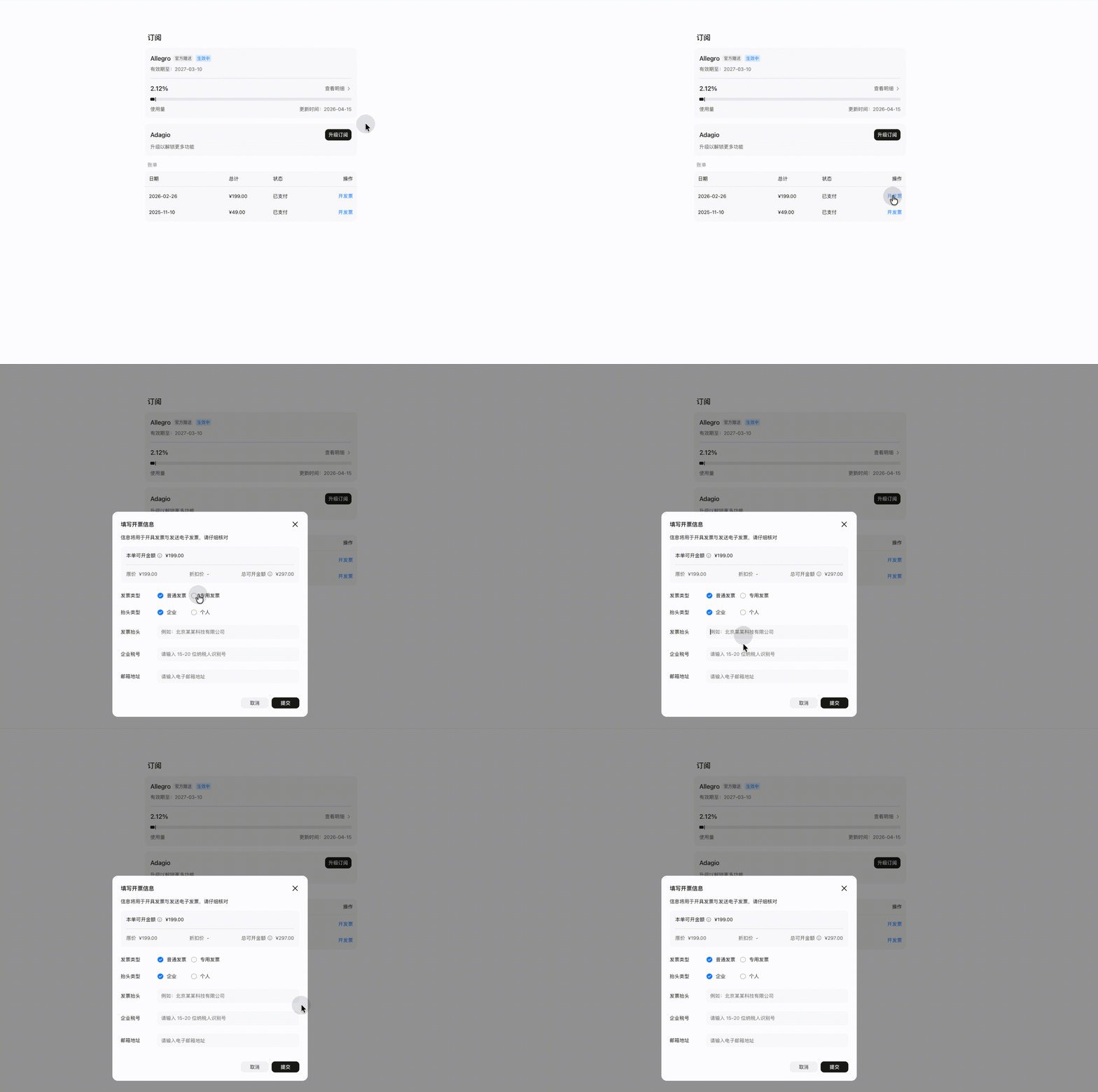
- Log in to Kimi and go to “Settings → Management → Subscription”.
- Find the order you need an invoice for and click “Issue invoice”.
- Select the invoice type and enter the invoice details.
- Review the information and submit your application.
- The invoice will be sent as an electronic copy to the email address you entered.
Supported Invoice Types
| Invoice type | Description |
|---|---|
| Ordinary personal invoice | Issued to an individual’s name; no tax number required |
| Ordinary enterprise invoice | Requires the enterprise name and taxpayer identification number |
| Special VAT invoice | Requires complete enterprise invoice details: name, tax number, address, phone number, bank, and account number |
Notes
- Electronic invoices have the same legal effect as paper invoices.
- The invoice amount is the actual amount paid, excluding deductions such as coupons.
- Invoices are usually issued within 1–3 business days after you submit the application.
How do I resend an invoice that has already been issued?
If the invoice email is lost or you need to send it to another email address:
- Go to “Settings → Management → Subscription”.
- Find the invoiced order and click “View invoice” or “Resend”.
- Enter the new recipient email address and confirm to send.
If you encounter any invoicing issues, contact [email protected].
Was this article helpful?