Using Skills in Kimi Code
Kimi Code is an AI programming assistant designed specifically for developers, running directly in terminals or editors to help write code, fix bugs, and generate documentation. Kimi Code supports providing knowledge-based guidance through SKILL.md files. After reading them, the AI follows the standards defined within. Suitable for defining code styles, workflows, and best practices.
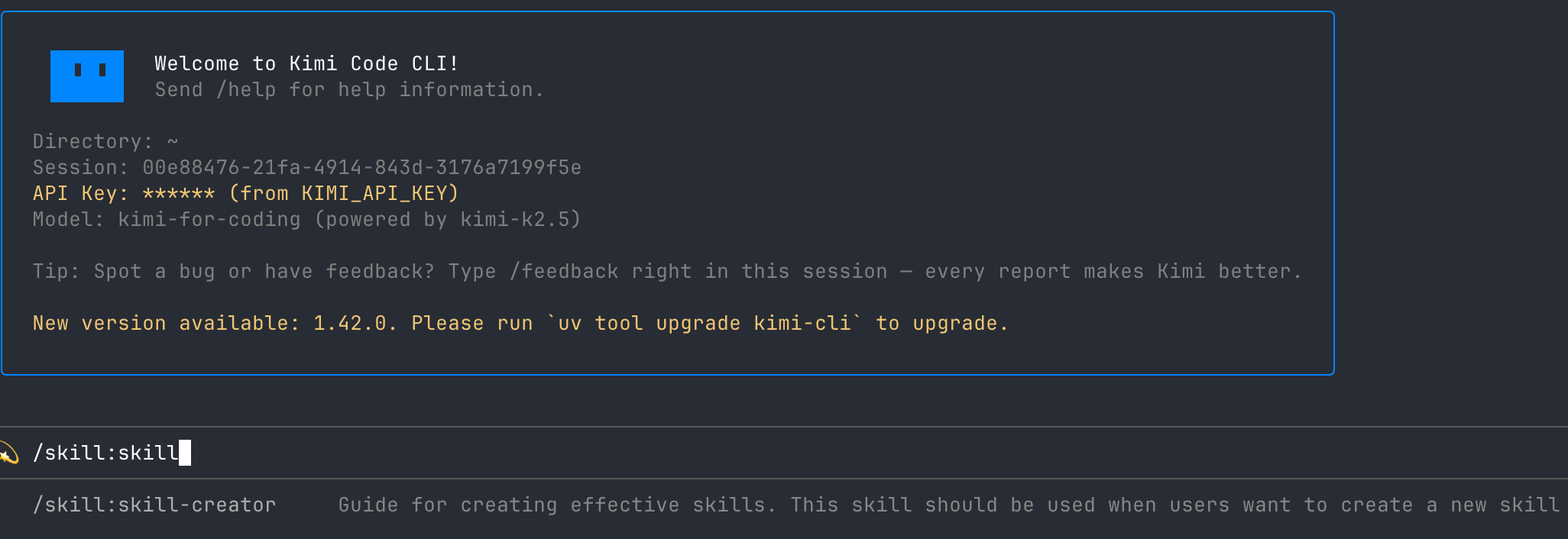
Invoking Skills
The Kimi Code CLI allows you to invoke Skills using slash commands:
For example, entering /skill:git-commits will cause Kimi Code to read the corresponding SKILL.md content and send it as an instruction to the Agent.
You can also append additional descriptions after the slash command, which will be added to the end of the Skill instruction:
For regular conversations, manual invocation isn't necessary—the Agent will automatically determine based on context whether to read Skill content.
Creating Your First Skill
Creating a Skill requires just two steps: Create a subdirectory in the Skills directory, then create a SKILL.md file inside it.
Recommended storage location (works for all projects):
SKILL.md uses YAML Frontmatter to define metadata, followed by Markdown for the core specifications:
Both name and description in Frontmatter are optional fields. If omitted, the directory name is used as default.
Example
Your team requires commit messages to follow Conventional Commits format, but having to explain it repeatedly is tedious. By writing it as a Skill, you only need a single command to invoke it in the future.
Step 1: Create Skill File
Step 2: After completing code changes, invoke the Skill
Kimi Code will read your standards, combine them with task descriptions, and directly output a properly formatted commit message without you needing to repeat any format requirements.
Flow Skills: Defining Multi-Step Workflows
While regular Skills provide static standards, Flow Skills can define automated multi-step processes.
Set type: flow in Frontmatter and embed a flowchart in Mermaid or D2 format to create a Flow Skill.
Execute using /flow:<name> command. The Agent will start from the BEGIN node and automatically complete each step in sequence until reaching END.
Skill Loading Mechanism
Kimi Code CLI searches for and loads Skills based on the following priority (first matched takes precedence):
- Built-in Skills: Installed with the software package, providing basic capabilities.
- User-level Skills: Stored in home directory, applicable to all projects.
- Project-level Skills: Stored in project directory, applicable only to that project.
You can also manually specify additional Skills directories using the --skills-dir parameter:
Kimi Code CLI includes two built-in useful Skills: kimi-cli-help (answers CLI usage questions) and skill-creator (guides you through creating new Skills). Enter /skill:skill-creator to get started.
For complete configuration options and parameter explanations, please refer to the Kimi Code CLI Skills Documentation.