Kimi 浏览器扩展工作原理
工作方式
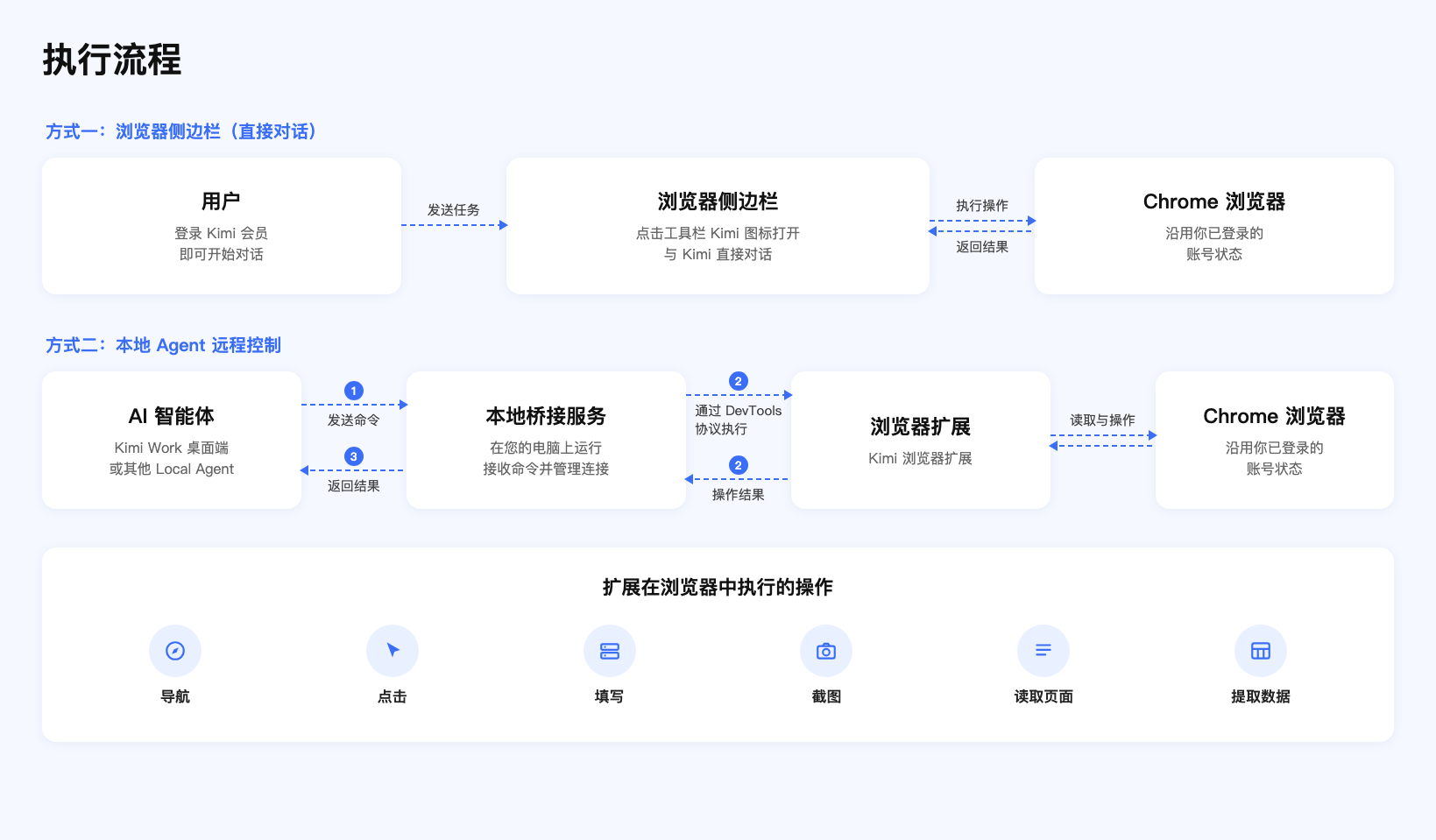
Kimi 浏览器扩展支持侧边栏对话和本地 Agent 远程控制两种用法,通过以下方式工作:
- 浏览器侧边栏:点击工具栏的 Kimi 图标打开侧边栏,登录 Kimi 账号即可直接对话
- 本地桥接服务:在你的电脑上运行一个本地服务,接收 Agent 的指令
- 浏览器扩展:基于 Chrome DevTools Protocol 在浏览器中执行具体操作
- 安全隔离:所有执行都在本地完成,登录态和网页内容不会离开你的设备
扩展界面说明
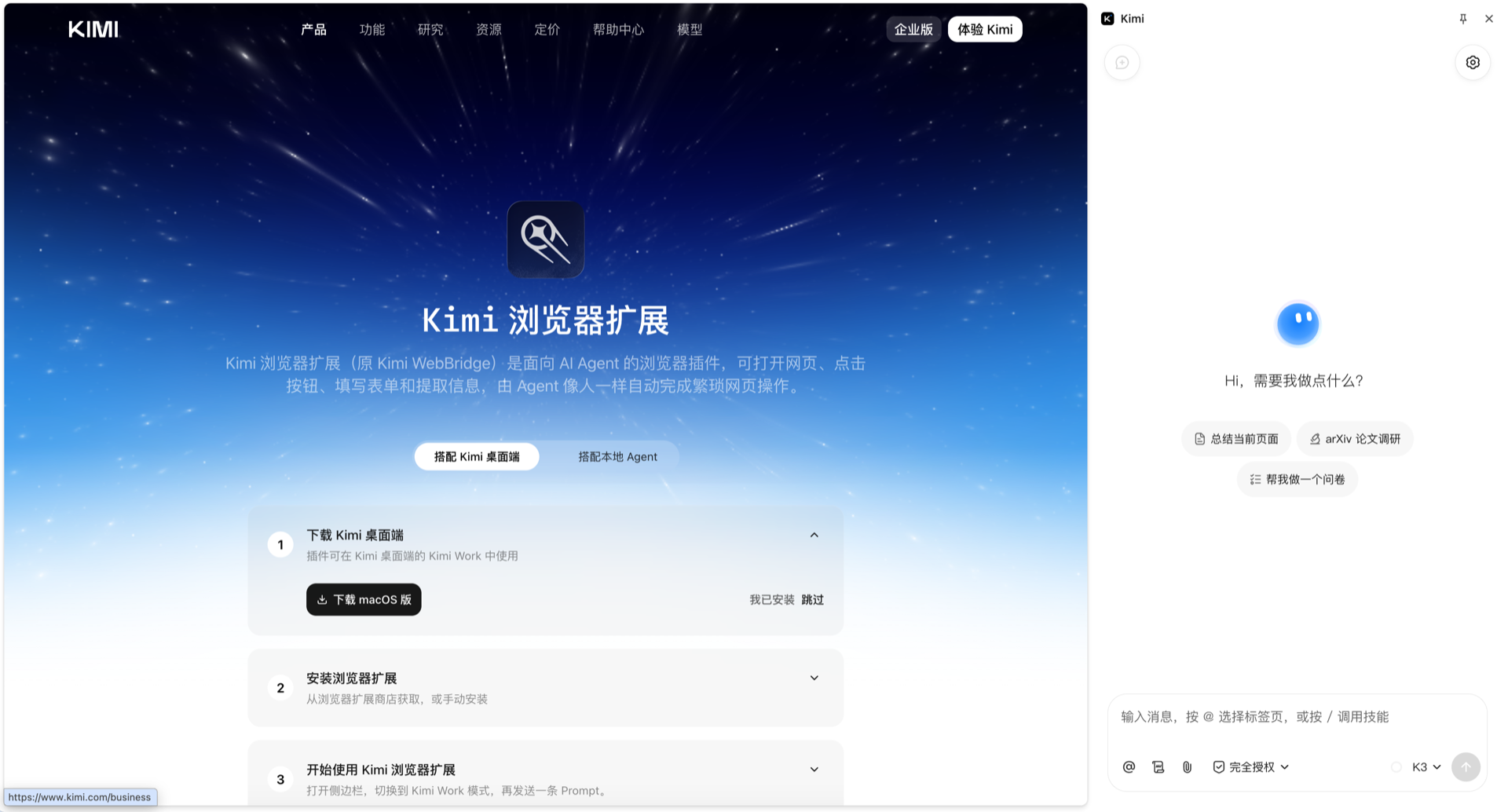
点击浏览器工具栏的 Kimi 浏览器扩展图标,即可展开侧边栏并发送任务。
使用场景
| 功能 | 描述 |
|---|---|
| 网页导航 | 自动打开指定的 URL |
| 元素点击 | 模拟点击按钮、链接和其他页面元素 |
| 表单填写 | 自动输入文本并选择选项 |
| 页面截图 | 捕获当前页面或特定区域 |
| 内容提取 | 读取页面文本、表格和其他结构化数据 |
| 登录会话持久化 | 使用浏览器中已保存的登录状态 |
- 电商比价:自动在多个电商平台搜索商品、对比价格
- 信息调研:深度浏览网页,提取结构化信息
- 表单填写:自动填写各类在线表单
- 数据录入:将网页数据自动整理录入到指定格式
更多使用案例请参考Kimi 浏览器扩展官网。
本文是否对你有帮助