How to Write A Booklet the Right Way in 7 Steps

Learn how to write a booklet from planning to final print. Structure your content, organize sections, and create a professional finish. Kimi Docs helps to generate and refine your booklet content instantly and saves hours of writing time.

10 min read2026-05-29
How to Write A Booklet the Right Way in 7 Steps

Table of contents

Knowing how to write a booklet effectively can make a major difference in how information is understood, remembered, and presented to readers. However, many booklets fail because the content feels disconnected, visually unbalanced, or difficult to navigate, especially when there is no clear writing strategy behind the structure. This guide walks through a practical step-by-step approach to help you develop stronger sections, improve content organization, and create a booklet that feels cohesive, professional, and reader-focused from the first page to the last.

What is a booklet, and what to include in a booklet?

A booklet is a compact yet detailed document used to present information in a structured, visually organized, and easy-to-read format. Businesses, educators, marketers, and organizations often use booklets to explain services, showcase products, provide guides, or share educational content more effectively. Unlike a simple flyer or brochure, a booklet allows information to be divided into clear sections, making complex topics easier for readers to follow and understand.

When making the booklet, consider these points to create a long-lasting impression on readers.

Cover page

The cover page creates the first impression and immediately sets the tone for the entire booklet. A strong cover usually includes the title, branding elements, visuals, and a design style that reflects the objective and target audience of the content.

Table of contents

A table of contents helps readers navigate the booklet quickly by outlining the main sections and page numbers. It improves readability and gives the document a more professional and organized structure, especially for longer informational booklets.

Main body content is divided into sections

Breaking the main content into clearly labeled sections makes the information easier to digest and follow. Structured headings, concise explanations, and logical content flow also help maintain reader engagement throughout the booklet.

Supporting images or graphics

Visual elements such as illustrations, charts, diagrams, and photographs help reinforce key ideas and improve overall readability. Well-placed graphics can simplify complex information while making the booklet feel more visually dynamic and engaging.

Contact details or author information

Including contact information allows readers to connect with the business, organization, or author for further inquiries or follow-up actions. This section may contain email addresses, phone numbers, websites, social media links, or professional credentials.

Call to action

A call to action encourages readers to take the next step after reading the booklet, whether that involves making a purchase, visiting a website, booking a service, or contacting the company. Clear and persuasive wording helps guide readers toward a specific response or decision.

Back cover

The back cover provides a polished conclusion to the booklet while reinforcing branding and professionalism. It often includes a tagline, contact details, social links, QR codes, or additional design elements that leave a lasting impression on the reader.

How to create a booklet in 7 easy steps

Creating a professional booklet requires clear planning, organized content, and visually balanced design. Whether the goal is marketing, education, branding, or product promotion, following a structured process helps improve readability and presentation quality. If you are learning how to make a booklet design, these steps can help simplify the process while keeping the final design professional and interactive.

Step 1: Identify your booklet's purpose

Start by defining the main objective of the booklet, such as promotion, education, product explanation, or event information. A clear purpose helps shape the tone, layout, and content direction. Understanding this early also makes how to make your own booklet easier and more organized.

Step 2: Consider the target audience

Think about who will read the booklet and what type of information they expect to see. Audience preferences often influence the writing style, visuals, formatting, and level of detail included in the document. This step is essential when learning how to make a good booklet that feels relevant and engaging.

Step 3: Create booklet content

Organize the information into clear sections with logical flow and concise explanations. Well-structured content improves readability and assists readers in following the message more easily from beginning to end.

Step 4: Use the booklet template

A professionally designed template helps maintain consistency across pages while simplifying the formatting process. Templates also provide structured layouts for text, images, headings, and spacing that enhance visual balance. This approach is especially beneficial for novices learning how to create a booklet layout that appears cleaner and more refined.

Step 5: Add engaging multimedia

Visual elements, such as photographs, charts, icons, and infographics, make the booklet attractive and easier to comprehend. Multimedia also helps simplify complex information while keeping readers engaged throughout the document.

Step 6: Include branding elements

Adding logos, brand colors, typography, and visual themes creates a stronger and more consistent identity throughout the booklet. Professional branding also improves recognition and makes the document appear more credible and organized. Consistent styling helps the booklet feel visually connected from cover to back page.

Step 7: Download and publish the booklet

After reviewing the layout and content carefully, export the booklet in the appropriate format for print or digital sharing. Choosing the right file type helps maintain formatting quality across devices and platforms. Publishing the booklet through websites, presentations, or email campaigns also improves accessibility and audience reach.

Create a professional booklet easily with Kimi Docs

Creating a booklet from scratch can often become difficult when managing layouts, page structure, visuals, and content formatting simultaneously. Kimi Docs, an AI document agent, simplifies the process by helping users generate professionally organized booklets with cleaner formatting and more structured content flow. The platform supports smart document creation, flexible customization, multimedia integration, and polished design layouts that improve both readability and presentation quality.

Key features of Kimi Docs

AI-powered booklet generation

Instead of building every page manually, Kimi Docs intelligently converts rough ideas into structured booklet drafts within seconds. This allows users to focus more on refining messaging and storytelling rather than spending excessive time on formatting.

Professional cover and layout design

A visually refined booklet occasionally creates a stronger first impression, especially in business or marketing environments. Kimi Docs helps users maintain cleaner page hierarchy, balanced spacing, and visually coordinated layouts that improve overall presentation appeal.

Rich content support

Modern booklets rely heavily on visual communication, not just text-heavy explanations. The platform supports multimedia integration, such as infographics, tables, charts, and illustrations, which make information feel more interactive and easier for readers to absorb.

Multi-format conversion

Kimi Docs supports multiple file formats, including PDF, Word, PowerPoint, Excel, PNG, and JPG. Users can easily convert between formats while maintaining document layout, formatting, and visual consistency.

Content-aware document transformation

The platform recognizes how information should be organized contextually rather than arranging content randomly. This intelligent structuring improves logical flow, making lengthy or technical information feel clearer and easier for audiences to navigate.

Long-form document handling

Creating booklets from lengthy documents can be time-consuming, especially when maintaining consistent formatting and organized sections. Kimi Docs streamlines the process, automatically preserving layout, section hierarchy, and visual continuity, making it ideal for manuals, reports, proposals, and educational materials.

Multilingual booklet creation

For international communication, language adaptability becomes extremely important. Kimi Docs supports multilingual booklet generation, helping users prepare content for diverse audiences while maintaining professional readability and formatting standards.

Export-ready output

Once the booklet is finalized, users can quickly prepare it for distribution without needing additional formatting tools. Export-ready files make sharing across presentations, websites, emails, or printed materials far more efficient and professionally reliable.

How to create a booklet with Kimi Docs?

Here is how to make an online booklet in Kimi Docs, if you don't know where to start making a booklet.

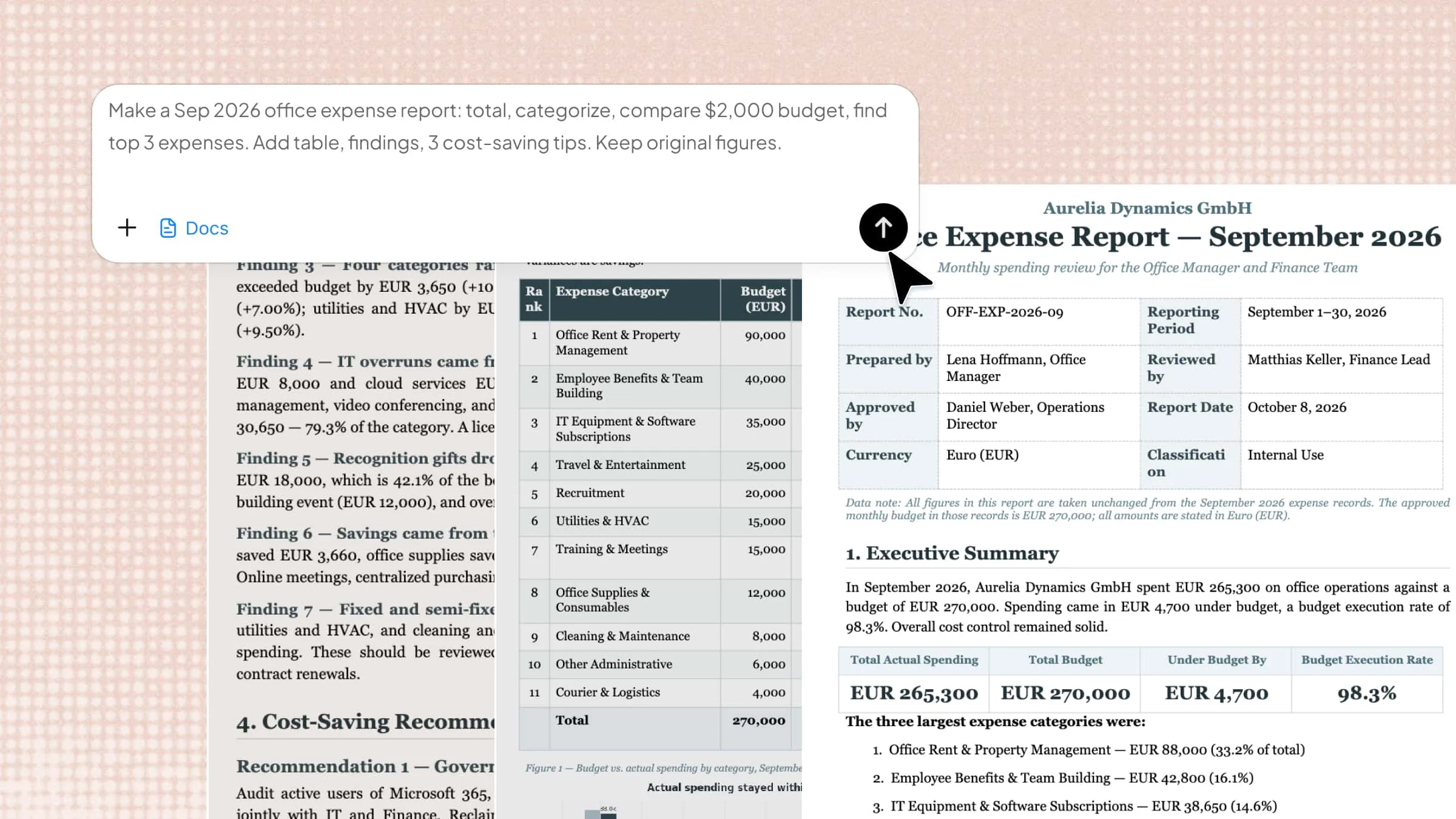
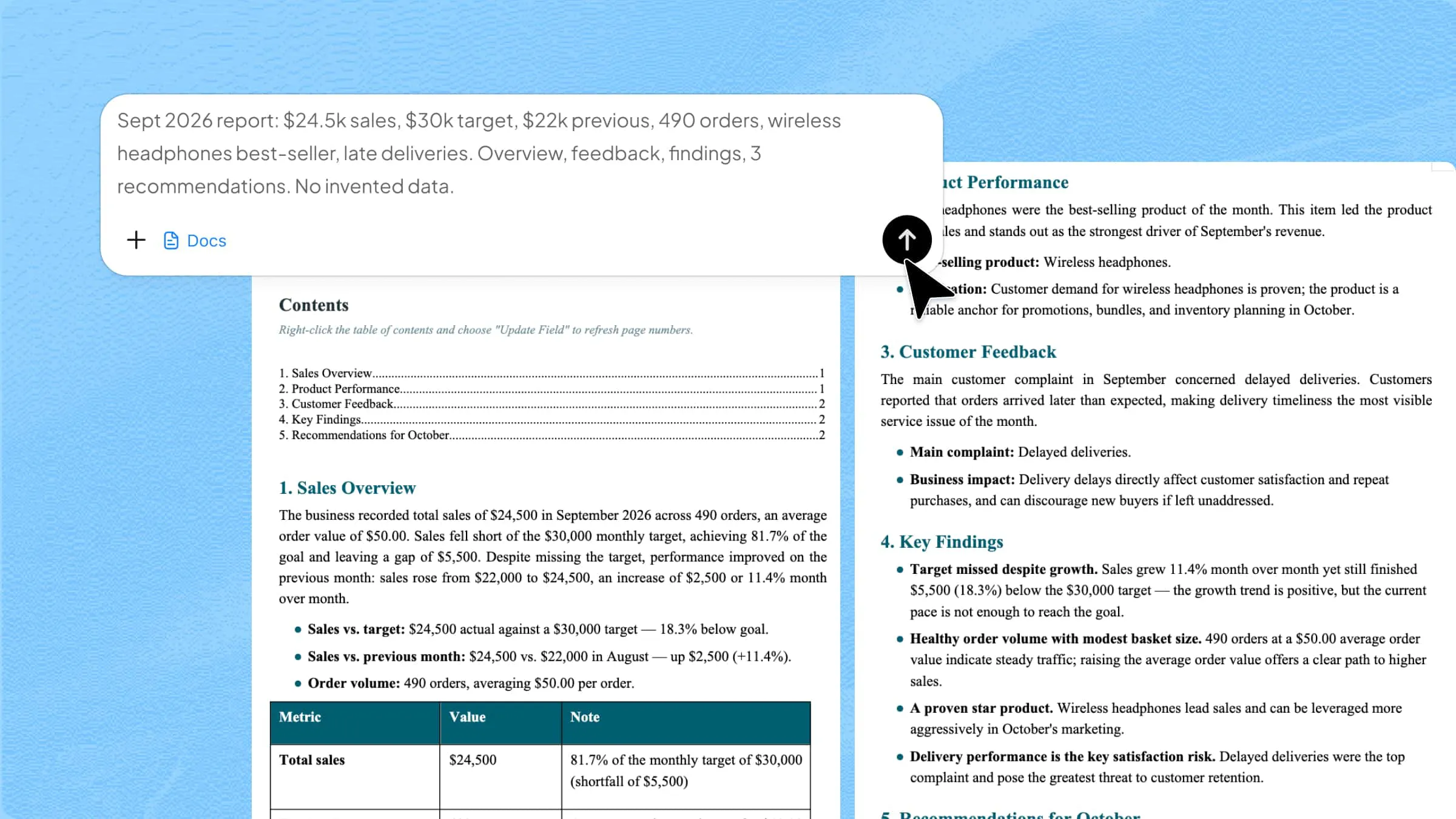
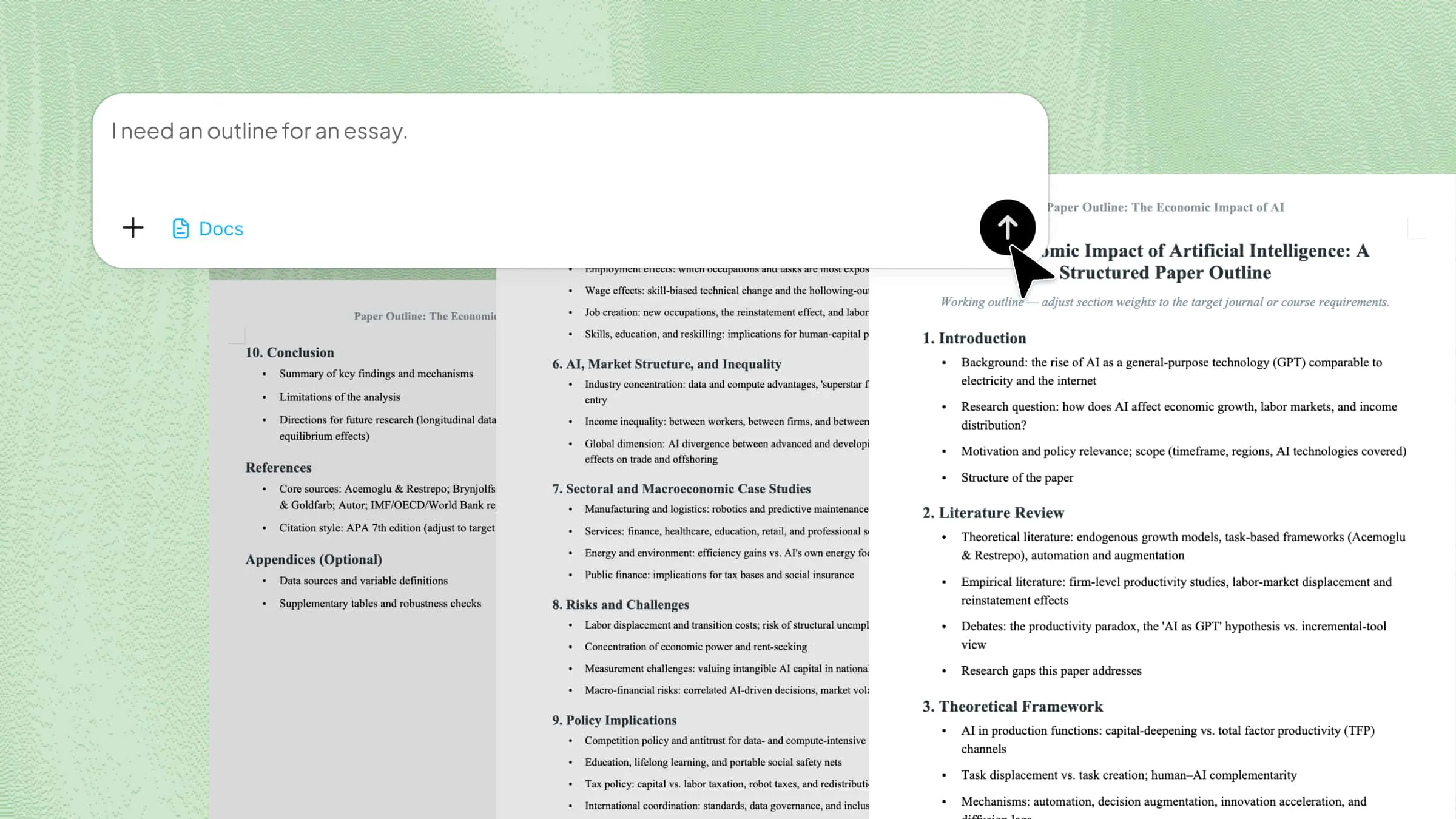
Step 1: Enter the prompt into Kimi Docs

Start by describing the booklet you want to create, including its purpose, audience, design style, and required sections. You can also upload relevant materials for Kimi Docs to generate the booklet based on your content. Clear instructions help ensure accurate structure, tone, and formatting.

Prompt:

Create a professional booklet with a modern and visually organized layout. Include sections for cover page, introduction, main content, visuals or infographics, key highlights, contact information, and conclusion. Use clean typography, balanced spacing, and structured formatting that improves readability across multiple pages. Keep the booklet professional, engaging, and suitable for business, educational, or marketing purposes.

Entering the prompt into Kimi Docs

Step 2: Let AI create the booklet

Kimi Docs will automatically organize the content into professionally arranged pages with structured sections, readable formatting, and visually balanced layouts. The AI also helps maintain logical content flow, making the booklet feel more polished and easier for readers to navigate.

Letting AI create the booklet

Step 3: Review and export the booklet

Carefully review the booklet to ensure the page order, visuals, formatting, and content alignment match the intended purpose and audience expectations. Once finalized, export the booklet in the preferred format for presentations, digital sharing, printing, or professional distribution.

Review the booklet from Kimi Docs

Export the booklet from Kimi Docs

Conclusion

Learning how to make a booklet for a school project becomes much easier when you have the right structure, an organized workflow, and tools that simplify the creative process. Kimi Docs helps users generate booklet content, maintain professional formatting, improve visual organization, and prepare documents for digital or print distribution more efficiently.

Whether you are creating educational guides, marketing materials, business profiles, or project booklets, the platform streamlines content creation while improving presentation quality. If you want to save time, refine document structure, and create more visually professional booklets, Kimi Docs can help you turn ideas into publication-ready content with far less manual effort.

FAQ

What is a booklet example?
A booklet can take many forms depending on its purpose, such as a product catalog, training manual, travel guide, event program, company profile, or educational handbook. Unlike a single-page brochure, it presents information across multiple organized pages with a more detailed and structured reading experience. Businesses and educators often use booklets to explain complex topics in a visually accessible format.
Is there a booklet template in Word?
Yes, Microsoft Word includes booklet-style templates that users can customize for reports, guides, portfolios, and promotional materials. These templates usually contain pre-designed page layouts, cover pages, and formatting structures that simplify the design process. They are especially useful for users who want professionally arranged documents without advanced publishing software.
How do I convert a Word document into a booklet format?
To convert a document into booklet format, Word allows users to adjust page setup settings using the "Book Fold" layout option under page formatting. This automatically rearranges pages for double-sided printing and booklet-style reading order. Users can then refine margins, page numbers, and spacing to improve the final printed appearance.
Can I make a booklet from a PDF?
Yes, PDFs can be transformed into booklet layouts using online tools, PDF editors, or document design platforms that support booklet formatting. Many tools allow users to reorganize pages, add covers, adjust print settings, and prepare files for digital or physical distribution. This is particularly helpful when repurposing reports or presentations into more compact reading formats.
How to make a mini booklet with 6 pages?
A 6-page mini booklet can be created by dividing content into compact sections such as a cover, introduction, core information, visuals, summary, and back page. Simple layouts with folded pages are commonly used for event guides, product highlights, or informational handouts. Keeping the content concise and visually balanced helps maintain readability within the limited page space.