10 Clean Word Resume Templates that Win Recruiter Attention

Discover 10 Word resume templates created with Kimi Docs with smart AI assistance for clean CVs. Build job-ready resumes fast, organize sections easily, and improve formatting with simple AI-guided content creation for stronger applications today.

10 min read2026-05-29

Table of contents

If you want a simple, clear, and professional CV, the right design can make a strong difference since recruiters quickly scan resumes. In this article, you will find 10 clean Word resume templates made with Kimi Docs using smart AI agent. These templates help you create job-ready resumes fast, keep sections organized, and improve your CV look with easy edits.

10 professional Word resume templates for all industries

Different jobs need different resume styles, but a professional look always matters in every industry. Let's explore 10 professional Word resume templates for freshers and non-refreshers that allow applicants to fill in personal information directly and use for job-seeking.

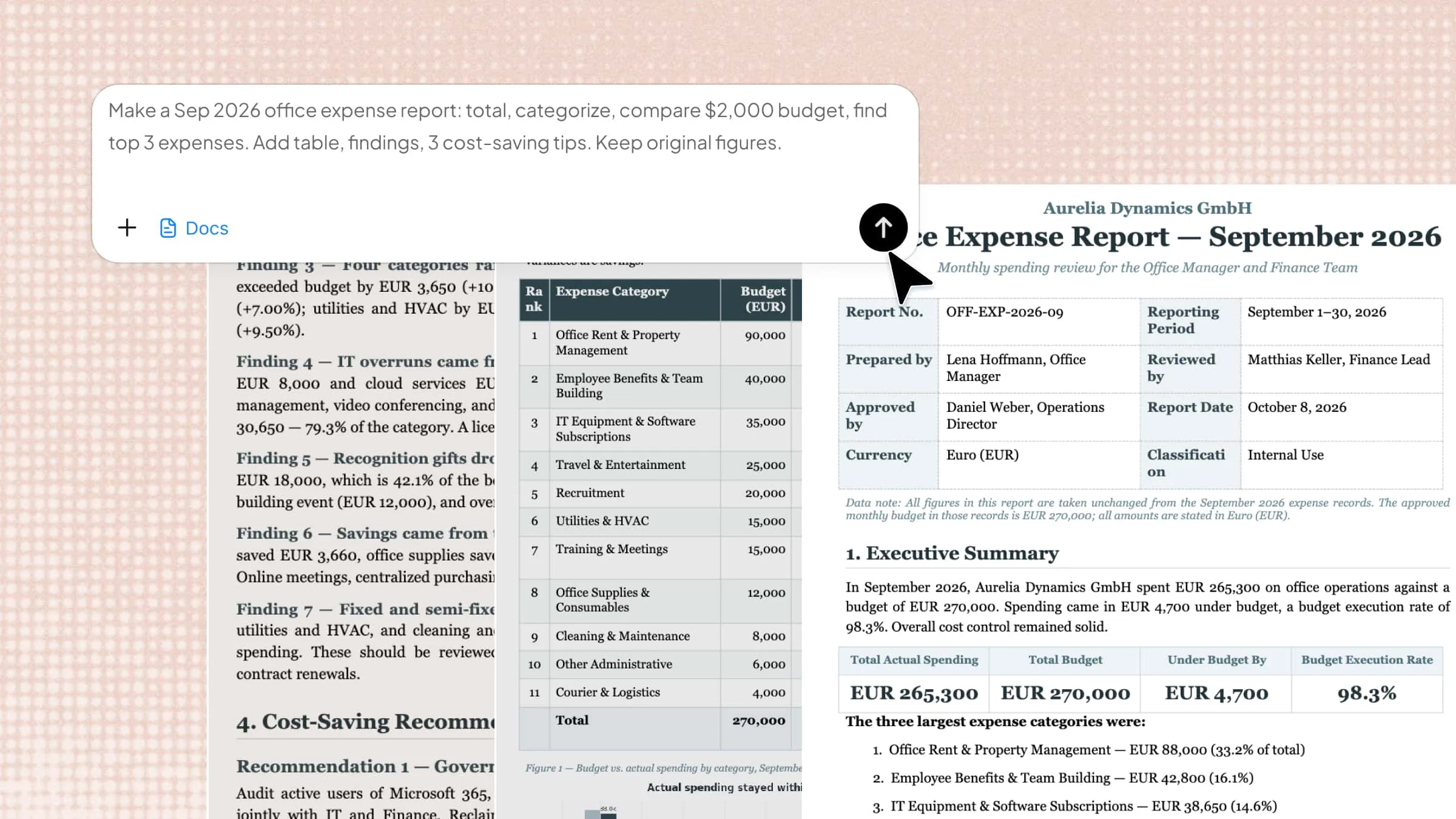
Office manager resume template

This resume template suits office managers who handle daily operations, scheduling, and coordination between teams. The structure keeps administrative experience, communication skills, and achievements well organized, so hiring managers can quickly scan important details.

Office manager resume template

How to use

Step 1: Enter your prompt

Enter the prompt in Kimi Docs and submit it to generate a structured office manager resume.

Prompt:

Create a clean Word resume for an Office Manager role with a structured professional layout that highlights administrative support, calendar management, team coordination, office reporting, and vendor communication. Add clear sections for work experience, skills, and achievements with a focus on efficiency and leadership in daily office operations.

Step 2: Let AI generate your Word

Let the AI build a clean Word document with organized sections and professional formatting.

Step 3: Review and export the Word

Review the generated resume, make small edits if needed, and download it for job applications.

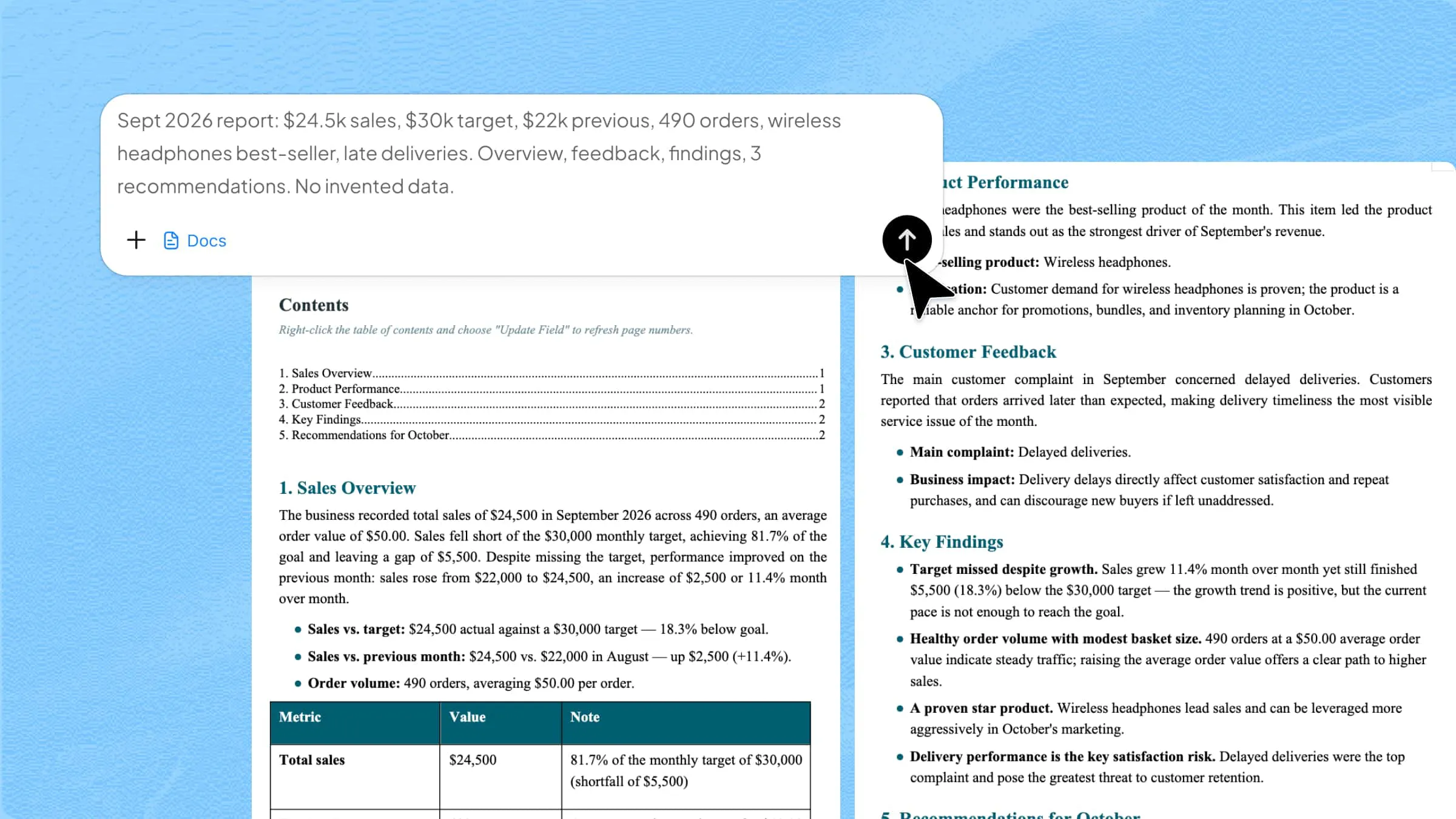
Business manager resume template

This template is designed for business managers responsible for planning, strategy, and team performance. It highlights leadership experience, business growth, and decision-making in a structured way. The format helps employers quickly understand achievements and management impact.

Business manager resume template

How to use

Step 1: Enter your prompt

Enter the prompt in Kimi Docs and submit it so AI can generate a business-focused resume layout.

Prompt:

Create a professional Word resume for a Business Manager role that presents leadership experience, business strategy development, team management, revenue growth, and project execution in a clear and structured format. Include sections for achievements, key responsibilities, and measurable results that show strong business performance. Use a corporate-style design suitable for senior management roles.

Step 2: Let AI generate your Word

Review the AI-generated Word file with structured leadership and performance sections.

Step 3: Review and export the Word

Download the final resume after checking details and adjusting any personal information.

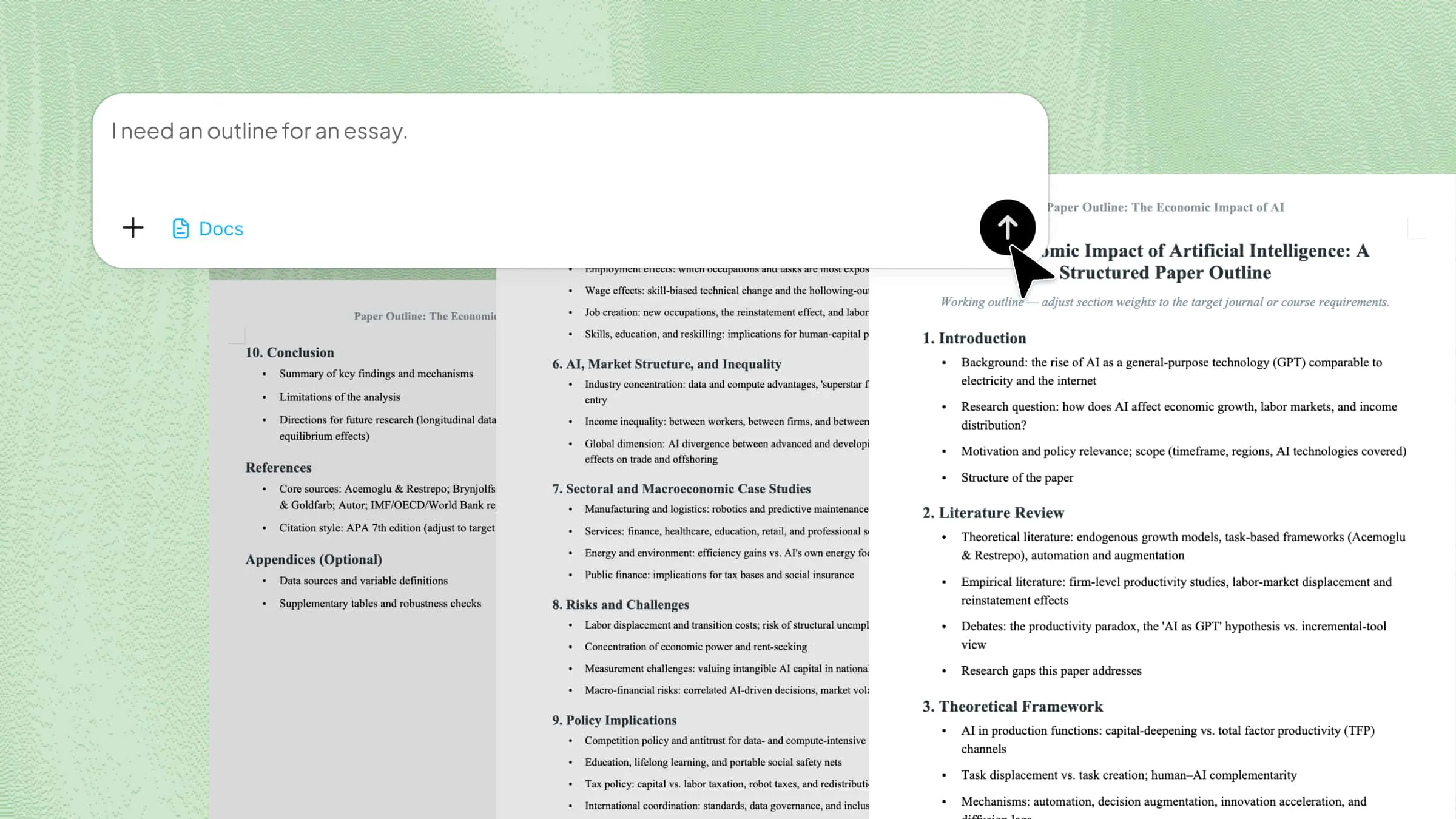
Social media marketing resume template

Social media marketing resume templates fit professionals working in digital marketing, content creation, and brand growth. It focuses on campaign performance, creative skills, and engagement results. The structure helps show both creativity and measurable marketing success.

Social media marketing resume template

How to use

Step 1: Enter your prompt

Enter the prompt in Kimi Docs and submit it to generate a marketing-style resume.

Prompt:

Create a modern Word resume for a Social Media Marketing Specialist that highlights content creation, campaign planning, audience engagement, analytics tracking, and brand management experience. Include measurable results such as reach growth, engagement rates, and successful ad campaigns. Use a creative yet clean layout suitable for digital marketing roles.

Step 2: Let AI generate your Word

AI creates a Word file with structured campaign and performance sections.

Step 3: Review and export the Word

Review the resume carefully, refine content if needed, and download the final version.

Education and teacher resume template

This template is made for teachers and education professionals who need to present their academic qualifications and teaching experience clearly. It focuses on classroom management, subject expertise, and student development. The layout keeps information structured and easy to follow.

Education and teacher resume template

How to use

Step 1: Enter your prompt

Enter the teaching-focused prompt in Kimi Docs and submit it for processing.

Prompt:

Create a Word resume for a Teacher that includes teaching experience, subjects taught, classroom management skills, lesson planning, certifications, and student engagement achievements. Organize the content in a clear academic format that highlights both qualifications and teaching impact. Keep the design simple and professional for school and college applications.

Step 2: Let AI generate your Word

AI generates a structured education resume with academic sections and experience details.

Step 3: Review and export the Word

Review the document, adjust any teaching details, and download the final Word file.

Graphic designer resume template

This resume format Word template is built for graphic designers who want to showcase creativity and technical design skills. It highlights tools, projects, and visual experience in a structured way. The format balances creativity with readability for recruiters.

Graphic designer resume template

How to use

Step 1: Enter your prompt

Enter the design-focused prompt in Kimi Docs and submit it for AI processing.

Prompt:

Create a Word resume for a Graphic Designer that highlights design tools like Adobe Photoshop, Illustrator, and Figma, along with portfolio projects, branding work, UI/UX design experience, and creative achievements. Structure the resume in a modern layout that reflects strong visual thinking while keeping information easy to read.

Step 2: Let AI generate your Word

Let the AI generate a visually structured Word resume with creative sections.

Step 3: Review and export the Word

Review design flow, adjust portfolio details, and download the final file.

Accountant and finance resume template

This template is designed for accountants and finance professionals handling budgeting, reporting, and financial analysis. It highlights accuracy, numerical skills, and financial decision-making. The structure makes it easy for employers to assess technical expertise.

Accountant and finance resume template

How to use

Step 1: Enter your prompt

Enter the finance-focused prompt in Kimi Docs and submit it for AI processing.

Prompt:

Create a Word resume for an Accountant or Finance professional that includes financial reporting, budgeting, auditing, tax handling, bookkeeping, and data analysis experience. Organize the resume in a clean corporate format that emphasizes accuracy, tools like Excel or accounting software, and measurable financial results.

Step 2: Let AI generate your Word

AI generates a structured accounting resume with financial sections and clear formatting.

Step 3: Review and export the Word

Review figures and experience details, then download the final Word file.

Pharmacy technician resume template

This resume template is built for pharmacy technicians working in hospitals or retail pharmacies. It highlights medication handling, inventory control, and patient assistance. The layout ensures clarity and compliance with healthcare roles and professional healthcare standards compliance.

Pharmacy technician resume template

How to use

Step 1: Enter your prompt

Enter the pharmacy prompt in Kimi Docs and submit it for resume generation.

Prompt:

Create a Word resume for a Pharmacy Technician that includes medication dispensing, inventory management, prescription assistance, patient support, and pharmacy safety procedures. Structure the content in a clean healthcare format that highlights accuracy, responsibility, and pharmaceutical knowledge.

Step 2: Let AI generate your Word

AI creates a structured healthcare resume with pharmacy-related sections.

Step 3: Review and export the Word

Review accuracy of details, make edits if required, and download the final file.

This legal template is designed for attorneys and professionals working in law firms or corporate legal departments. It highlights case work, legal research, and courtroom experience. The structure ensures a formal and professional presentation.

Attorney and legal resume template

How to use

Step 1: Enter your prompt

Enter the legal prompt in Kimi Docs and submit it to generate the resume.

Prompt:

Create a Word resume for an Attorney or Legal professional that includes legal case handling, court appearances, contract drafting, legal research, advisory work, and certifications. Use a formal legal resume format that presents experience in litigation, corporate law, or advisory roles in a clear and structured way.

Step 2: Let AI generate your Word

AI builds a structured legal CV with case and qualification sections.

Step 3: Review and export the Word

Review all legal details carefully and download the final Word document.

Registered nurse resume template

The nurse resume template is designed for registered nurses working in hospitals, clinics, or healthcare centers. It highlights patient care, clinical skills, and medical experience in a clear structure. Employers can quickly understand qualifications and responsibilities.

Registered nurse resume template

How to use

Step 1: Enter your prompt

Enter the healthcare prompt in Kimi Docs and submit it to generate the resume

Prompt:

Create a Word resume for a Registered Nurse that includes patient care experience, clinical duties, hospital work, medical certifications, emergency handling, and teamwork in healthcare environments. Structure the content in a clean and professional medical format that highlights both skills and hands-on experience.

Step 2: Let AI generate your Word

AI builds a structured medical CV with clinical sections and experience highlights.

Step 3: Review and export the Word

Review patient care details, refine information, and download the final Word file.

Doctor and general practitioner resume template

This template is made for doctors and general practitioners who want to present clinical expertise and patient treatment experience. It organizes qualifications, medical training, and hospital work in a clear format. The layout supports professional and academic presentation.

Doctor and general practitioner resume template

How to use

Step 1: Enter your prompt

Enter the medical prompt in Kimi Docs and submit it to start generation.

Prompt:

Create a Word resume for a General Practitioner or Doctor that highlights clinical experience, patient diagnosis, treatment planning, hospital duties, medical education, certifications, and emergency care experience. Use a formal and structured medical resume format suitable for hospital and clinic applications.

Step 2: Let AI generate your Word

AI produces a structured doctor's resume with clinical and academic sections.

Step 3: Review and export the Word

Review all medical details carefully and download the final document.

Why is Kimi Docs ideal for professional Word resume templates?

Kimi Docs makes resume building simple because it combines smart AI tools with ready-to-use designs that fit different job needs. It helps users create a clean and professional resume without struggling with layout or structure. Here is why it works well for building a strong Word resume template.

AI-powered resume creation

Kimi Docs uses AI to turn simple prompts into complete resumes within seconds. It understands job roles and builds structured content with proper sections. This saves time and helps create a functional Word resume template with less effort.

Stylish, professional design

The platform offers clean and modern layouts that look suitable for all industries. Each design is made to improve readability and recruiter attention. It helps users get a polished resume template without manual formatting and quick, easy customization options.

Multiple resume types

Different job roles need different styles, and Kimi Docs supports all of them. From technical to creative and corporate roles, templates are available for each need. This flexibility makes it easy to build targeted Word resume templates with photos.

Version comparison

Kimi Docs allows users to compare different resume versions side by side. Changes are clearly highlighted, making editing simple and organized. This helps refine an academic Word resume template without losing important updates or previous content easily today.

Supports multiple languages

Resumes can be created in different languages based on job requirements. This is useful for international applications and global job markets. It ensures resume work across different regions and hiring systems worldwide today without any compatibility issues.

Fast export options

Once the resume is ready, it can be exported quickly in Word format. The process is simple and does not require extra steps or tools. Users can instantly download a modern Word resume template and start applying for jobs immediately today.

How to select a suitable MS Word resume template?

Choosing the right resume template can make your job application stronger and easier to read. A good layout helps recruiters quickly understand your skills and experience without confusion. Here are some simple points to help you select the best ATS resume Word template or any other suitable design.

Choose a clean, simple layout design

A clean layout keeps your resume easy to scan and removes distractions that can reduce impact. Clear sections help recruiters quickly find key details like skills and experience. A neat structure works well when using a simple resume format for students and direct presentation today.

Prefer ATS-friendly template structure

ATS systems (Application Tracking System) filter resumes before recruiters see them, so structure matters a lot. Avoid heavy graphics or complex formatting that may block proper reading. A properly built resume improves your chances of passing early screening in competitive job applications today.

Pick readable fonts and spacing

Clear fonts like Arial or Calibri improve readability and make your resume look professional. Proper spacing between sections keeps information organized and easy to follow. Many users prefer a basic Word resume template because it naturally follows these readability standards for better results today.

Select template matching job role

Different jobs need different resume styles, so always match the design with your profession. Freshers usually need simple layouts, while experienced candidates need detailed sections. A simple Word resume template is ideal for presenting education and skills in a clear way today.

Ensure easy customization options

A good template should be easy to edit without affecting the overall layout. Quick updates for skills, experience, and projects save time during job applications. A flexible resume helps you personalize content easily for different roles today.

Conclusion

A good resume can make a real difference when applying for jobs, especially when first impressions matter. Choosing the right design helps you present your profile in a clearer and more confident way. With simple tools, building a strong CV becomes much easier than before. These Word resume templates can help you get started without confusion or delay. Try Kimi Docs today to create your resume in minutes and see how smooth the process feels.

FAQ

Is there any resume template in Word?
Yes, Microsoft Word already includes built-in resume templates that you can use easily. These templates are available in the "New" section when you search for resumes. They come in different styles for various job roles and are ready to edit. You only need to add your details and adjust the content as needed.
Does Microsoft have free resume templates?
Yes, Microsoft provides many free resume templates inside Word and through its online library. These templates can be downloaded and used without any payment. They are designed to be simple, clean, and suitable for most professions. You can easily customize them to match your experience and job type.
Where can I get a good resume template for free?
Good free Word resume templates are available on platforms like Canva and Kimi Docs. These tools provide ready-made designs that are easy to edit and download in Word format. Several websites also offer downloadable Word files tailored for different industries. A clean, role-specific format improves readability and creates a stronger professional impression.
How many pages should a resume be?
A resume is usually best kept to one page for freshers or entry-level candidates. Experienced professionals can extend it to two pages if their work history requires more detail. Keeping it short helps recruiters read it quickly and focus on important information. The main goal is to include only relevant and clear details.