Understanding Technical Design Document and Writing Guide

A technical design document lays out how a feature will be built before development begins. This guide covers what each section should include, a standard format, and how Kimi Docs can help you draft one faster.

8 min read2026-07-20
Technical design document format and structure

A technical design document, also called a TDD or tech design document, is a written plan describing how a software feature or system will be built. It's created before implementation begins and serves as the single source of truth for engineers, reviewers, and stakeholders throughout the project. This guide covers what a technical design document includes, the standard format most teams follow, and how to write one efficiently.

What is technical design document

In the context of software engineering, technical design documentation is a written artifact that describes the technical approach, architecture, and implementation plan for a software project or feature. It covers what will be built, how it will be built, and what decisions were made and why. The purpose is to create shared understanding before any code is written, reducing costly misunderstandings and making the development phase smoother for everyone involved.

A TDD is distinct from a product requirements document (PRD), which describes what a system should do from the user's perspective. A technical design doc describes how the engineering team will implement those requirements technically. The two documents work together: the PRD defines the problem, and the TDD defines the solution.

Technical design documents are typically written by the lead engineer or architect for the feature, reviewed by the broader engineering team and relevant stakeholders, and approved before development begins.

Standard technical design document format

While formats vary between teams, the sections below represent the structure used across most engineering organizations and technical design document templates.

  • Document header: Metadata that makes the document identifiable and traceable: - Feature or project name - Author - Date created and last updated - Version number - Reviewers and approval status

  • Overview: A brief summary of what the document covers, what is being built, and why it matters. This should be readable in under two minutes and give any reviewer enough context to understand the rest of the document.

  • Objectives and goals: The specific problems this design is solving and the outcomes it is intended to achieve. Measurable success criteria belong here if they exist.

  • Scope: A TDD should clarify what will be included in this design and what is explicitly out of scope for this phase. Marking out-of-scope items prevents scope creep and sets clear boundaries for the review discussion.

  • Background and context: Why does the current system work the way it does, what was tried before, and what constraints or decisions the new design must work within. This section helps reviewers who didn't participate in earlier decisions understand the reasoning.

  • System design and architecture: The core technical section. This includes: - Architecture diagrams showing how components fit together and how data flows between them - High-level description of the technical approach - Key technology choices and the reasoning behind them

  • Detailed component design: Detailed breakdown of each component, service, or module involved in the implementation. This may include class structures, interface signatures, data types, input/output specifications, and the specific algorithms a component uses.

  • Data model: The data structures involved, including database schema changes, entity relationships, and attribute types. Any new tables, collections, or fields should be defined here.

  • API design: Endpoint definitions, request and response formats, authentication requirements, and error handling. This section is critical for systems that expose or consume APIs.

  • Security considerations: How the design handles authentication, authorization, data encryption, and known attack vectors relevant to this feature. Addressing security here is cheaper than retrofitting it later.

  • Testing strategy: How the implementation will be verified: unit tests, integration tests, end-to-end tests, and any manual testing required. Acceptance criteria for the feature can be included here.

  • Dependencies and risks: External systems, services, or teams that this design depends on. Known risks, open questions, and unresolved decisions should be listed here so reviewers know where to focus.

  • Revision history: A log of significant changes to the document, with dates and authors.

Draft and refine technical design documentation with Kimi Docs

Writing technical design documentation from scratch often feels like repetitive boilerplate work. Instead of spending hours formatting structures, you can use Kimi Docs as an intelligent AI document agent to take the groundwork out of the process.

Simply upload your product requirements, previous architecture patterns, or API references, and describe the feature you are building. Kimi instantly generates a highly structured technical document with all standard engineering sections already in place. This lets you immediately skip the layout setup and focus your energy on optimizing the specific design decisions, architectural trade-offs, and implementation details.

Step 1: Upload any existing context and describe the feature

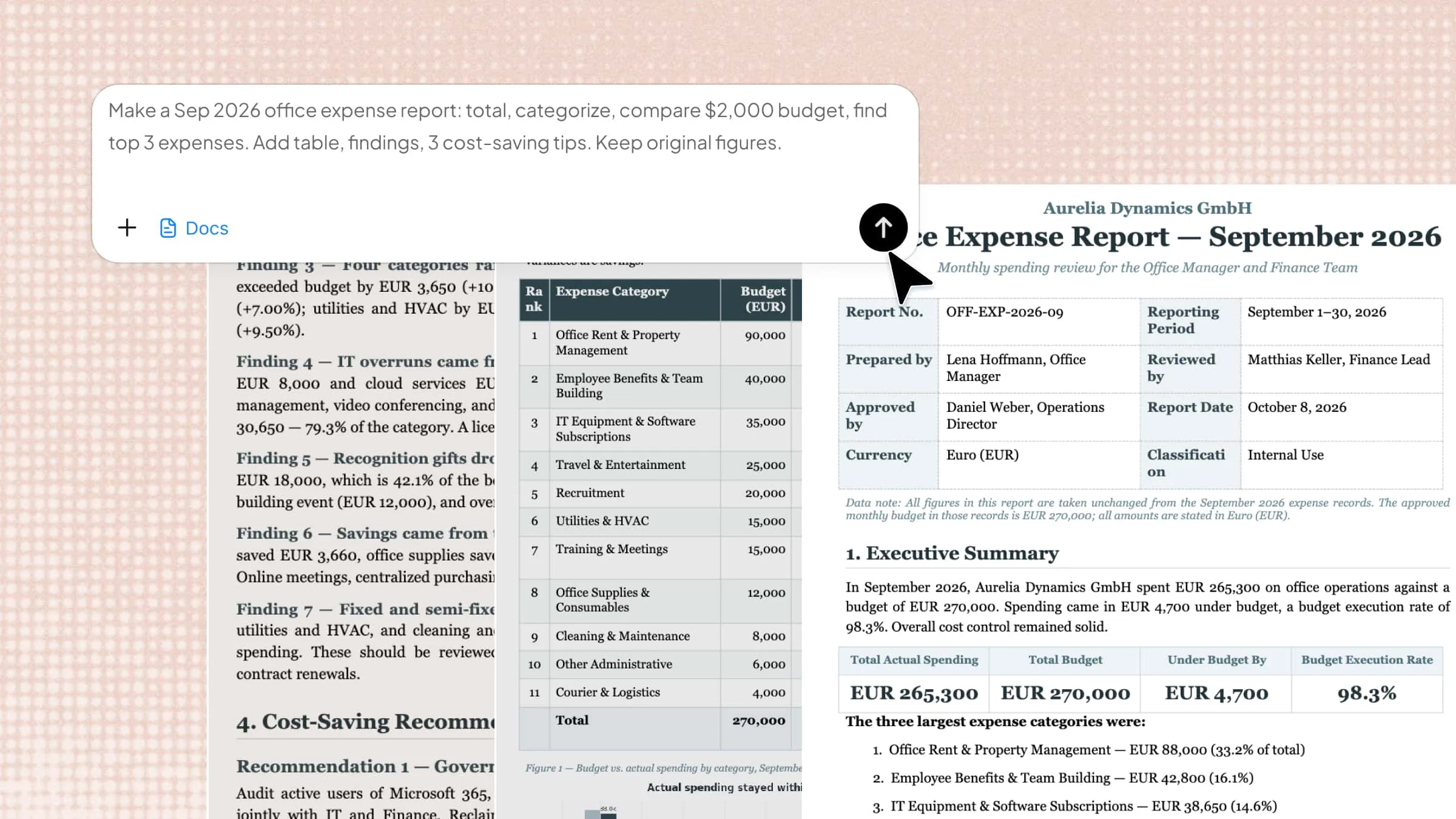
Upload relevant documents (product requirements, previous design docs, API references) and tell Kimi what the feature is and how it will work at a high level.

Upload context and describe a feature to Kimi Docs for TDD drafting

Step 2: Ask Kimi to generate the TDD structure

Describe the sections you need and the level of detail required.

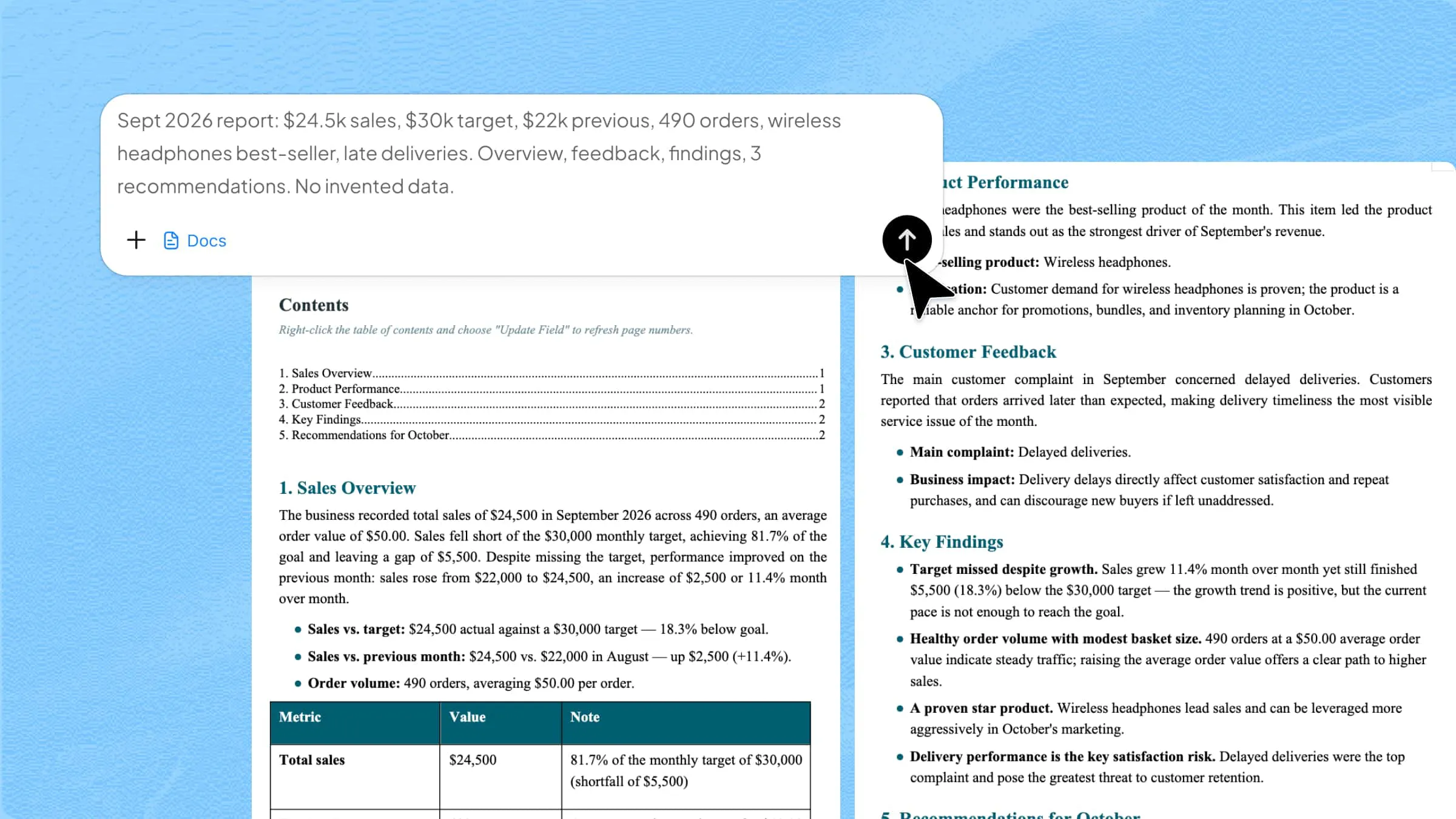
Create a technical design document for a user authentication feature using JWT tokens. Include sections for overview, objectives, scope, system architecture, API design (login, logout, token refresh endpoints), data model, security considerations, and testing strategy. The system uses a Node.js backend and PostgreSQL database.
Enter a prompt to generate a technical design document using Kimi Docs

Step 3: Review, refine, and fill in specifics

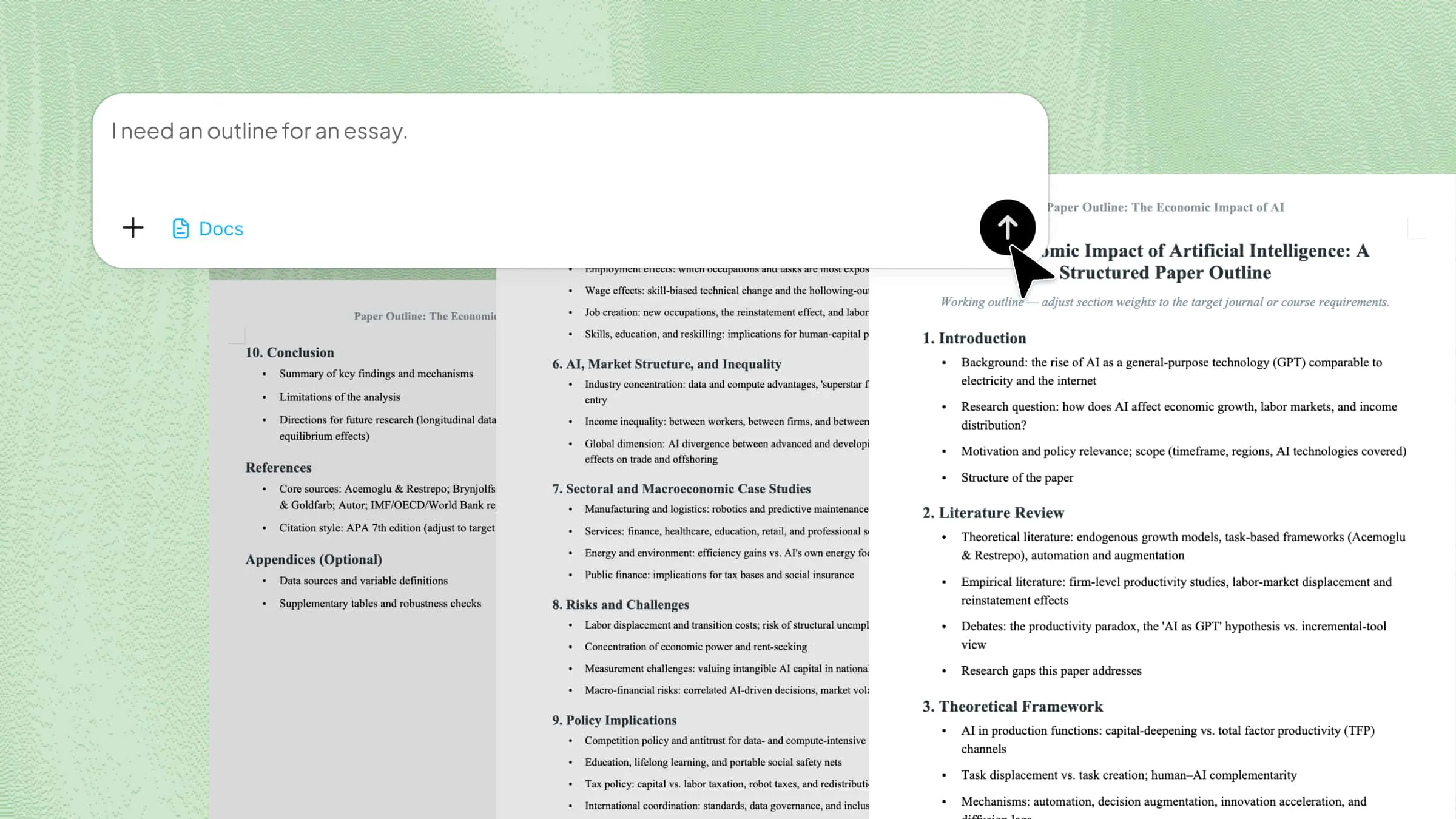
Kimi generates a structured draft with placeholder content for sections that need team-specific details. Review each section and send follow-up prompts to expand, clarify, or adjust.

Review and refine a technical design document draft in Kimi Docs

Step 4: Download the finished document

Export the TDD as a Word file or PDF, ready to share with reviewers or add to your documentation system.

Download a technical design document from Kimi Docs

Key features of Kimi Docs

  • Generate the full TDD structure from a feature description: Rather than starting from a blank document, Kimi produces a structured draft with all standard sections populated based on the context you provide, including sections that are commonly skipped in a first draft like security considerations, testing strategy, and revision history. The skeleton gets generated automatically, leaving the team to focus on the specific decisions, trade-offs, and architectural details that only they can provide.

  • Expert review and annotation: If your team already has an existing TDD, Kimi Docs can review it like a technical peer, flagging gaps in coverage, inconsistencies between sections, or areas where the reasoning isn't clearly documented. This is useful before a formal design review or when onboarding a new engineer to an existing system.

  • Adapt to your tech stack and content formats: Mention the specific technologies involved, such as language, database, frameworks, or APIs, and Kimi tailors the technical sections accordingly. Code blocks, data schemas, API specifications, and mathematical notation are all handled natively, so the output stays readable and properly structured regardless of how technical the content gets.

  • Handle multiple documents at once: If you need to update an existing TDD or create a new one based on a previous design, both can be uploaded and referenced in the same prompt.

Tips for writing a technical design document

An effective technical design document requires disciplined structure and explicit audience awareness to serve as a durable reference for implementation and review.

  • Define and establish the problem clearly: Draft the overview and objectives sections before addressing implementation details. A concise, one-paragraph problem statement indicates readiness for documentation; if the problem cannot be summarized clearly, the design requires further refinement before drafting.

  • Write for external audiences: Assume the reader has no prior knowledge of planning discussions or domain-specific context. Define all acronyms and specialized terminology on first use, and state the rationale behind each decision explicitly to eliminate ambiguity.

  • Record alternatives and trade-offs: Document options considered and rejected, together with the reasoning for each decision. This practice preserves institutional knowledge and prevents redundant deliberation when new team members engage with the system.

  • Prioritize diagrams for architecture: Supplement architecture and component sections with flow diagrams, sequence diagrams, or system topology visuals. Reserve prose for contextual explanations that diagrams cannot convey independently.

  • Maintain scope discipline: Include all information necessary for implementation and review, and exclude material that does not influence execution or evaluation. Brevity increases the likelihood of thorough review and sustained reference value.

Conclusion

Writing a technical design document from scratch takes time that most engineering teams don't have before a sprint starts. Structuring every section, covering security and testing, documenting trade-offs, and making sure the right people can review it before implementation, all of that groundwork has to happen before a single line of code is written. Kimi Docs generates a structured starting draft from a feature description and your existing context, so the team can spend that time on the decisions rather than the document itself.

FAQ

What is a technical design document?
A technical design document (TDD) is a written plan created by the development team that describes how a software feature or system will be implemented. It covers the architecture, component design, data model, API specifications, security considerations, and testing strategy. It is written after product requirements are defined and before development begins.
What is the difference between a technical design document and a product requirements document?
A product requirements document defines what the system should do from the user's perspective. A technical design document defines how the engineering team will build it. Both are needed, and a TDD is typically written in response to a completed PRD.
What sections should a technical design document include?
Most technical design documents include a document header, overview, objectives, scope, background, system architecture, component design, data model, API design, security considerations, testing strategy, dependencies and risks, and revision history.
Who writes a technical design document?
Typically the lead engineer or architect responsible for the feature writes the initial draft. It is then reviewed by the broader engineering team, relevant stakeholders, and in some organizations a technical lead or principal engineer before being approved.
How long should a technical design document be?
Long enough to cover everything a reviewer needs to understand and evaluate the design, and no longer. Simple features might need two to four pages. Complex architectural changes might need fifteen or more. The goal is clarity, not completeness for its own sake.
You Might Also Like
A User-Friendly Guide to Convert JPG to Word with Smallpdf
2026-07-21
How to Insert a Section Break in Word: A Complete Guide
2026-07-21
How to Remove a Section Break in Word: 5 Ways
2026-07-21
How to Insert a Page Break in Word: 4 Ways
2026-07-21
Page Break vs Section Break in Word: Key Differences
2026-07-21