AI Cowork: An AI Workspace for Parallel Agentic Workflows

Discover how AI cowork is transforming the way professionals manage files and automate tasks from a desktop. For a powerful head start, Kimi Work delivers intelligent coworking experience with local file access and scheduled automation.

12 min read2026-07-07
Best AI coworking Space—Kimi Work

Managing multiple AI agents often means repeating instructions, transferring context, and switching between different tools. This fragmented workflow may slow down productivity and create unnecessary effort. AI cowork solves this by bringing AI agents, tasks, and workflows together in one connected workspace, enabling smoother collaboration and more efficient work. In this article, we'll explore how AI cowork transforms everyday workflows and helps you work smarter.

What is an AI cowork?

Here, AI cowork refers to an AI-powered workspace for agentic workflows, helping users manage and complete multi-step tasks within a connected workflow. It combines different capabilities, such as writing, research, analysis, planning, and execution, into one unified environment.

Instead of switching between multiple tools and repeating instructions, users can keep tasks, context, and AI assistance in one place. This reduces workflow interruptions, improves focus, and enables more efficient collaboration between humans and AI. AI cowork works like a digital teammate that helps streamline daily operations and complex work processes.

Why do single-agent systems fail at complex tasks?

Single-agent systems fail at complex tasks for many reasons. They operate in a linear, one-thread structure. So, they can handle only one step at a time. This forces sequential execution instead of parallel work.

When tasks involve research, analysis, and execution together, the agent loses context across steps and depends heavily on the user for coordination. These repeated instructions and inefficient workflows. They also struggle with tool switching and maintaining multi-step reasoning. All these things make them unsuitable for end-to-end automation.

The core logic of AI cowork

As you already know, the AI coworking space changes the way AI systems work. It handles complex work by moving from single-step execution to a coordinated system. Here are details about the core logic of AI cowork.

  • Parallel execution

It's very frustrating to complete the complex tasks. Sometimes, you can divide into smaller workflows that run at the same time. Instead of waiting for one step to finish before starting the next, multiple processes happen in parallel. This reduces delays and speeds up overall task completion.

  • Role specialization

All the different AI agents are assigned specific roles based on the task type. One agent may focus on writing code. Other agents provide for gathering information from the web and structuring the final document. This division of responsibility improves accuracy and efficiency.

  • Orchestration layer

All the AI agents have a central orchestration layer that coordinates the entire process. This breaks down the main task, defines responsibilities, and manages dependencies between steps. Furthermore, it merges all outputs into one result. This ensures the workflow stays structured.

AI cowork vs agents, copilots, and assistants

Today, AI systems are usually grouped as agents, copilots, or assistants, but each may focus on a different interaction model or workflow. Agents act independently, copilots support within one app, and assistants handle simple tasks. AI cowork goes beyond these models with a more connected approach. Here is a quick comparison of their structure, capabilities, and execution style.

CategoryAI cowork systemsAI agentsAI copilotsAI assistants
Core conceptMulti-agent collaborative AI workspaceAutonomous AI that executes tasksAI embedded inside specific applicationsConversational AI for general-purpose assistance
Interaction modelOrchestrated multi-agent executionGoal-driven, semi-autonomous executionIn-app assistance within one toolNatural language conversations and task support
ScopeCross-tool, cross-domain workflowsSingle workflowSingle applicationBroad everyday tasks across many domains
Key strengthsParallel execution, role specialization, shared context, orchestrationCan browse, write files, and run code without step-by-step inputImproves productivity in a specific workflow (e.g., coding, docs)Strong for writing, research, brainstorming, coding, learning, and answering questions
LimitationsSystem complexity (but enables scalability and coordination)Mostly single-agent and sequential; weak multi-step coordinationLimited to one app; cannot operate across systemsTypically relies on user prompts rather than proactively coordinating complex workflows across multiple tools

5 pillars of AI cowork

Here are detailed insights about the five pillars of an AI coworking space that enable it to move beyond traditional AI assistants.

  • Multi-agent coordination

Generally, the AI cowork does not depend on a single agent to complete an entire task. Instead, it breaks the workflow into smaller parts and assigns them to multiple specialized agents. These agents work in parallel and share context. This improves speed and enables complex tasks to be completed easily without user micromanagement.

  • Desktop-native experience

Basically, AI cowork is designed to operate within the real working environment of users. It can interact with desktop applications, local files, and system-level workflows. This means it can pull data from spreadsheets and move between tools. Therefore, you can execute full workflows in one environment.

  • Human-in-the-loop control

As mentioned earlier, an AI cowork automates complex workflows without removing human oversight. Instead, it allows users to review, approve, or modify outputs at key stages, ensuring the results remain aligned with their goals. This balance between automation and human judgment helps reduce errors and makes AI coworkers especially valuable for high-stakes tasks.

  • Skills and extensibility

An AI cowork is built on a modular architecture that can be extended through specialized skills. Each skill is designed for a particular capability, such as data processing, content generation, workflow automation, or analysis. Because new skills can be added without changing the core system, the platform can evolve and adapt to different industries and use cases.

  • Model agnosticism

Technically, the AI coworking system is not dependent on a single AI model. This is highly flexible and future-ready. This can switch between different models depending on task complexity. Usually, a lightweight model may handle simple tasks. Also, a powerful model handles reasoning-heavy workflows. This ensures optimal performance.

Meet Kimi Work: Desktop automation made simple

Kimi Work is a desktop-first automation system that helps to execute complex workflows with minimal manual effort. It combines scheduling, autonomous browsing, and multi-agent execution into one environment. This enables the system to handle the process end-to-end. All these specifications make it useful for both repetitive automation and deep research tasks.

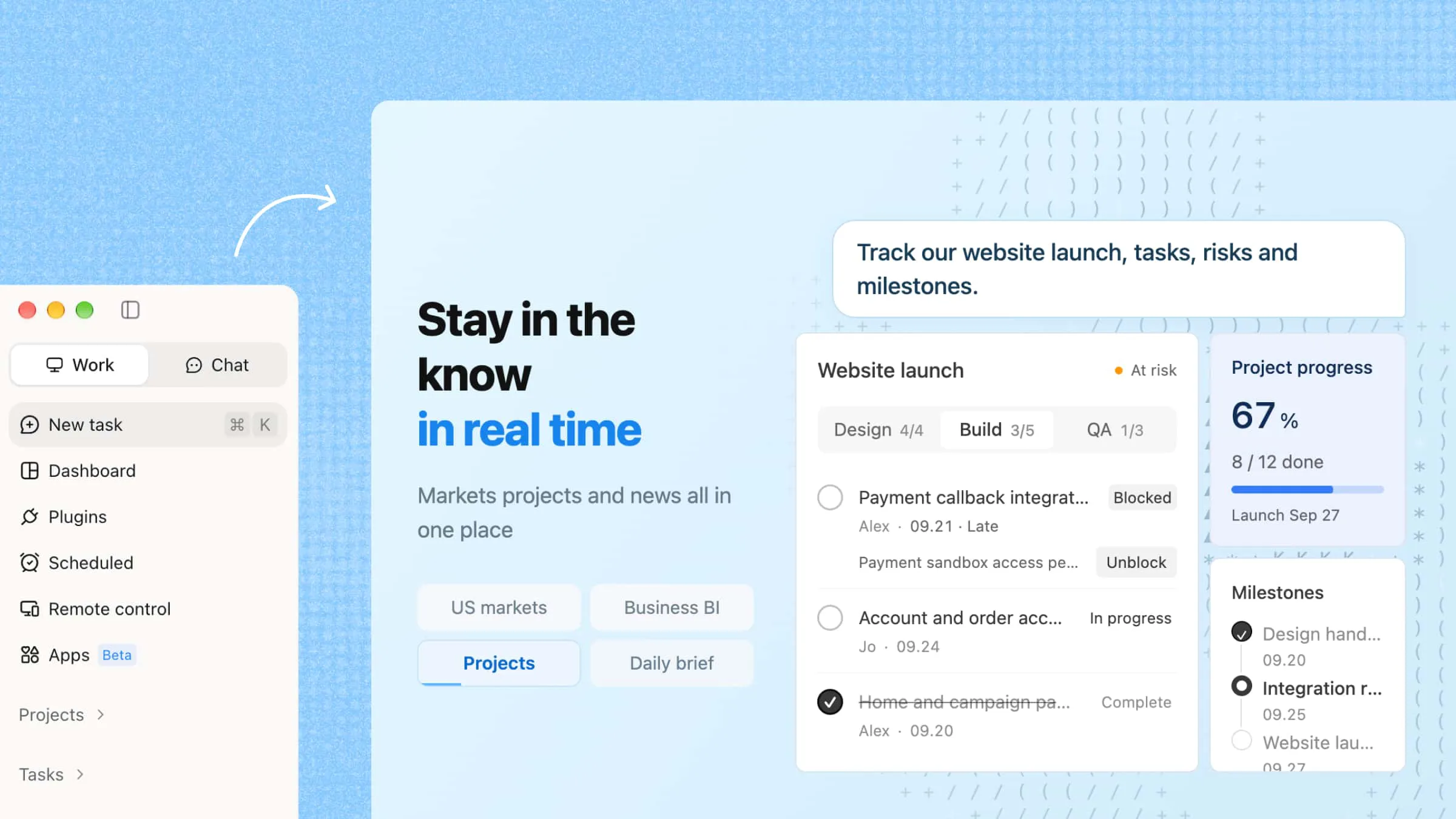
Interface of Kimi Work

Main features

  • Automate workflows on a schedule

Kimi Work includes a built-in Cron engine that lets you schedule tasks once and run them repeatedly without manual effort. It can handle recurring reports, data updates, and scripts automatically in the background.

  • WebBridge for autonomous browsing

WebBridge enables Kimi Work to browse and interact with websites like a human user. It can open pages, navigate links, and extract relevant information based on your instructions.

  • Agent swarm for complex task execution

Kimi Work uses multiple AI agents that collaborate to complete complex workflows. Each agent handles a specific step, and their outputs are combined into a final structured result.

  • Native access to academic and financial resources

Kimi Work connects directly to academic and financial data sources across major markets. It allows you to get insights and comparisons using simple natural language queries without extra setup.

How to use Kimi Work to run tasks on the desktop?

Follow the steps below to use Kimi Work on your computer and let AI complete complex workflows, including file analysis, research, and content generation.

Step 1: Download and install Kimi Work

First, download and install Kimi Work on your computer. After installation, sign in to your account and grant the required permissions. These permissions allow Kimi Work to access your local files and complete desktop tasks more efficiently.

Download Kimi

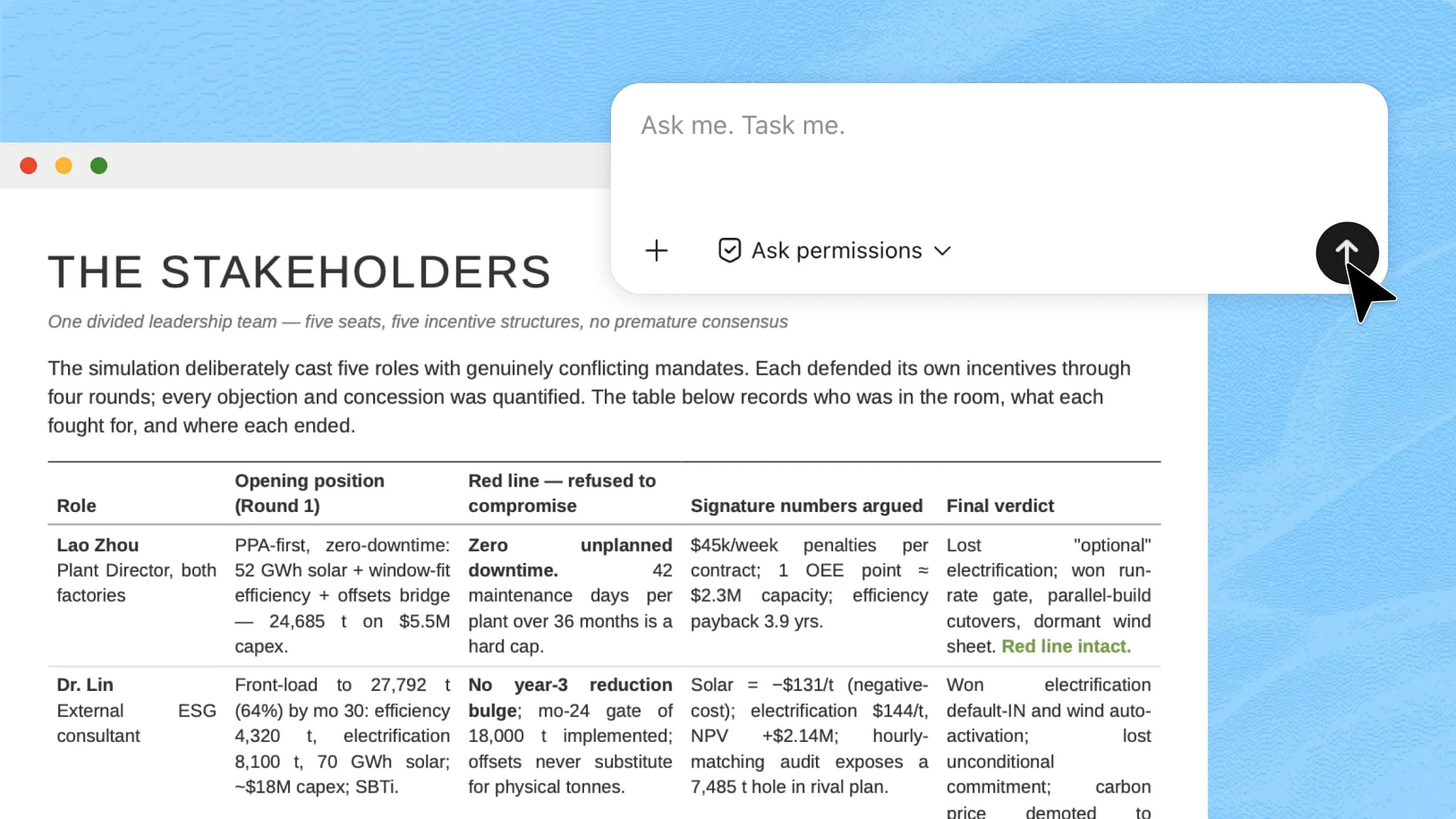
Enter a clear prompt describing what you want Kimi Work to accomplish. For larger or multi-step workflows, it is recommended to create a project and organize related files in one folder. This helps Kimi Work better, understand the context, and manage tasks more efficiently.

Select "Work in a project" and choose how you want to organize your files:

  • Start from scratch: Create a new project without existing files.

  • Use existing folder: Connect an existing folder and let Kimi Work work with the files inside.

  • Work without a folder: Complete tasks without linking to any local folder.

After setting up your project, enter your task instructions.

Example prompt:

Please review the project files in this folder, including the project plan, progress update, and meeting notes. Analyze the overall implementation status and identify areas that need improvement. Conduct additional research, exploring industry-leading compettitors. Using the information from the files and external research, prepare a project evaluation report. The report should cover: 1. Overview of the project and current development stage 2. Key achievements and completed tasks 3. Differences between the original plan and current execution 4. Potential issues, risks, and missing preparations 5. Industry recommendations and optimization suggestions 6. A prioritized action plan for the next phase Please present the results in a structured report format with tables for important analysis.
Share your project details in prompt form

Step 3: Run the task and let AI execute the workflow

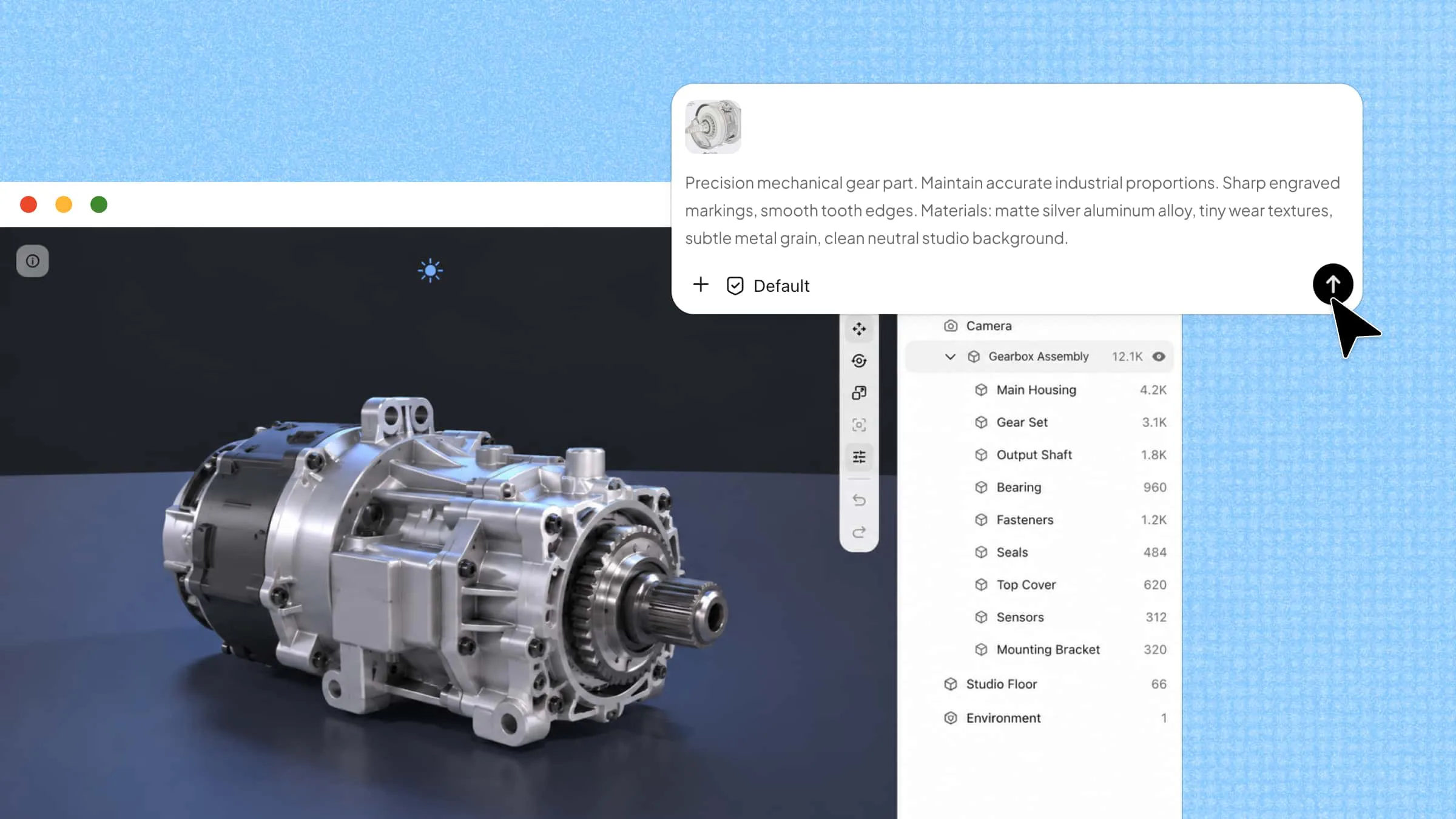
Submit your prompt and let Kimi Work process the task. Kimi Work will automatically break down your request into smaller steps, analyze the available resources, and execute multiple tasks in parallel to generate the final output.

Let the tool generate results

Step 4: Review and refine the results

Once the workflow is complete, review the generated content and make adjustments if needed. You can further refine the results or export the final deliverables, such as reports, spreadsheets, presentations, or research summaries.

Check your workflow

Who should adopt AI cowork first?

The AI cowork is not designed for casual tasks. Its operating system delivers the most value in the environment. Here are key details about who can get benefits from this tool.

  • Data-heavy teams (Finance, analytics, consulting)

The teams of finance and consulting work with large datasets and dashboards. They often spend more time cleaning information than analyzing it. AI cowork helps by running parallel research and structuring outputs automatically. This enables teams to focus more on insights instead of preparation.

  • Research-intensive roles (Academic research, R&D, product research)

Generally, the research work involves continuous reading, comparison, and synthesis. These workflows are slow because they are sequential in nature. Therefore, the AI cowork improves this by handling multiple research projects. It can gather, summarize, and compare information in parallel. This helps researchers move from raw data to conclusions.

  • Operations and workflow automation teams

In any professional sector, the operations teams manage repetitive processes across different systems. These tasks involve strict sequences and frequent coordination. That's why the AI coworking space helps by automating multi-step workflows in a structured way. It reduces dependency on manual tracking. This creates smoother and more predictable operations.

  • Developers building AI or complex systems

In every coding sector, developers often work on systems. They require multiple components working together easily. It includes APIs, data pipelines, and agent-based architectures. So, AI coworking helps by coordinating tasks across code, data, and tools. It supports faster prototyping. This makes it useful for building and testing complex AI systems.

  • Knowledge-heavy organizations

All the organizations with large internal knowledge bases struggle to make information reusable. Not all the documents, SOPs, and reports often stay organized. Therefore, the AI cowork can convert this information into structured workflows. It helps teams turn static knowledge into actionable processes, reducing repeated manual searching.

  • Growth, strategy, and business intelligence teams

The team of any sector depends on fast-moving external data and continuous analysis. Their job is to track competitors, markets, and performance signals. So, the AI coworking space supports this by running ongoing multi-source analysis. It helps combine insights into structured summaries. This makes for more informed strategic actions.

Conclusion

To sum up, AI cowork can handle multi-step workflows. It design toi coordinate specialized agents, automate repetitive processes, and reduce the need to switch between multiple tools. Furthermore, it maintains better accuracy and control. As AI systems continue to evolve, adopting AI cowork early can give your team a significant productivity advantage. If you're looking to put these capabilities into practice, Kimi Work offers an AI cowork workspace that helps you manage desktop tasks, research, and collaboration in one place.

FAQ

Is AI cowork just multiple AI agents working together?
Not the AI cowork is more than a collection of AI agents. It includes an orchestration layer, which involves coordinating tasks and managing dependencies. All these features ensure agents work toward a shared objective. The system maintains context across workflows. This enables agents to collaborate efficiently instead of operating as isolated components.
What is the role of orchestrator in AI cowork?
Basically, the orchestrator works as the central coordinator of the AI cowork system. It breaks complex tasks into smaller workflows. Later, it assigns them to the right agents, manages execution order, and combines outputs to make a result. This ensures all activities remain aligned with your workflow requirements.
Do agents in AI cowork share context?
Yes, all the agents in AI cowork operate with shared context and awareness of the broader workflow. This enables them to understand previous actions. This uses the information generated by other agents and avoids duplicate work. You can share context to maintain consistency, improve collaboration, and enable more effective multi-step task execution.
What can AI cowork actually do in real workflows?
Generally, the AI cowork is made to automate research, data analysis, reporting, content creation, workflow management, and task coordination. It can gather information, process data, generate outputs, and execute multi-step workflows. This makes it valuable for teams. You can handle complex processes requiring speed and structured execution.
You Might Also Like
10 Smart AI Software for PCs Worth Trying in 2026
2026-07-08
How Local AI Assistants Reshape Daily Productivity
2026-07-07
10 AI Agent Workspace Platforms for Modern AI Workflows
2026-07-07
Kimi Work: A Powerful Local AI Agent for Desktop Automation
2026-07-07
Kimi Work: The Local AI Agent for Your Desktop
2026-06-17