AI-Powered One-Person Company: The Future of Business

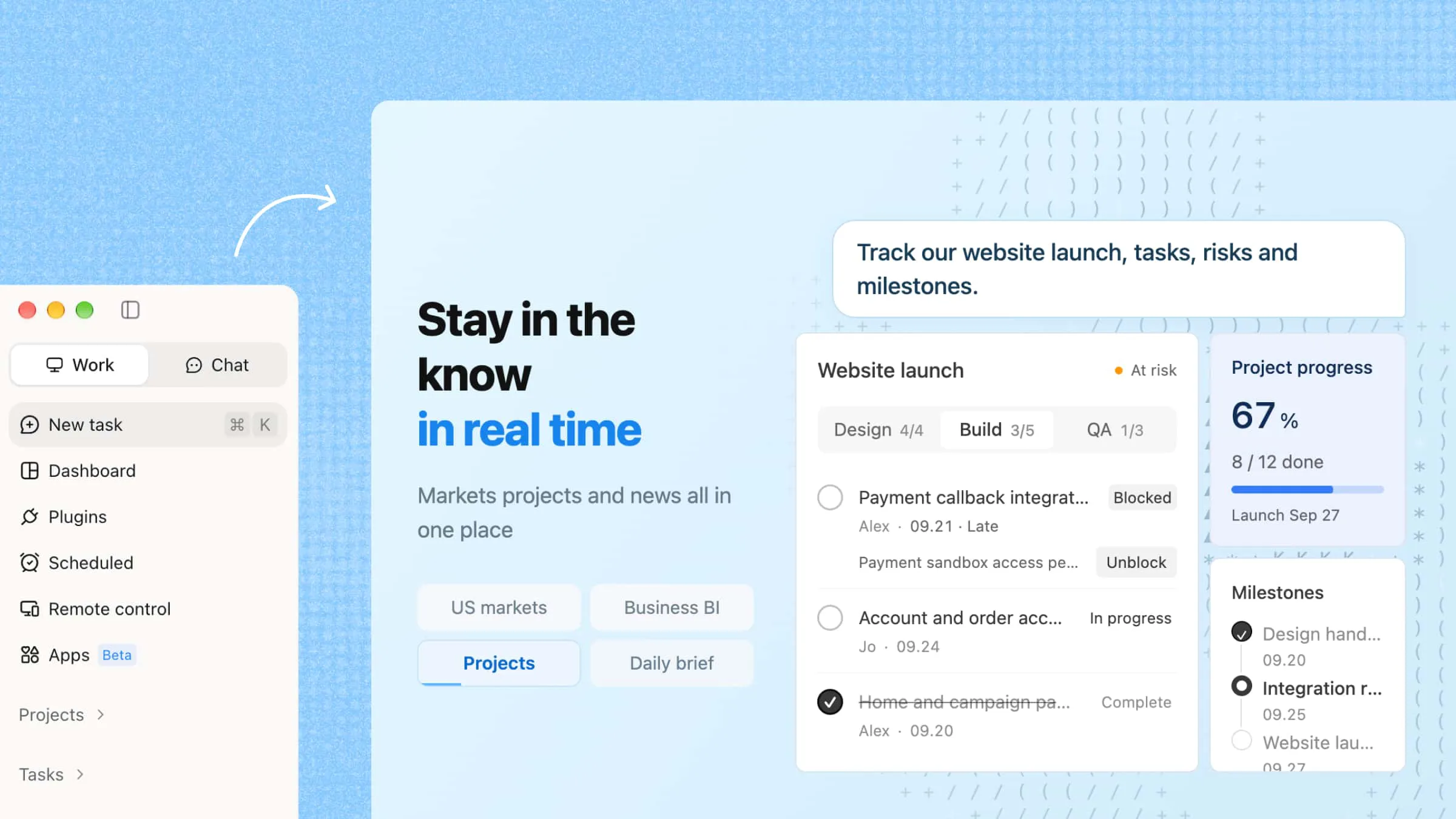
The one-person company era is changing how businesses grow. AI-powered workflows help individuals automate tasks, manage projects, and work like a larger team. Kimi Work turns ideas into actionable workflows, helping you build and scale an AI-powered business.

10 min read2026-07-22
Create an AI-Powered One-Person Company with Kimi Work

The rise of AI is transforming how businesses are built and operated. Today, one person can handle research, marketing, operations, and customer support with AI-powered workflows instead of a large team. This new model makes it easier to reduce repetitive work, improve efficiency, and grow with fewer resources. In this guide, you'll learn what a one-person company is, why it's growing, and how AI can help streamline everyday business operations.

What is a one-person company?

The one-person company meaning is a business model that a single founder uses technology, automation, and AI to perform work that traditionally required a team. Conventional businesses scale by hiring employees, while a one-person company scales by improving systems and leveraging digital tools. The founder remains responsible for strategy, decision-making, and customer relationships. So, repetitive tasks are handled by software, workflows, and AI agents. The goal is to build an efficient operation that can generate revenue without increasing costs.

AspectTraditional businessAI-powered one-person company
CapacityMore employees create more capacityAI agents create more capacity
GrowthGrowth requires hiringGrowth requires better systems
OperationsManual processes dominate daily workAutomated workflows handle routine operations
Task executionHumans complete most tasksAI handles repetitive execution
ManagementManagers coordinate teamsFounders manage AI workflows and systems
ScalabilityLimited by team sizeScales through automation and AI

Why is a one-person company growing so fast

Technology has fundamentally changed how businesses operate. With AI handling more routine work, individuals can accomplish much more on their own than ever before. As a result, the one-person company model is gaining momentum for several key reasons.

  • AI can handle repetitive business tasks: Running a business involves many repetitive tasks, from researching information and drafting content to analyzing data and creating reports. In the past, these activities consumed valuable time or required additional staff. Today, AI can complete much of this routine work in minutes, allowing founders to focus on decision-making and business growth.

  • AI is becoming an active operator: AI is no longer limited to generating content; it can now execute entire workflows. Instead of simply responding to prompts, AI tools can automatically collect information, update databases, generate reports, and send notifications based on predefined instructions. This shift from assistance to execution reduces manual work and makes it practical for a single founder to run day-to-day operations.

  • AI makes expertise more accessible: Building a business once meant hiring specialists for tasks such as design, research, marketing, or data analysis. AI has significantly lowered this barrier by making professional capabilities available on demand. Founders can now complete many specialized tasks themselves with AI support, reducing costs while maintaining productivity. This makes the one-person company model more practical than ever.

Build your own AI-powered one-person company with Kimi Work

Building a one-person company requires more than hard work. You need systems that help you manage research, content creation, and daily operations without hiring a large team. Kimi Work brings these capabilities together in one platform, helping solo founders work more efficiently, make faster decisions, and scale their businesses with fewer resources.

Key features of Kimi Work

  • AI task automation: Kimi Work enables you to automate repetitive processes and multi-step workflows. Instead of manually managing operations, you can create scheduled tasks that run automatically. This enables you to spend less time on administrative work and have more time to improve products and grow the business.

  • Research, analysis, and content creation: Making informed decisions starts with reliable information. Kimi Work helps you gather information, analyze data, and turn insights into well-structured content in one workflow. Instead of switching between multiple tools, you can move more efficiently from research to writing.

  • Extensive plugins for expanded capabilities: Not every tool is designed to handle every business requirement. However, Kimi Work supports a wide range of plugins that extend its functionality. This enables you to connect the tools and build workflows that match your personalized business needs.

  • WebBridge browser automation: With WebBridge browser automation, Kimi Work can carry out browser-based workflows from natural language instructions. It navigates websites, extracts data, and performs repetitive web tasks automatically, reducing manual effort and allowing you to focus on work that creates real value.

How to use Kimi Work to streamline your OPC workflow?

Usually, a one-person company depends on efficient systems. When your company grows, research, reporting, content planning, and market monitoring can consume valuable time. Kimi Work helps you organize these activities into structured workflows.

Use Goal Mode to streamline your workflow

Goal Mode helps you turn a business objective into a structured workflow. Instead of managing different tools and tasks one by one, you simply define the desired outcome, and Goal Mode organizes the process into a clear sequence.

Step 1: Install and launch Kimi Work

Download Kimi Work for Windows or macOS, complete the installation, and sign in to your account. Once you're in the desktop application, open a new conversation to begin working in Goal Mode.

Download and install Kimi Work

Step 2: Define your objective with Goal Mode

Start your request with /goal to tell Kimi Work that the task should be completed over multiple rounds instead of a single response. Then describe your objective, expected deliverables, constraints, and success criteria as clearly as possible.

Prompt template:

I want to accomplish a goal: [your goal]. Please use /goal mode to keep working on it until you produce an executable, deliverable result. Requirements: 1. Start by breaking the goal down for me. 2. Proactively ask me for any information you need. 3. Move forward step by step. 4. At the end of each round, give me the current progress and the next step. 5. Deliver a final, ready-to-use result. My background/constraints: [add your situation] Acceptance criteria: [what counts as done]

Example prompt:

/goal I want you to complete this goal: Create a complete employee onboarding program for a growing technology company. Keep working until you deliver a practical onboarding package that can be used immediately. Requirements: 1. Research onboarding best practices for hybrid teams. 2. Develop a 30-day onboarding schedule for new employees. 3. Create checklists for HR, managers, and new hires. 4. Recommend training topics and learning resources. 5. Design a feedback process to measure onboarding success. 6. Ask me for additional information if necessary before continuing. 7. Summarize your progress after each round and explain the next step. 8. Continue working until every deliverable is finished. Success criteria: Deliver a complete onboarding package with a timeline, role-based checklists, training plan, and implementation recommendations.

Step 3: Monitor progress and refine the outcome

After Goal Mode starts, Kimi Work automatically divides the objective into manageable tasks and completes them one stage at a time. Review the progress updates, answer follow-up questions if additional information is requested, and provide feedback when necessary. Kimi Work will continue refining the output until it satisfies your acceptance criteria and produces a final ready-to-use result.

Define and execute the workflow

Use scheduled tasks to automate recurring business work

Some content production houses follow the same pattern every day, week, or month. You know market research, performance reporting, and content planning all require consistent attention. All these tasks take time. However, you can schedule these tasks at Kimi Work and save significant time.

Step 1: Create a recurring business task

Open "Scheduled Tasks" from the left navigation panel and select "Create". Choose the setup method that best matches your workflow:

  • Add manually: Enter the task instructions, execution schedule, and workflow settings yourself.

  • Create from chat: Describe the task in natural language, and Kimi Work will generate the workflow configuration automatically for you to review and edit.

Create a task

Step 2: Configure the workflow

Specify what you want Kimi Work to do each time the task runs. Include the task objective, execution frequency, reference files or information sources, output format, and where the generated results should be stored. Review the configuration, then save and enable the scheduled task.

Set the task details and schedule

Step 3: Manage scheduled executions

After the workflow runs, check the task history to confirm whether it completed successfully and review the generated results. If your workflow changes over time, you can update the task instructions, schedule, or output settings at any time. Future executions will automatically use the latest configuration.

Check your completed workflow output

Extend automation capabilities with plugins and skills

Plugins allow Kimi Work to connect with external tools and services, making it easier to automate specialized tasks. Once a plugin is installed and connected, you can call it whenever your workflow requires additional capabilities.

Step 1: Access the Plugins page

Open Kimi Work and select "Plugins" from the left sidebar. This opens the plugin library, where you can manage existing plugins or discover new ones for different use cases.

Open the plugin marketplace

Step 2: Select a plugin

Explore the available categories or enter a keyword in the search box to locate the plugin you want. Review the plugin information and choose the one that best matches your workflow.

Find the plugin you need

Step 3: Connect the plugin

Click "Install" to add the plugin to your workspace. If the plugin requires permission to access a third-party service, complete the OAuth authorization process before continuing.

Install and authorize the plugin

Step 4: Invoke the plugin in a conversation

Create a new chat and type / to display your installed plugins. Select the plugin you want to use, then enter your request. Kimi Work will call the selected plugin to help complete the task.

Note: Plugins are available after installation, but Kimi Work does not automatically use them in every conversation. Invoke a plugin only when its functionality is needed.

What types of businesses will win in the AI era?

AI is transforming the way companies operate, but not every business benefits in the same way. The businesses that combine human expertise with AI automation are more likely to grow faster, reduce costs, and deliver better customer results.

  • AI-powered service businesses: Service businesses can use AI to handle research, content creation, reporting, and other repetitive tasks. This helps professionals serve more clients, improve productivity, and keep operating costs lower.

  • Industry-specific AI solutions: Businesses that solve challenges for a specific industry have a strong advantage over generic AI tools. Tailored AI solutions address real business problems and deliver greater value to customers.

  • AI-enhanced creative businesses: Writers, designers, marketers, and creators can use AI to speed up research, brainstorming, and content production. This allows them to spend more time on strategy, creativity, and audience engagement.

  • AI automation and workflow businesses: Companies that automate repetitive business processes save time and improve operational efficiency. As more organizations seek productivity gains, demand for AI-powered workflow solutions will continue to increase.

  • Expertise-based one-person businesses: Consultants, coaches, educators, and specialists can use AI to research faster, create resources efficiently, and manage more clients. This enables a single expert to deliver work that once required a larger team.

Conclusion

To sum up, a one-person company enables you to achieve more without increasing complexity. With the right systems in place, you can reduce manual work, make faster decisions, spend more time on customers, opportunities and high-value work, instead of managing endless tasks. Kimi Work enables you to focus on growing your business. The sooner you build efficient workflows, the sooner you can create a business that is more productive, scalable, and easier to run.

FAQ

How does AI help a one-person company?
AI helps one-person companies automate routine work and improve productivity. It can make research, content creation, and data analysis super easy for any non-technical person. This enables business owners to spend more time on strategy and customer relationships. Therefore, AI helps individuals operate more efficiently and manage a larger workload.
What skills are important for running a one-person company?
The most important skills are problem-solving, communication, and business strategy. A one-person company owner should also understand marketing, customer needs, and workflow automation. Furthermore, technical expertise can be valuable. However, the ability to identify opportunities and create value matters more.
What is AI orchestration in a one-person company?
Basically, AI orchestration is the process of coordinating multiple AI tools and systems to complete business tasks. Business owners connect different tools into structured workflows. For example, one workflow may research a topic, create content, and generate a report. This approach reduces manual work and operational complexity.
How can I start building a one-person company with AI?
Start with a clear business goal, then break the work into smaller tasks. Identify which tasks are repetitive or time-consuming, and use AI to automate them wherever possible. As you build efficient workflows, you can spend more time on strategy and customer relationships while scaling your business without relying on a large team.
You Might Also Like
AI Automation: How It Works, Examples & Benefits
2026-07-22
How to Organize Files and Folders with AI
2026-07-22
10 AI Assistant Apps to Boost Your Productivity
2026-07-22
10 AI Documentation Tools for Smarter Work and Automation
2026-07-22
10 AI Sales Assistants Transforming Sales Workflows
2026-07-22