Kimi Work: Local AI Agent for Automated Workflows

Explore Kimi Work, a local AI agent that helps you automate workflows on your desktop, combining web research, data analysis, scheduling, and multi-agent execution in a secure local environment.

10 min read2026-07-07
Best local AI agent—Kimi Work

Handling repetitive desktop tasks, switching between tools, and organizing scattered work can quickly become overwhelming, especially when everything relies on manual effort. A local AI agent powered by cloud-based models changes this by running directly on your device and automating those routine processes without constant user input. Kimi Work brings this capability into a practical desktop solution, helping you streamline work, reduce friction, and stay focused on what actually matters.

What is a local AI agent?

A local AI agent is an AI system that runs directly on your device instead of relying on cloud servers. It can understand tasks, make decisions, and automate workflows while keeping your data private and secure. Unlike online tools, it works offline or with minimal internet dependency, making it faster and more reliable. Local AI agents are commonly used for automation, productivity, and even coding assistance.

Why is Kimi Work helpful when needing reliable local AI agent

Kimi Work is a reliable desktop AI agent with local task execution because it runs directly on your desktop, ensuring faster performance and stronger data management. It can handle automation tasks efficiently while maintaining full control over your files and workflows. Its lightweight design makes it suitable for everyday productivity as well as advanced use cases. This balance of speed, local accessibility, and usability makes Kimi Work a dependable choice for local AI automation.

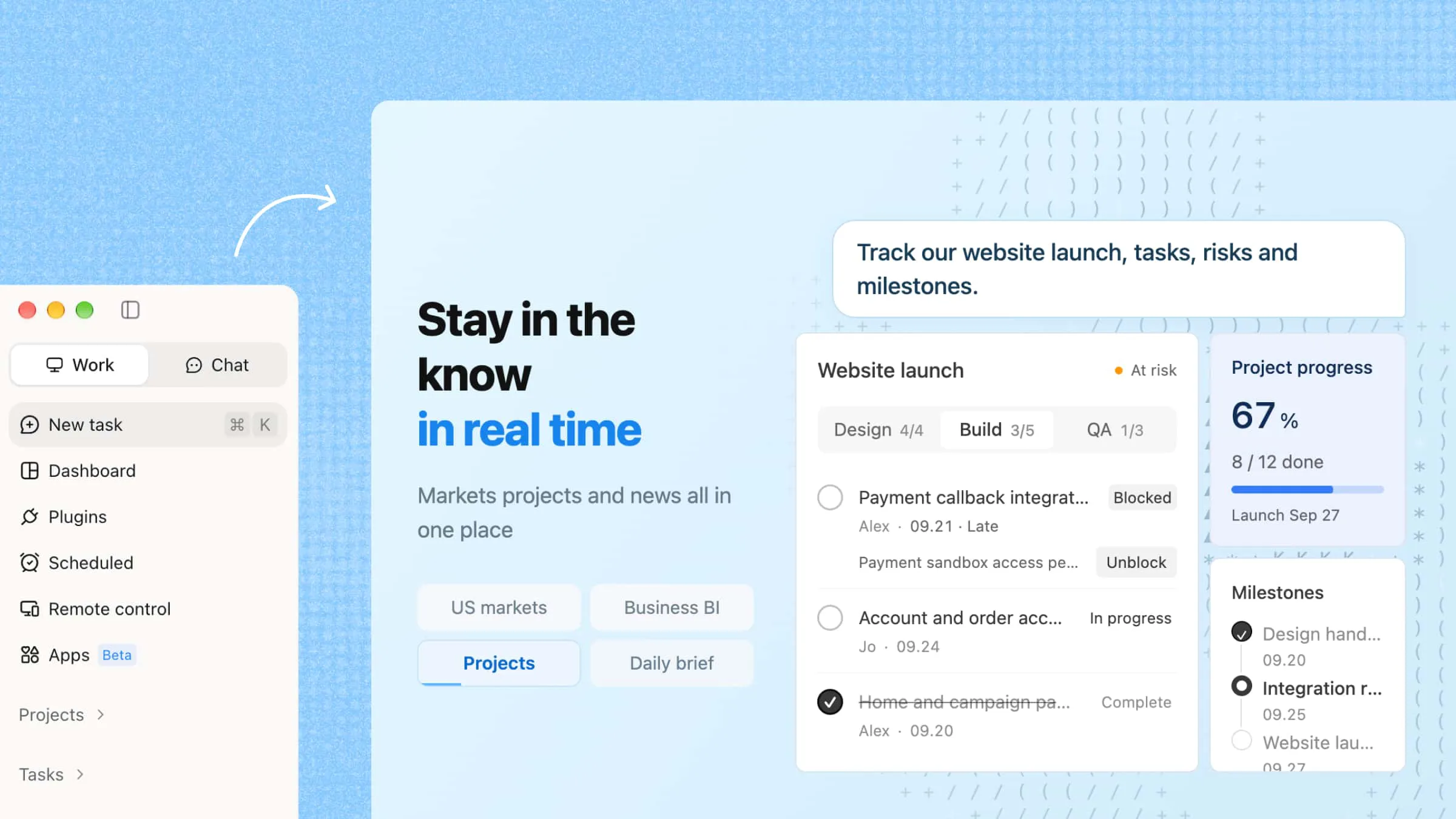
Interface of Kimi Work

Key features of Kimi Work

Kimi Work offers a powerful set of automation capabilities that make it more than just a basic tool. It combines scheduling, browsing, and intelligent collaboration features to handle complex workflows with ease.

  • Automate workflows on a schedule

Kimi Work includes a built-in Cron engine that lets you schedule recurring tasks like daily reports, data updates, or script execution. Once set, these tasks run automatically in the background without any manual effort.

  • WebBridge for autonomous browsing

With WebBridge, Kimi Work can navigate websites like a human user. It opens pages, moves between links, extracts relevant data, and completes multi-step browsing tasks based on a single defined goal.

  • Agent swarm for complex task execution

Multiple specialized AI agents work together to break down and complete complex workflows. Each agent handles a specific step, and their combined output is delivered as a structured result such as reports, slides, or spreadsheets.

  • Native access to academic, business, and financial data

Kimi Work provides direct access to real-time financial data across A-shares, Hong Kong, and US markets. You can query earnings, trends, and comparisons using natural language, without needing external APIs or complex setup.

How to set up and use Kimi Work?

Setting up Kimi Work is designed to be simple, even for users who are new to automation tools. Once installed, it only takes a few steps to start running intelligent workflows on your desktop. The platform allows you to define tasks, organize your workspace, and let the AI handle execution in the background.

Run tasks on the desktop

Kimi Work helps you complete complex desktop workflows by combining file access, task planning, and AI execution. Follow the steps below to create a workflow and let Kimi Work handle the process.

Step 1: Start a workspace and add task instructions

Open Kimi Work and create a workspace for your task. For projects that involve multiple files or repeated workflows, you can use "Work in a project" to keep everything organized. Choose the option that matches your workflow:

  • Start from scratch: Build a new workspace for a new task.

  • Use existing folder: Connect a local folder that already contains related documents.

  • Work without a folder: Run tasks directly without linking files.

After setting up the workspace, describe your goal and provide detailed instructions.

Example prompt:

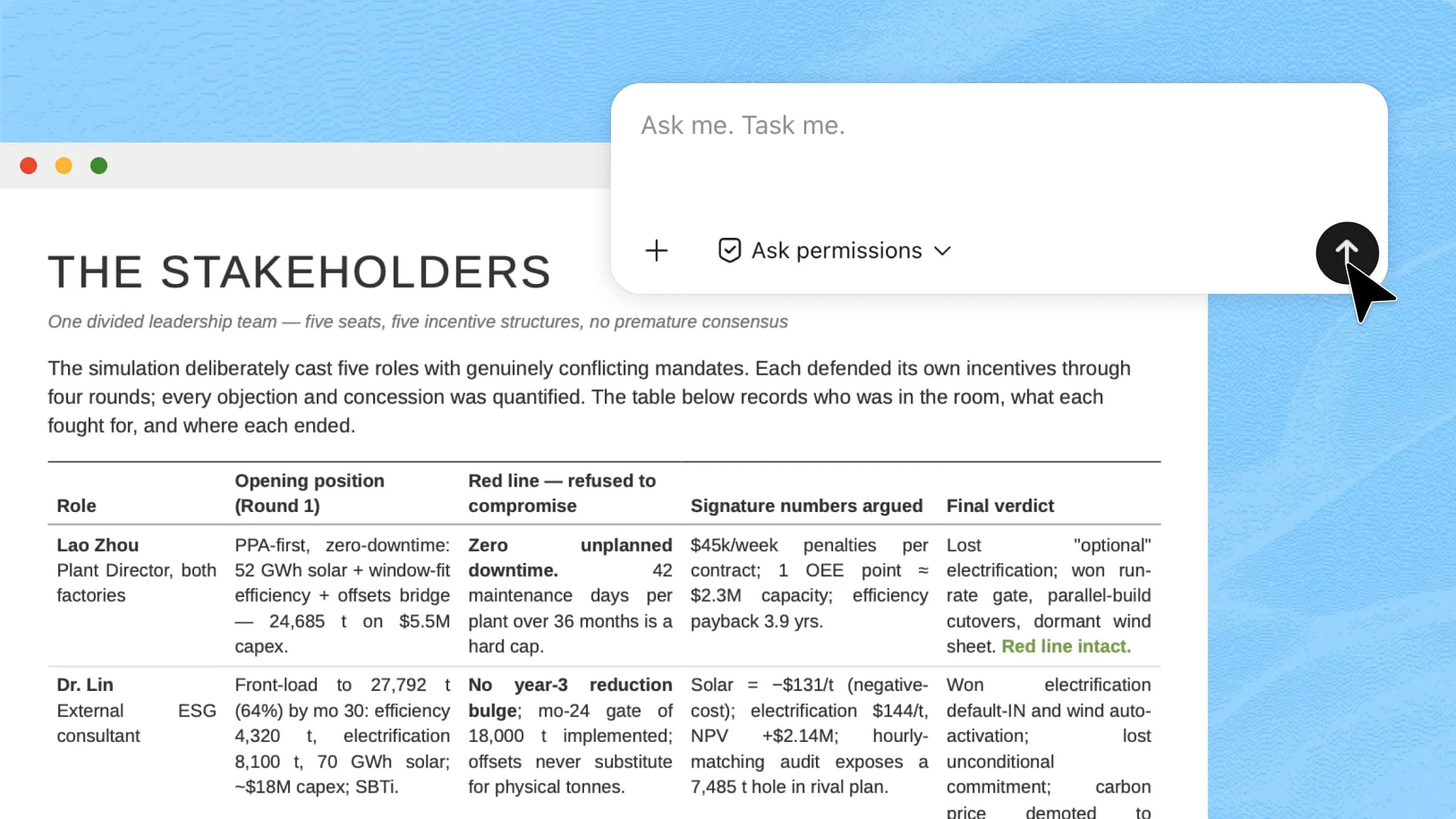
Analyze the documents in this folder and summarize the current progress of the project. Review the available project materials, identify completed work, potential issues, and areas that require improvement. Research relevant industry- leading competitors from reliable sources. Create a structured project analysis report including: 1. Project overview and current status 2. Completed tasks and key findings 3. Problems and risks identified 4. Comparison with industry practices 5. Recommended improvements and next actions Use tables where appropriate to organize the information.
Open Kimi Work and enter your prompt

Once the task is submitted, Kimi Work processes your request and automatically executes the required steps in the background. The AI handles the workflow from start to finish based on your instructions.

Let AI process and generate results

Step 3: Check your completed workflow output

After processing is complete, review the generated output in your workspace. You can verify results, refine details if needed, and reuse the workflow for future tasks.

Check your completed workflow output

Automate repetitive work with scheduled tasks

Automating repetitive tasks becomes easier with scheduled workflows. By setting tasks to run at specific times, Kimi Work can handle routine operations automatically, helping you reduce manual effort and keep workflows running consistently.

Step 1: Open Kimi Work and create a scheduled task

Open Kimi Work and select "Scheduled Tasks" from the left sidebar. You can create a new automation task in two ways:

  • Create manually: configure the task details, schedule, and execution requirements step by step.

  • Create through chat: describe what you want Kimi Work to automate, and let it generate the task setup for you.

Open Kimi Work and use the scheduled tasks tool

Describe the task you want Kimi Work to perform, including:

  • What action should be completed

  • When the task should run

  • What files, folders, or information sources should be used

  • How the final output should be generated or saved

For example, you can ask Kimi Work to generate daily reports, monitor updates, organize files, summarize information, or run recurring workflows.

Describe your scheduled task

Step 3: Review and manage task results

After the scheduled task runs, check the generated results in your workspace. Review the output to confirm everything works as expected, and update the task instructions or schedule anytime to improve future executions.

Check your completed workflow output

Where can Kimi Work make your workflow more efficient

Kimi Work can significantly improve efficiency across different professional and research workflows by automating repetitive tasks and organizing complex processes. It helps users focus more on decision-making, while the system handles data collection, analysis, and reporting in the background, similar to how a local AI agent framework streamlines automated workflows on a personal device.

  • Financial analysis and market monitoring

Kimi Work can fetch and process real-time financial data, track market trends, and generate insights for A-shares, Hong Kong, and US markets. It reduces manual effort in monitoring stocks and helps users make faster, data-driven decisions through automated data collection, analysis, and reporting.

  • Academic research and literature review

It assists in gathering and summarizing academic papers, identifying key themes, and structuring literature reviews. This makes the research process faster and more organized, especially when handling large volumes of information.

  • Business reporting and presentation creation

Kimi Work can turn raw business data into structured reports and presentation-ready outputs. It automates formatting, summarization, and visualization, making communication of insights more effective.

  • Data analysis and dashboard preparation

It helps clean, process, and analyze datasets while generating clear summaries and visual dashboards. This allows users to quickly understand patterns and performance metrics without manual calculations.

  • Competitive research and industry tracking

Kimi Work can monitor competitors, extract industry updates, and compile structured insights over time. It provides a continuous overview of market activity, helping businesses stay informed and responsive.

Tips for getting more from Kimi Work as a local AI agent

Getting better results from Kimi Work depends on how clearly you structure your tasks and how effectively you use its automation capabilities. By combining precise instructions with its local AI agent framework, you can turn simple prompts into powerful workflows that handle complex work end-to-end.

  • Target files with specific paths

Instead of vague instructions, point Kimi Work to exact file locations so the system can directly access and process relevant data. This reduces errors and improves speed by avoiding unnecessary steps.

  • Combine agents for deep research

Use multiple agents together to break down complex research tasks into smaller steps like data collection, analysis, and summarization. This approach helps you build local AI agents that collaborate to produce more structured and accurate insights.

  • Run Python scripts overnight locally

Schedule long-running scripts to execute in the background while your system is idle. This is especially useful for developers using a local AI agent for coding, allowing continuous execution without manual supervision.

  • Reorganize folders with one prompt

You can instruct Kimi Work to clean, sort, and structure your directories automatically. A single command can create organized file systems, improving overall workflow efficiency.

  • Scale outputs to long reports

Ask the system to expand summaries into detailed, structured reports with sections, insights, and conclusions. This helps transform raw outputs into professional documents suitable for analysis or presentation.

Conclusion

Kimi Work brings a practical shift in how desktop tasks are handled by turning routine actions into structured, automated workflows. It reduces reliance on multiple tools by unifying execution within a single local environment. This makes everyday work more organized, efficient, and easier to scale over time. Ultimately, it highlights how a local AI agent framework can streamline productivity in a more controlled and intelligent way.

FAQ

How is a local AI agent different from cloud-based AI agents?
A local AI agent runs directly on your device, giving you more control, speed, and privacy compared to cloud-based systems. It does not rely heavily on external servers, which reduces latency and improves reliability. This makes it ideal for users who prefer secure, offline-capable workflows and want a local AI agent experience without constant internet dependency.
Can a local AI agent browse the web, run scripts, or access files locally?
Yes, a local AI agent can perform tasks like web browsing, executing scripts, and accessing local files depending on its setup and permissions. It can automate multi-step workflows such as data extraction or file organization. Advanced systems even allow integration with a local AI agent framework to manage these actions more efficiently.
Is a local AI agent useful for automation, data analysis, or coding tasks?
A local AI agent is highly effective for automation, data processing, and development workflows. It can handle repetitive tasks, analyze datasets, and even assist in writing or testing code. Many developers use a local AI agent for coding to speed up debugging and streamline project workflows.
Can I automate tasks without coding?
Yes, most modern local AI agents allow no-code or low-code automation through natural language instructions. You can simply describe what you want, and the system will execute the workflow for you. This makes it easy for beginners to create local AI agent workflows without technical expertise.
You Might Also Like
10 Smart AI Software for PCs Worth Trying in 2026
2026-07-08
How Local AI Assistants Reshape Daily Productivity
2026-07-07
10 AI Agent Workspace Platforms for Modern AI Workflows
2026-07-07
AI Cowork: From Single Agents to Team Automation
2026-07-07
Kimi Work: The Local AI Agent for Your Desktop
2026-06-17