Kimi 构建应用功能介绍
Kimi 构建应用是什么
Kimi 构建应用 是 Kimi Agent 的全栈建站产品,由 Kimi K3 多模态视觉代理 AI 模型驱动。核心能力是可视化编程(Vibe Coding)——用自然语言、设计图或录屏即可生成完整的全栈网站,并支持在线预览与一键发布。
Kimi 构建应用 生成的网站涵盖:
- 前端:HTML 页面结构、CSS 样式布局、JavaScript 交互逻辑(动效、动画等)
- 后端:数据库持久化存储、用户登录与认证
- 工程化:自动版本管理、全栈预览、公网部署
产品功能说明
| 功能 | 说明 |
|---|---|
| 对话式构建应用 | 用自然语言描述需求,AI 自动生成全栈网站 |
| 图片/视频理解 | 上传设计图/截图/录屏,AI 自动解析并生成页面 |
| 持久化存储 | 自动构建后端数据库,支持数据的持久化读写与管理 |
| 数据库管理 | 提供可视化数据库面板,支持查看、编辑、删除等基础数据操作 |
| 用户登录 | 支持 Kimi 账号登录,也可通过数据库搭建账号密码登录系统 |
| 版本管理 | AI 自动进行版本提交(git commit),支持回退到任意历史版本 |
| 全栈预览 | 支持前后端完整预览,部分场景需手动启动沙盒环境 |
| 多轮修改 | 支持多轮对话迭代修改,查看不同版本效果 |
| 可视化编辑 | 在预览页上圈选/标注元素,用自然语言添加批注后一次性发给 Kimi 修改 |
| 发布与部署 | 手动点击「发布」后部署到公网,未发布前仅限预览,支持全栈部署 |
| 自定义网址 | 可自定义站点子域名,如 abc.ok.kimi.link 中的 abc |
| 分享与访问控制 | 一键获取公开分享链接,也可将站点设为私密、仅自己可见 |
| 模板选择 | 提供多种预设模板,快速开始建站 |
| 代码导出 | 支持打包下载完整项目文件(含前后端),自主部署 |
如何使用
方法一:网页访问
访问 Kimi 构建应用 专属页面
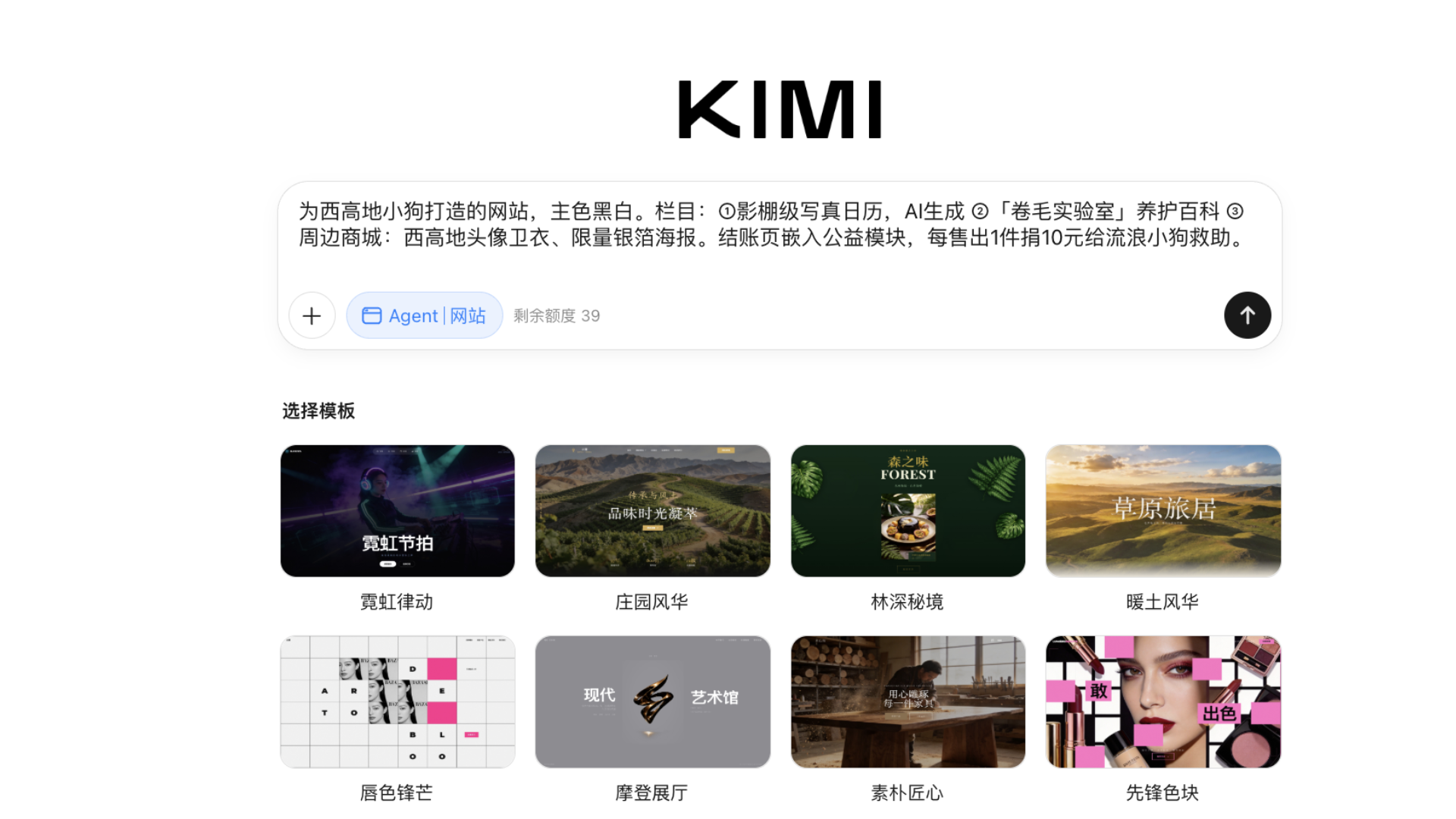
- 打开浏览器:使用 Chrome、Safari、Edge、Firefox 等主流浏览器,
- 打开官方访问地址:Kimi 构建应用 专属页面:https://www.kimi.com/zh/build(支持中文/英文两种界面)
- 登录账号:使用 Kimi 账号登录(支持手机号、邮箱注册)
- 输入建站任务,Kimi 构建应用 提供三种主要建站方式:
- 文字输入:在对话框中输入任务,用自然语言描述想要的网站效果;
- 图片/网站复刻:通过上传设计稿/喜欢网站的截图触发对应功能;
- 模板构建应用:快速搭建标准网站,选择预设模板,修改内容即可;
- 开始建站:进入构建应用功能界面,选择模板或直接对话创建。
方法二:移动 App 访问
移动 App 选择专属构建应用工具
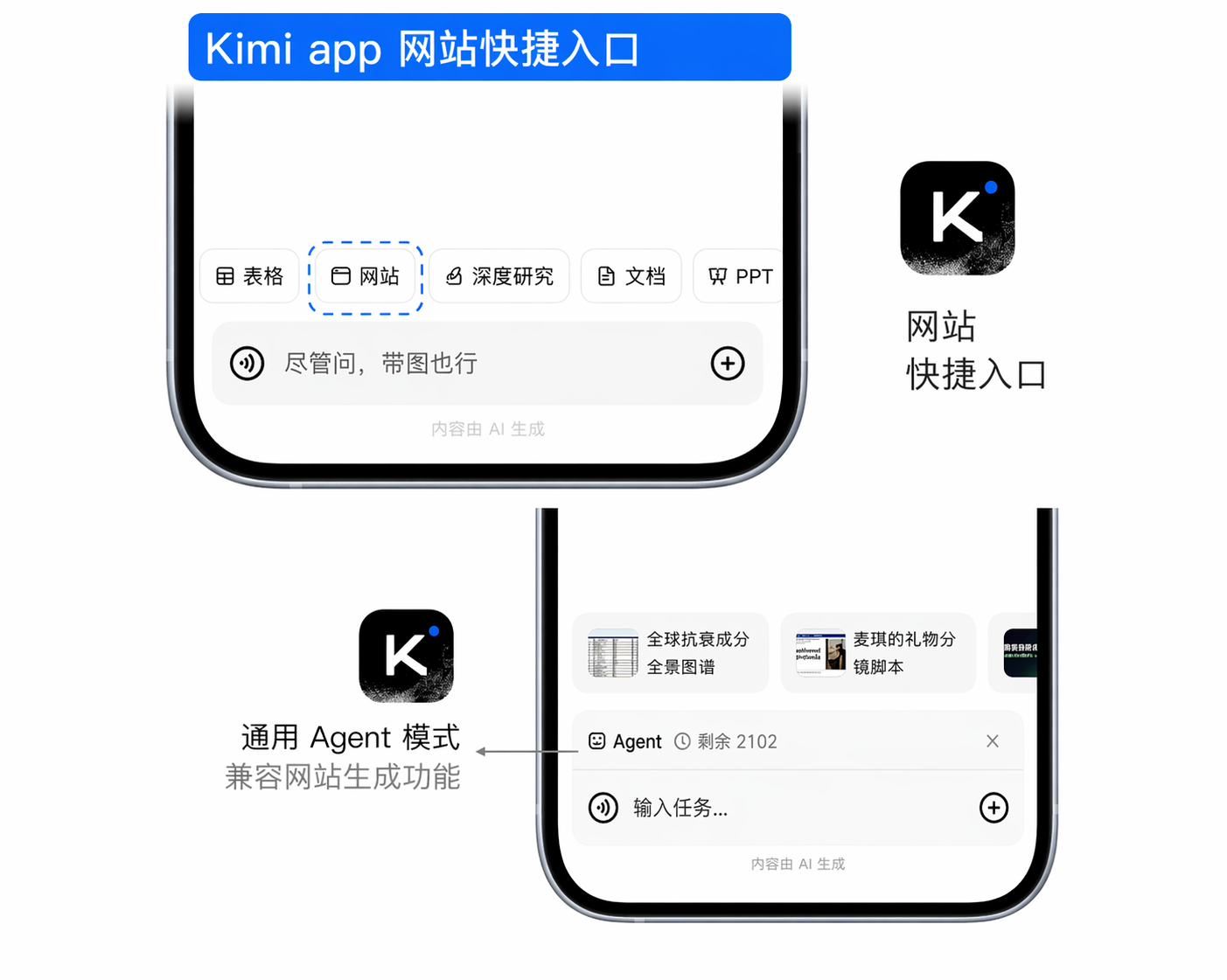
iOS/Android/鸿蒙 均有官方 App(应用名"Kimi"),在输入框上方,点击工具栏(Taskbar)→ 切换至构建应用(Build)模式,内含多模态生成工具与 Agent 功能,可进行视觉输入并生成前端代码。
方法三:通用 Agent 模式
在通用 Agent 模式下,输入建站任务需求
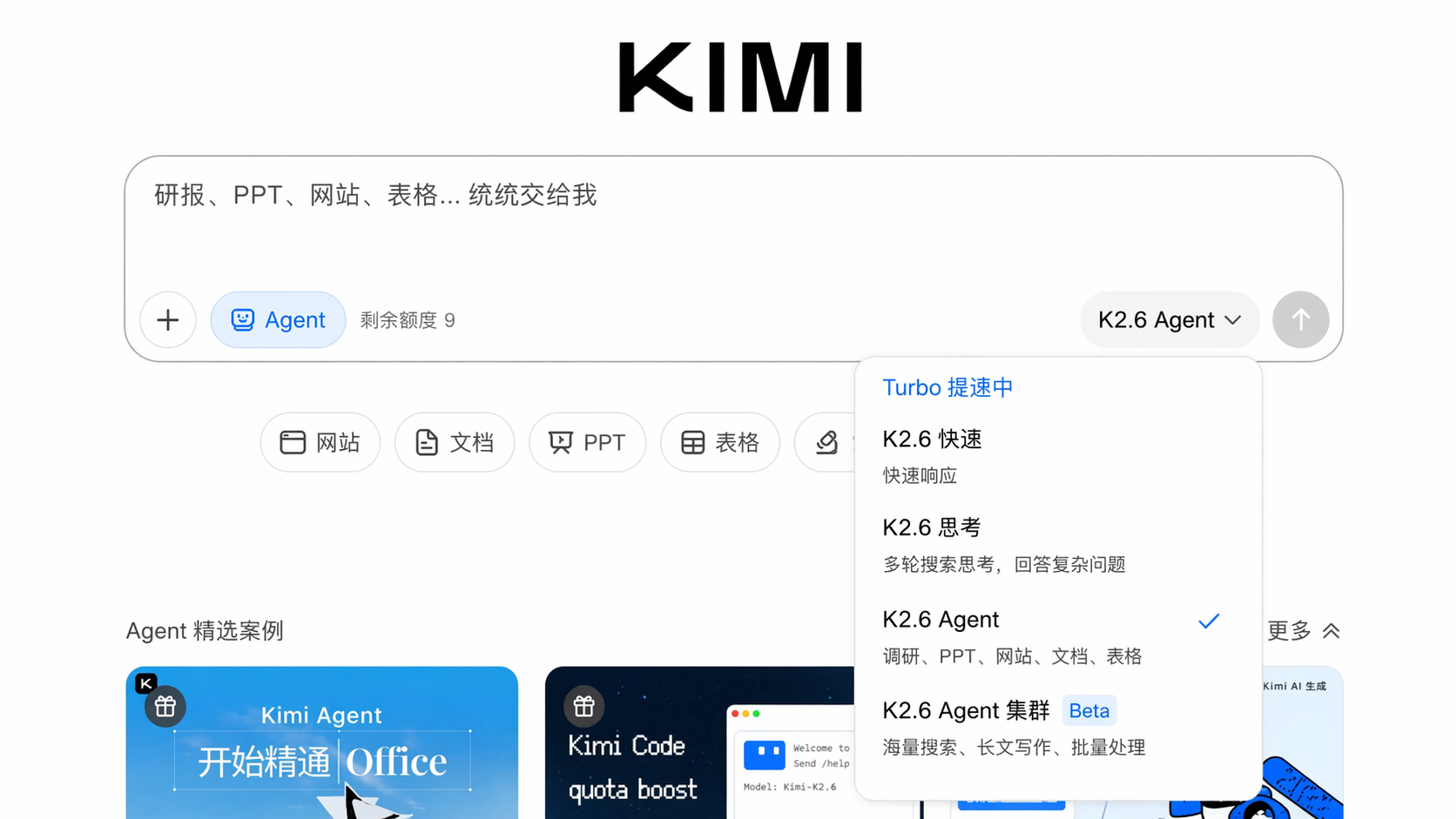
在官网或移动设备,选择 K3 模型,并输入建立网站相关的任务指令,Kimi 会调用视觉编程能力和代码执行工具。
操作步骤
对话创建网站
在输入框中用自然语言描述需求,Kimi 即可理解并执行。支持三种创建方式:
| 方式 | 说明 |
|---|---|
| 文本描述 | 直接输入网站需求,AI 自动生成 |
| 设计图解析 | 上传设计稿,AI 识别并还原为网页 |
| 快速搭建标准网站 | 选择预设模板,修改内容即可 |
实际案例演示
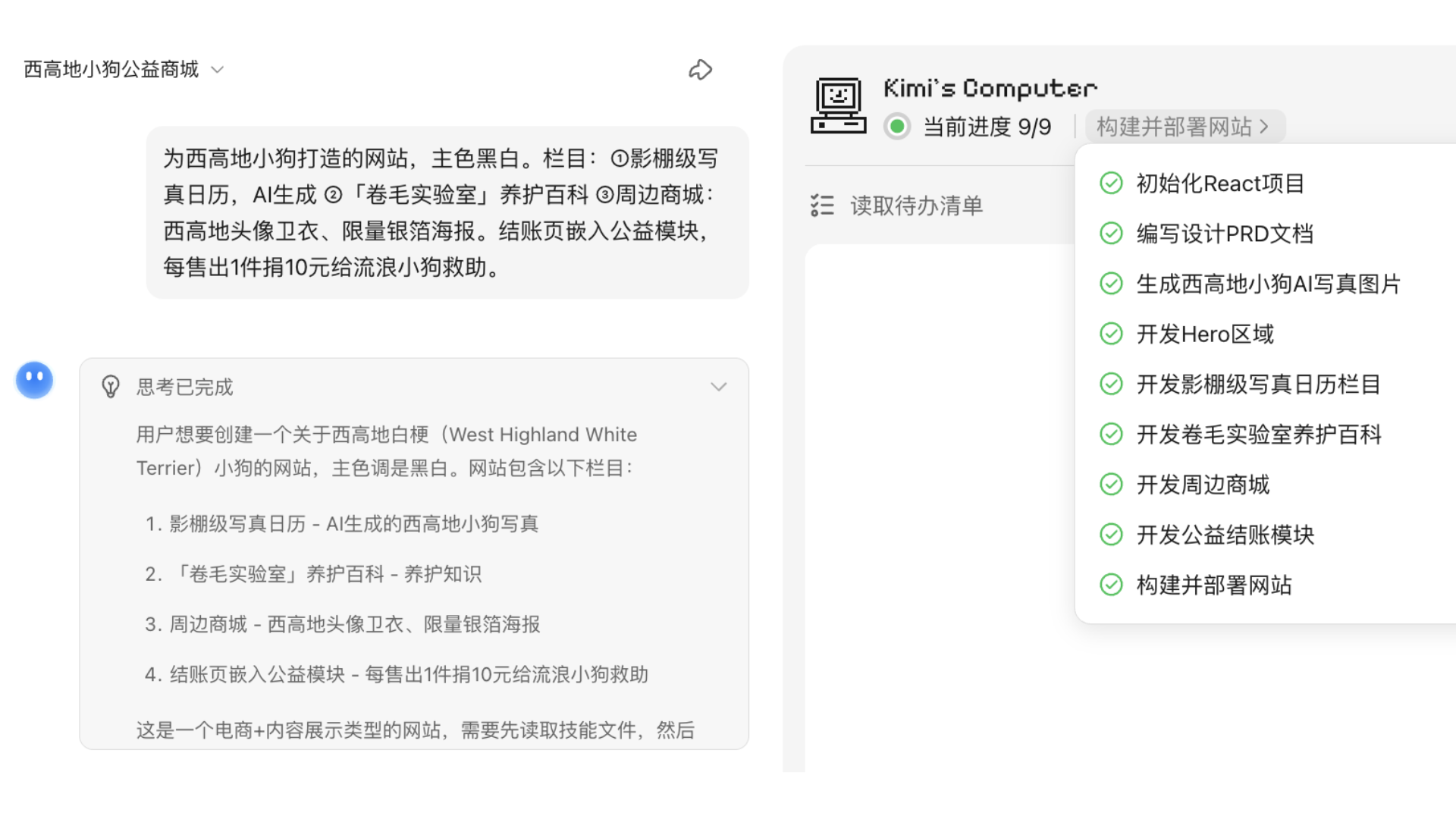
建站流程概览
Kimi 构建应用 会激活 webapp-building SKILL,这是一个专门用于网站构建的多轮代码生成代理,用于自主执行流程:
- 需求解析:自动分析构建应用功能模块、视觉风格、交互逻辑
- 任务规划:自主拆解为设计、开发、素材准备等子任务
- 技术方案:自动选择适配的技术架构(如 React + Tailwind CSS)
- 素材生成:按需生成图片、图标等视觉素材
- 代码构建:编写页面结构、样式与交互代码
- 多轮优化:根据预览效果自主调整,直至完成
预览与调整
- 实时预览:生成 HTML 演示地址,可立即在浏览器中查看效果
- 对话修改:继续对话要求调整,如"把导航栏改成深色"
真实案例
预览面板界面说明
网站生成后,右侧会打开预览面板,对话中也会出现版本卡片。主要操作入口如下:
预览面板顶部工具栏(从左到右):
| 按钮 | 作用 |
|---|---|
| 预览 / 代码 | 切换「可视化预览」与「源代码/文件树」视图 |
| 编辑 | 进入编辑模式,点击想要更改的区域、标注修改意见后发给 Kimi |
| 发布 | 未发布时,可点击「发布」公开网页 |
| 分享 | 发布后,可在分享卡片中复制链接,自定义子域名,打开网站,点击「…」取消发布,以及当网页有了新的版本时,可点击「更新发布」 |
| 全屏预览 | 全屏查看网站效果 |
| 切换预览模式 | 在桌面端 / 移动端视图之间切换 |
| 刷新 | 重新加载预览 |
| 用户反馈 | 提交使用中遇到的问题,可填写文字并上传截图 |
| 关闭 | 收起预览面板 |
对话中的版本卡片:显示站点名称、版本号(如 V2)与网址,点击「预览」即可打开对应版本,点击「恢复」即可回滚到对应版本;「全部文件」卡片可查看或下载完整项目文件。各按钮的详细用法见下方对应章节。
可视化编辑
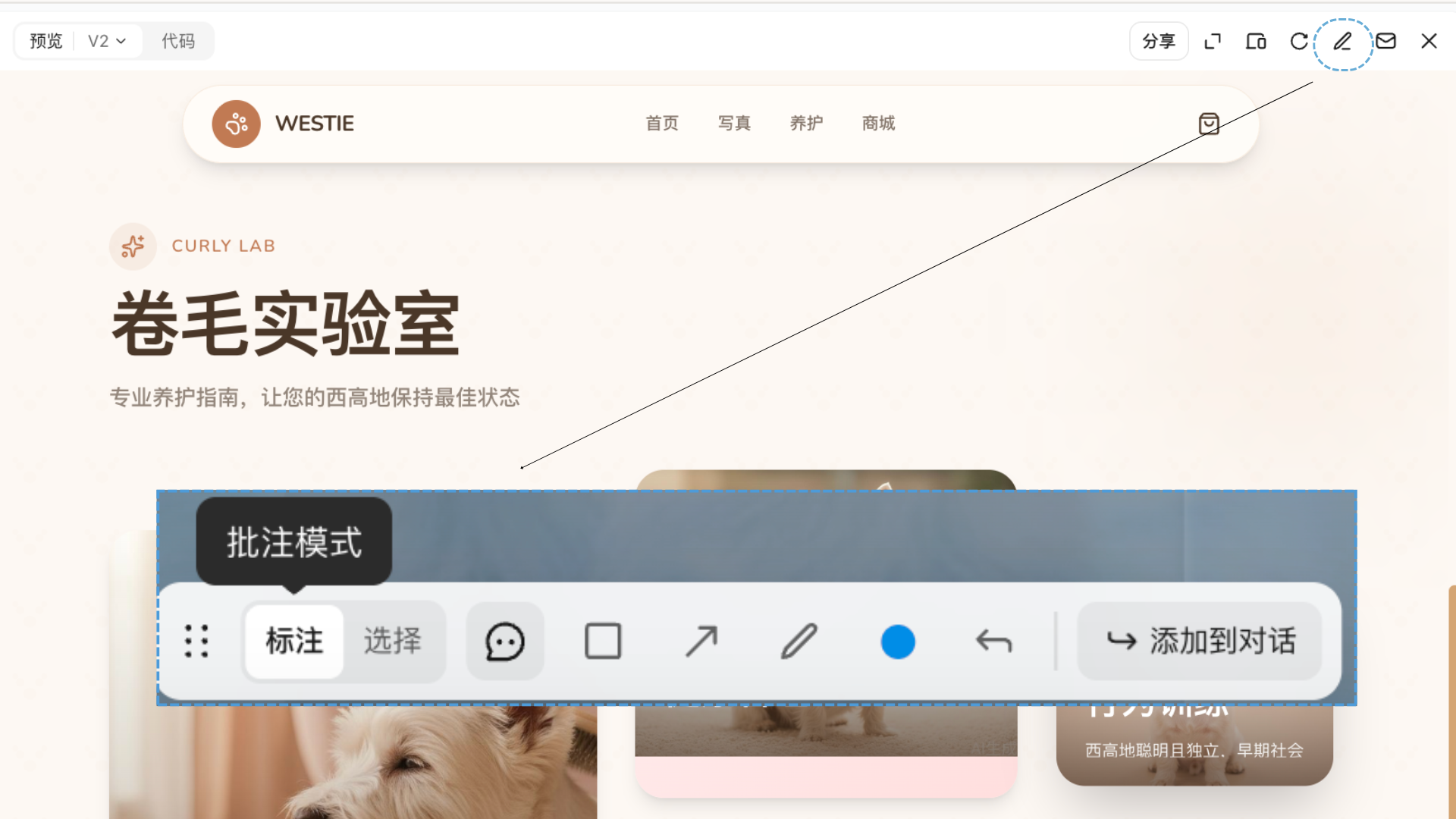
- 多轮优化:通过持续对话精细调整网站细节
- 修改方式:
- 标注模式:在网页上,点击需要修改的地方,用自然语言添加批注
- 选择模式:可以选择网页上的任意元素,并添加批注
- 通过矩形、箭头、画笔、切换颜色等多种选择框,修改工具,添加修改建议
- 在多处完成批注后,将批注添加到对话,一次性给 Kimi 发出修改建议
代码部署与发布
| 部署方式 | 说明 |
|---|---|
| 一键发布 | 点击「发布」按钮即可将网站部署到公网,生成可访问的在线链接(未发布前仅限预览) |
| 下载部署 | 打包下载代码文件,自行部署到服务器 |
| 自定义网址 | 将网站默认的随机网址改成好记的名字,例如 abc.ok.kimi.link 中的 abc 可自行指定 |
关于「自定义网址」:3–30 个字符,仅支持小写字母、数字和连字符,不能以连字符开头或结尾,也不能是纯数字;部分保留词(如
kimi、www、login等)不可用,如遇占用或不可用请换一个名字。
关于「下载部署」的边界:Kimi 账号登录与平台托管的云端数据库由 Kimi 平台提供,不会随导出的代码迁移。若将代码部署到自己的服务器,登录需改为基于自有数据库的账号密码方案,数据也需自备数据库并迁移。仅需公开访问时,推荐直接使用「一键发布」,登录与云端数据将继续正常工作。详见《为什么做出来的网页不能用?》。
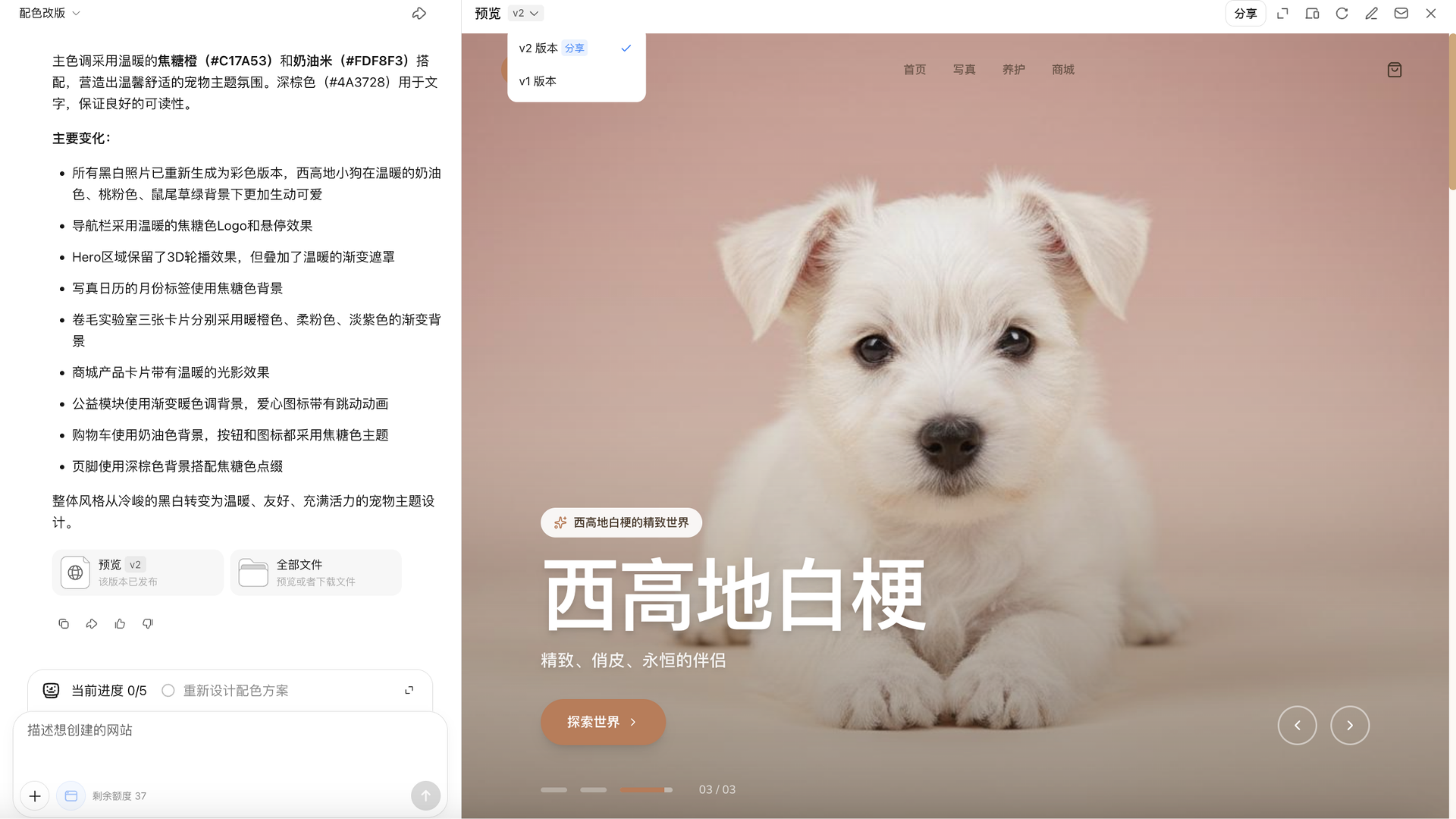
分版本预览
生成完毕后进入预览页面, 可在预览界面,点击不同部署版本,下载不同版本文件。
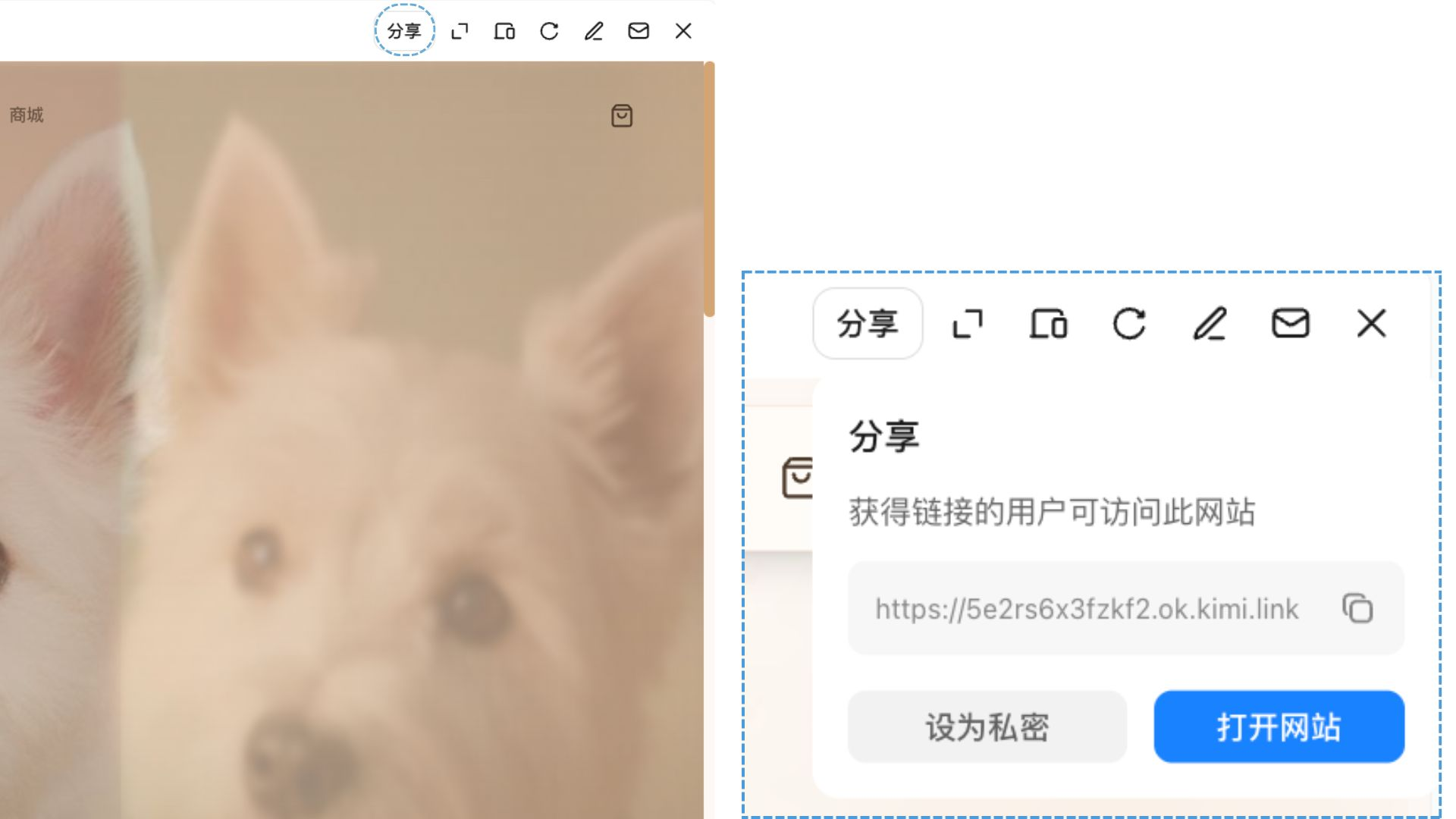
发布、分享与取消发布
未发布前,网站仅能在对话中预览。要让他人访问,在预览面板右上角点击分享打开发布面板:
- 自定义网址:可修改默认网址中的名字,例如改成
你的名字.ok.kimi.link; - 点击复制链接获取公开网址,或点击打开网站在新标签页查看;发布后面板顶部显示已发布,任何获得链接的人都可访问;
- 如需下线,在面板右上角的…菜单中选择取消发布,网站将不再对外公开(代码与数据保留,可随时重新发布)。
多轮修改
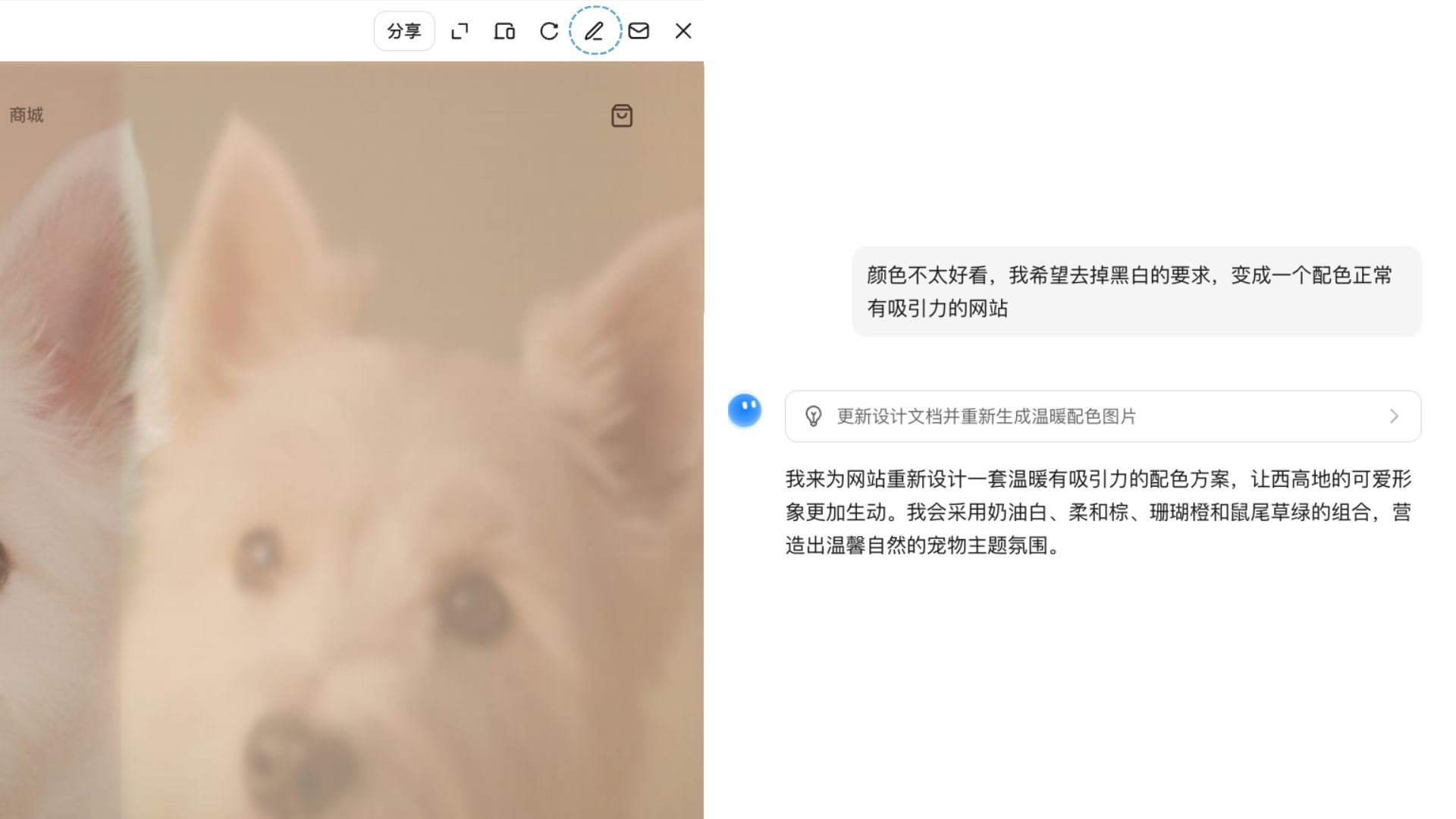
如果局部不满意,在预览窗口点击编辑按钮,继续修改。 也可以用自然语言发送给Kimi,继续用Agent进行修改。 确认效果后下载完整的 HTML/CSS/JS 代码,可直接部署或继续用编辑器精修。
适用人群
- 开发者: 设计产品原型图、前端Demo,大幅节省从零搭建的时间。
- 创业者: 在资源有限的情况下快速搭建官网、落地页、产品展示页。
- 产品经理: 快速把 PRD 或设计稿变成可演示的交互原型,无需等开发排期。
- 非技术用户: 不需要懂代码,描述想法或上传参考图,即可从创意直达可运行网页。
示例提示词
你可以参考以下场景和提示词生成内容
| 场景 | 示例提示词 |
|---|---|
| 从零创建落地页 | 帮我做一个SaaS产品的营销落地页,科技感风格,包含 hero 区、功能介绍、定价和 CTA |
| 视频还原网站 | [上传录屏视频] 把视频里的网站还原出来,保持原有交互效果 |
| 截图还原 | [上传设计稿截图] 把这张设计稿实现成可运行的网页代码 |
| 个人作品集 | 帮我做一个摄影师的个人作品集网站,简约黑白风,支持图片瀑布流 |
| 数据可视化页 | 做一个展示 2025 年 AI 公司融资数据的可视化网页,包含图表和筛选功能 |
| 品牌官网 | 帮我做一个咖啡品牌官网,莫兰迪色系,包含首页、产品页和门店页 |
| 小工具/计算器 | 做一个 BMI 计算器网页,界面简洁,支持切换单位,有健康等级提示 |
本文是否对你有帮助