Kimi Claw 常见终端命令
什么是终端
终端是 macOS 环境下安装 OpenClaw 的必要软件,是 Mac 自带的一个程序,它让你可以用文字命令直接控制电脑,而不是用鼠标点图标。
Kimi Claw 的终端:
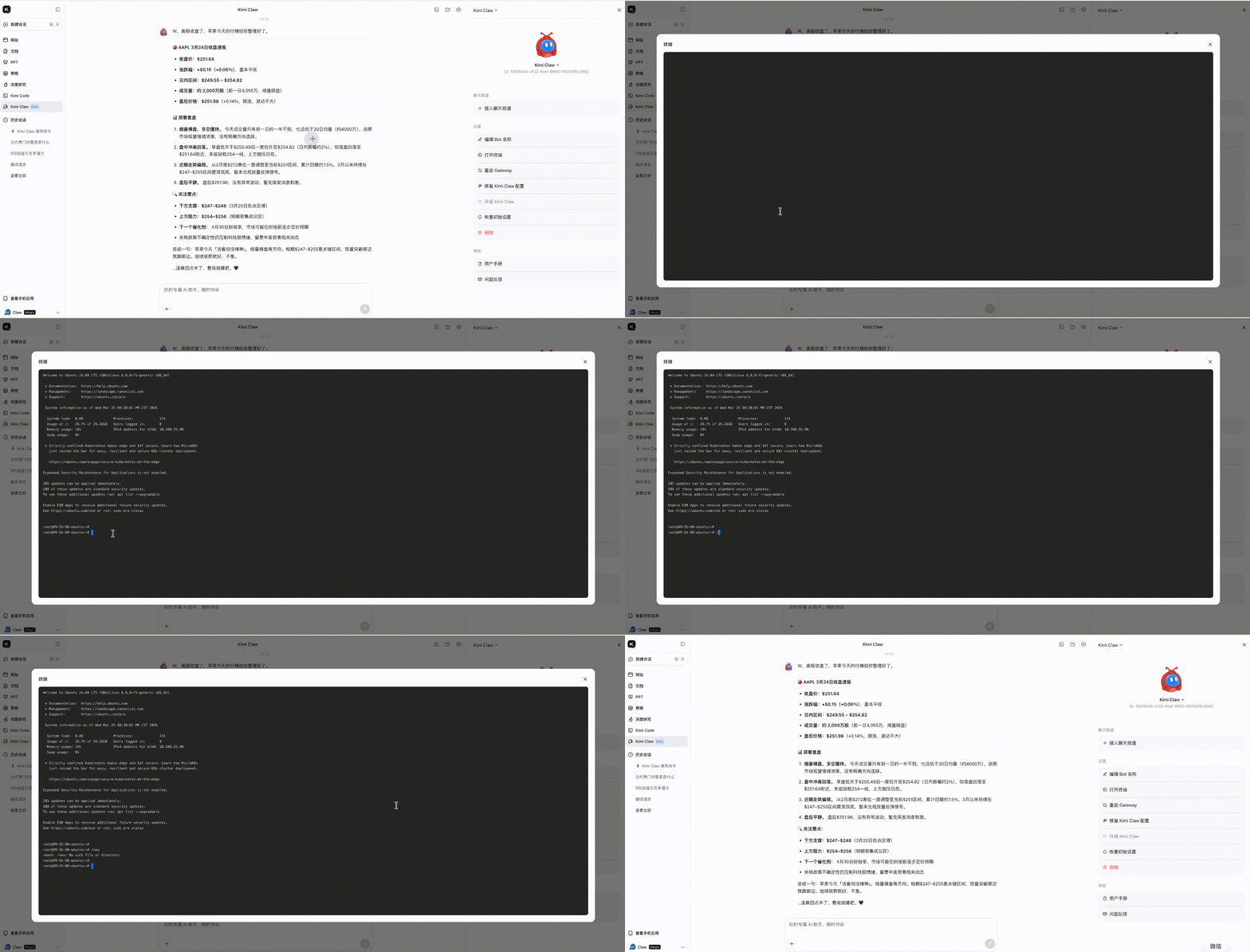
点击 Kimi Claw 网页端 的「终端」按钮,即可打开命令行界面。在终端中输入指令可以强制执行操作,不受对话上下文影响。
终端命令行与功能
你也可以直接在 Claw 对话框中输入命令,查看 Claw 状态或执行操作。
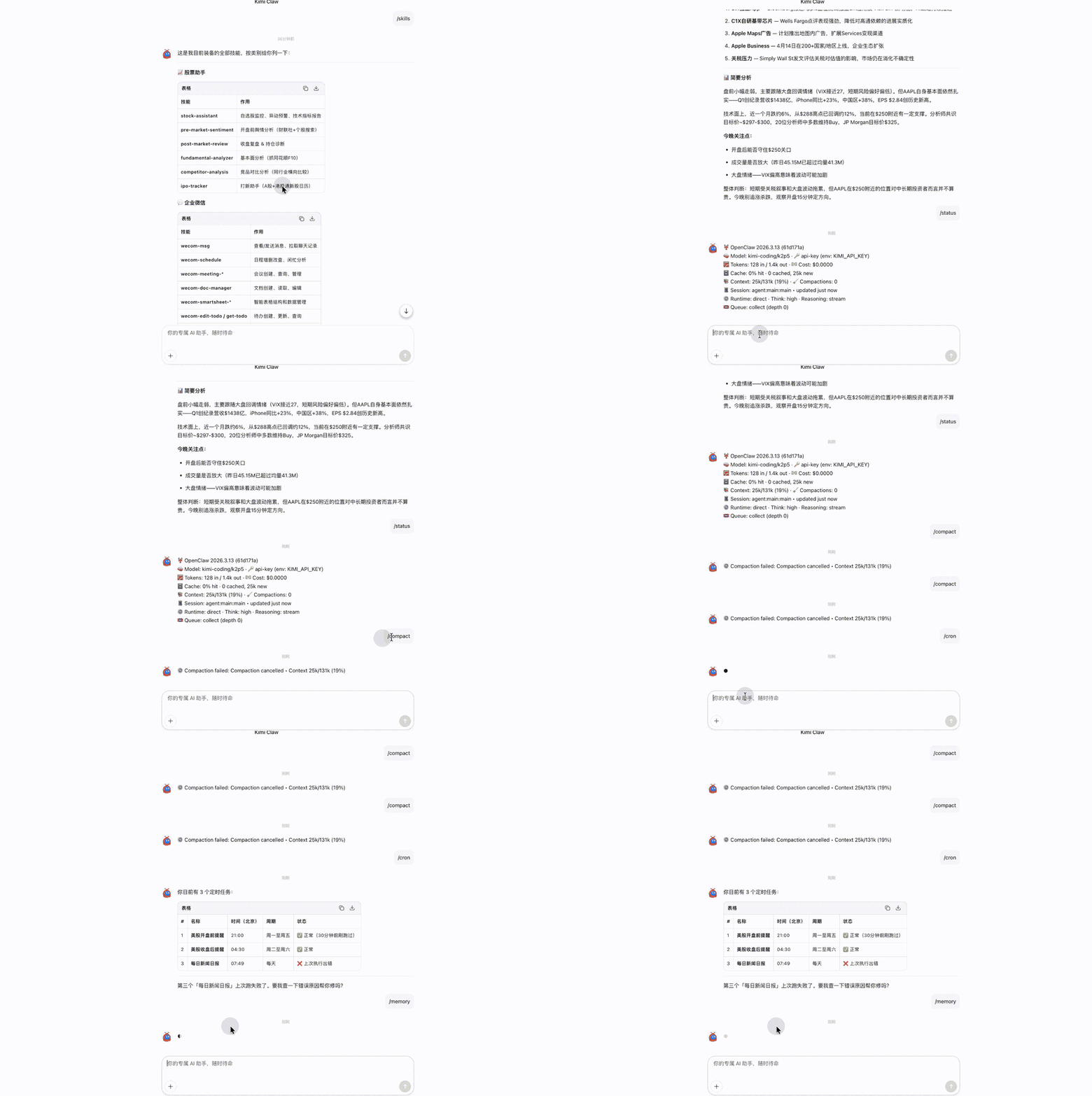
终端和插件共享交互通路,重启 OpenClaw Gateway 会导致终端断开连接。
基础系统
| 命令 | 功能 |
|---|---|
/help | 查看所有可用命令 |
/status | 系统运行状态与连接健康度 |
/ping | 测试网关响应 |
/cron | 查看/管理定时任务(增删改查) |
/cron add "<schedule>" <command> | 添加定时任务,如 /cron add "0 9 * * *" /news |
/cron rm <id> | 删除指定 ID 的定时任务 |
/config | 查看当前用户配置(邮箱、通知方式等) |
/config set <key> <value> | 修改配置项,如 /config set email [email protected] |
/file 或 /upload | 查看/管理已上传文件列表 |
/search <query> | 触发联网搜索(覆盖系统默认搜索行为) |
/new | 开启新 Session(保留历史) |
/reset | 重置当前 Session(清空上下文) |
/compact [instructions] | 压缩历史对话,保留关键信息 |
/stop | 终止当前正在进行的任务/输出 |
技能管理
| 命令 | 功能 |
|---|---|
/skills | 列出已安装的所有 Skill |
/skills info <skill_id> | 查看指定 Skill 详情与配置参数 |
/skills install <url或id> | 安装新 Skill |
/skills uninstall <skill_id> | 卸载指定 Skill |
/skills update <skill_id> | 更新 Skill 至最新版本 |
/skills reload | 重载所有 Skill(配置变更后使用) |
定时任务
| 命令 | 功能 |
|---|---|
/cron | 查看当前所有定时任务列表 |
/cron log <task_id> | 查看指定任务的执行日志与报错详情 |
/cron enable/disable <task_id> | 启用或暂停定时任务 |
记忆空间
| 命令 | 功能 |
|---|---|
/memory | 查看当前记忆条目数量与容量使用 |
/memory search <关键词> | 在历史记忆中检索内容 |
/memory export | 导出记忆文件(备份用) |
配置与调试
| 命令 | 功能 |
|---|---|
/config | 查看当前网关与平台配置 |
/config reload | 重载配置文件(修改飞书/邮箱等凭证后使用) |
/logs | 查看最近系统日志 |
/debug on/off | 开启或关闭调试模式(输出详细执行过程) |
快速诊断: 若 Skill 或定时任务异常,依次执行 /status → /logs → /cron log <任务ID> 定位问题。
本文是否对你有帮助