Account & credit query

After purchasing a membership, your benefits typically activate instantly. If something seems off, check the guides below.

Credits not showing after purchase?

If payment went through but your membership hasn't activated:

  1. Verify the charge — Check your bank or payment provider to confirm the transaction completed. Some methods have a short delay; wait a few minutes, then refresh the page
  2. Check your account — Make sure you're signed into the same Kimi account you used during checkout. If you have multiple accounts, try switching
  3. Sign out and back in — A fresh login often refreshes your membership status

If the issue persists, email [email protected] with a screenshot of the charge and your account details.

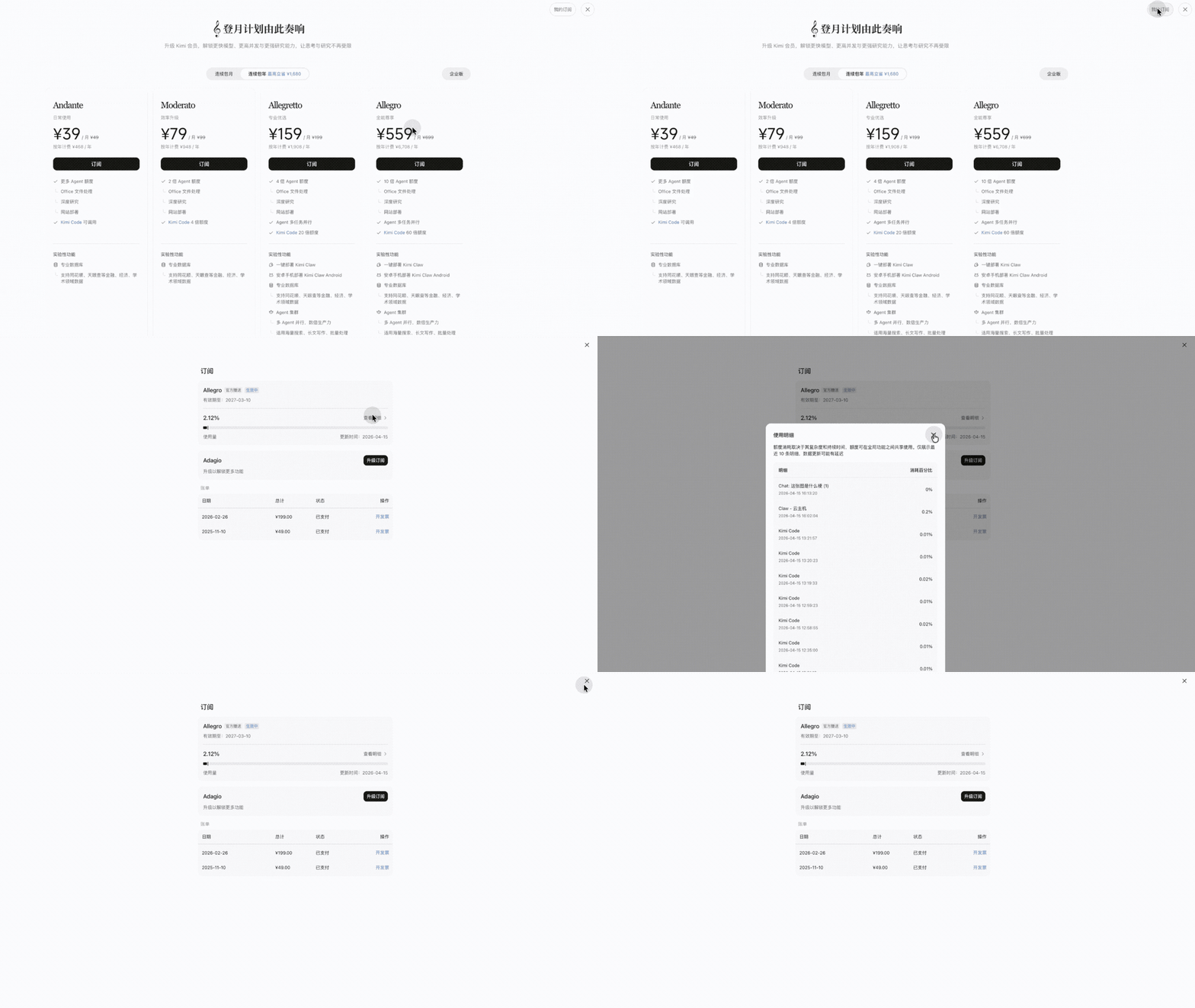
Where to check remaining credits?

Web (kimi.com)

  1. Click your avatar or profile icon in the bottom-left corner
  2. Go to Settings → Subscription
  3. Your current plan and remaining credits are displayed here

Mobile (iOS / Android)

  1. Open the Kimi app and tap the Profile tab
  2. Go to Membership
  3. You'll see your plan details and credit usage breakdown