Building apps, websites, or workflows can still feel slow, even with lots of vibe coding tools out there. You might have ideas quickly, but turning them into real projects takes time and know-how. This leaves a gap between your ideas and actually building them. New tools help by making coding quicker, easier, and more natural. This article explores some tools that can help you work faster and build smarter.
What are vibe coding tools, and how do they work?
Vibe coding tools help you build apps, websites, and workflows with less effort and less manual coding. They keep your work moving smoothly, so you can turn ideas into projects faster. Instead of starting from scratch, these tools give you smart suggestions and automate tasks. This makes coding feel easier and less stressful.
These tools use AI to figure out what you want and then generate or improve code right away. You can type simple instructions, and the tool will help build or fix parts of your project instantly. Many free vibe coding tools also connect with editors, browsers, or applications to make your workflow faster.
Popular 11 vibe coding tools at a glance (web design & development)
The following table provides a quick overview of the top vibe coding tools.
| Tool | Core focus | Key features | Suitable for |
|---|---|---|---|
| Kimi Websites | AI web & UI design | Visual-to-code generation, smart workflow automation, and long context understanding | UI/UX designers, front-end developers, beginners |
| Kimi Code | AI coding agent | Long-context code understanding, autonomous code generation, repository analysis, debugging, and multi-file editing | Software developers, full-stack engineers, AI-assisted coding workflows |
| Lovable | Website prototyping | Drag-and-drop editor, AI-assisted colors/styles, interactive components | Designers, freelancers, startups |
| Bolt.new | Free web design | Instant page generation, component library, animation & interaction tools | Freelancers, students, startups |
| Windsurf | AI website editor | AI layout suggestions, real-time visual editor, preview & export options | UI/UX designers, small businesses, freelancers |
| Kimi Code | AI-driven no-code programming | Auto-generated code from prompts, backend logic, front-end templates | Non-developers, entrepreneurs, small teams |
| Replit | Cloud coding & collaboration | Cloud execution, interactive debugging, multi-language support | Students, dev teams, hackathon participants |
| Cursor | Backend & logic-focused coding | AI-assisted code completion, error detection, and multi-environment support | Backend developers, algorithm coders, students |
| v0 by Vercel | Serverless web apps | Serverless integration, modular components, real-time previews | Web developers, freelancers, teams |
| GitHub Copilot | IDE coding assistant | Context-aware suggestions, IDE integration, and function generation | Devs with complex logic, teams, and students |
| Claude Code | Logic-focused AI coding | AI-assisted debugging, multi-file refactoring, and project context awareness | Advanced developers, AI-assisted coding enthusiasts |
| Memex | Research & knowledge org | Web annotation, full-text search, collections & tagging | Researchers, students, knowledge workers |
11 leading vibe coding tools you need to try
Here are 11 tools you can try to build faster, smarter, and with more confidence.
Kimi Websites
Kimi Websites is a vibe coding tool that helps users turn ideas into functional websites through natural language prompts. It allows you to describe your vision, provide references, or share creative inputs, then generates complete web pages with layouts, designs, and interactive elements. With AI-assisted creation, fast iteration, and easy customization, this AI website builder makes it easier for creators, designers, and developers to bring web ideas to life without starting from scratch.
Key features
Visual-to-code generation: Kimi Websites can turn images or design ideas into real front-end code. This makes it easier to recreate website designs without manually coding.
Strong UI and front-end building: Kimi Websites can generate layouts, animations, and responsive elements from simple prompts. This helps designers quickly create prototypes or live pages.
Full-stack development: Kimi Websites generates complete web apps with front-end interfaces, lightweight backend logic, databases, user authentication, and interactive features.
One-click deployment & responsive design: Every website is automatically optimized for desktop, tablet, and mobile devices and can be deployed and shared instantly with a single click.
Suitable for
UI/UX designers building web interfaces
Front-end developers creating landing pages
Beginners who want to build websites easily
Creators who want fast design-to-code workflows
How to vibe code with Kimi Websites?
Here's how you can build a full website step by step.
Step 1: Send a prompt and generate
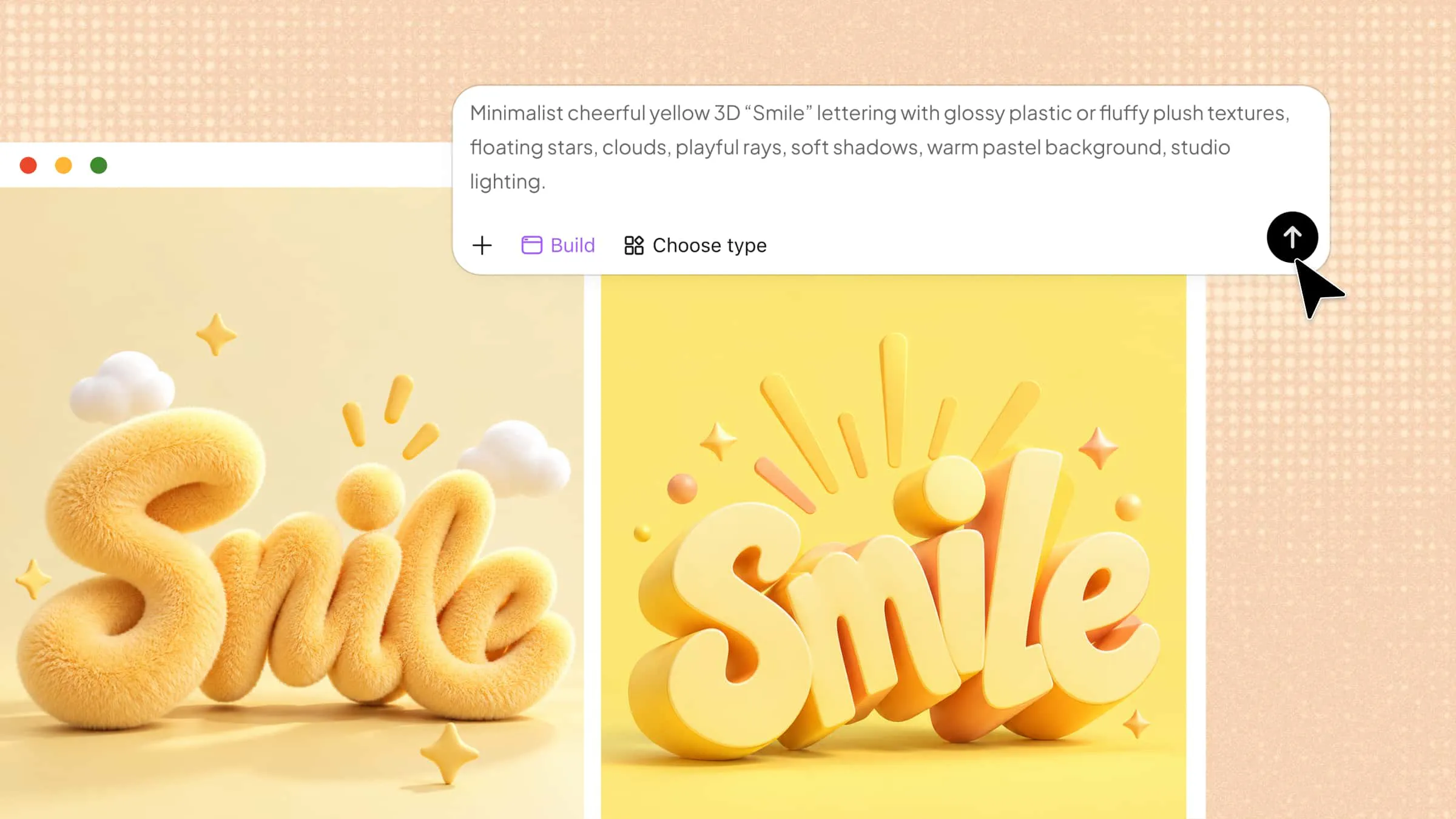
Open Kimi Websites and write a clear prompt describing your website, including sections, layout, features, and style. Submit the prompt, and Kimi generates a visual draft of your website instantly.
Example prompt:
Step 2: Visual editing and conversation editing
Press the Edit button to go to edit mode. To highlight portions and make comments, use "Annotate" or "Select." Simple visual adjustments or chat instructions may be used to change text, reorganize parts, and modify space, graphics, and colors.
Step 3: Publish and share
Before publishing, preview your site using Share and then View Site. Check the pages, links, buttons, forms, layout, text, and images. Make any final adjustments to be sure everything works as it should.
Kimi Code
Kimi Code is an AI coding assistant designed for developers who want to build, modify, and maintain software projects more efficiently. It supports the entire development process, from writing new code and understanding existing projects to debugging issues and improving workflows. With CLI and IDE integrations, Kimi Code helps developers stay focused and complete coding tasks faster.
Key features
AI-powered coding assistance: Kimi Code helps developers generate, explain, refactor, and debug code through natural language instructions. It reduces repetitive coding work and speeds up implementation.
Project-level code understanding: Kimi Code can understand large codebases and the relationships between files, functions, and components. This helps developers navigate complex projects and make changes with better context.
Code debugging and optimization: Kimi Code helps identify issues, suggest improvements, and optimize existing code, making development and maintenance more efficient.
Integrated development workflow: With CLI and IDE support, Kimi Code fits into existing development environments and helps developers handle coding tasks without frequently switching tools.
Suitable for
Software developers building applications
Engineers working with large or complex codebases
Teams looking to improve AI-assisted development workflows
Developers who want faster coding, debugging, and project management support
How to use Kimi Code for vibe coding?
Here's a simple step-by-step guide to get started with Kimi Code for vibe coding.
Step 1: Install and set up Kimi Code CLI
Install Kimi Code CLI on your system based on your platform:
Linux/macOS (recommended):
Windows (PowerShell):
After installation, verify it by using the following command and ensure Python 3.12–3.14 is installed, with 3.13 recommended for best performance.
Step 2: Configure your API and project
Start Kimi CLI:
Authenticate using:
Option A: One-click login (recommended)
Option B: Manual API key setup
Visit the Kimi Code Console to create or copy your API key and enter it into the CLI. Once authenticated, your Kimi CLI is ready to use.
Step 3: Start coding with AI
You can now interact with Kimi Code CLI using natural language or switch to shell mode to execute commands directly. It supports exploring codebases, automating tasks, generating or modifying code, and viewing project structure. Use /help to access all available commands and streamline your workflow.
Lovable
Lovable helps designers and developers build beautiful websites quickly. Its focus is UI/UX, letting you create layouts, select color schemes, and design interactive elements with minimal coding effort. Lovable lets you spin up wireframes into live pages in under five minutes. It's also a good option if you want to experiment with design ideas without writing a ton of code.
Key features
Drag-and-drop UI editor: Lovable offers an intuitive editor where you can drag elements, adjust layouts, and see instant previews. It saves time and allows non-coders to design websites visually.
AI-assisted color and style suggestions: The platform recommends color palettes and design styles based on your brand or project type. This secures consistent and professional-looking designs.
Responsive design automation: Lovable automatically adjusts layouts for desktop, tablet, and mobile screens. This ensures your website looks great on all devices without manual tweaking.
Interactive component generation: Generate buttons, forms, and menus with AI suggestions to improve user experience. It helps create dynamic websites quickly.
Suitable for
UI/UX designers testing new layouts
Freelancers building portfolio websites
Startups needing quick MVP pages
Marketers creating landing pages
Bolt.new
Bolt.new is a free vibe coding platform that emphasizes simplicity and speed in web design. It assists you in creating pages using AI-assisted workflows that reduce the need for human coding. Clean layouts, animations, and interactive user interface components may be swiftly created by designers. Bolt.new is an excellent tool for quickly creating and testing various design concepts.
Key features
Instant page generation: Enter a prompt, and Bolt.new creates a fully structured webpage instantly. Perfect for rapid idea testing or prototypes.
Component library: Access ready-made headers, footers, and forms that you can customize. This reduces repetitive design work and speeds up development.
Animation and interaction tools: Use AI guidance to provide hover effects, transitions, and micro-interactions. boosts user interaction without complicated code.
Template-based design: Use pre-built templates to jumpstart projects whilst maintaining flexibility. Good for designers who need both speed and customization.
Suitable for
Freelancers building landing pages quickly
Web designers are prototyping multiple versions
Startups testing new ideas fast
Students learning web design
Windsurf
Windsurf is a vibe coding AI website for designers who want more control over UI/UX but still want faster development with AI. It focuses on responsive layouts, visual editing, and automating your workflow. Designers can adjust animations, generate components, and preview pages in real time. Windsurf works well for both beginners and experienced developers who want a mix of creativity and speed.
Key features
AI-powered layout suggestions: Get automatic layout recommendations based on your content and design goals. This helps maintain balance and visual hierarchy.
Real-time visual editor: Edit pages directly, move elements, and see changes live. Reduces back-and-forth between design and code.
Component customization: Generate buttons, forms, and cards with AI suggestions. Fine-tune them to match brand identity.
Preview and export options: Preview websites on multiple devices and export clean HTML/CSS. Makes collaboration with developers easier.
Suitable for
UI/UX designers creating interactive prototypes
Freelancers building client websites quickly
Small businesses testing website ideas
Developers needing quick front-end scaffolding
Replit
Replit is a cloud-based coding platform made for logic-focused development. You can write, test, and run code in many languages without setting anything up on your computer. This vibe coding editor is built for collaborative coding, real-time execution, and interactive debugging. With Replit, you can quickly test algorithms, build complex projects, and share them with others right away.
Key features
Multi-language support: Replit supports Python, JavaScript, C++, and many more. It's perfect for testing logic and running code without installing compilers locally.
Real-time collaboration: Work with teammates on the same project simultaneously. Edits appear live, making pair programming and mentoring easier.
Interactive debugging: Run code step by step and inspect variables in real time. Ideal for troubleshooting logic-heavy programs.
Cloud-based execution: Your code runs on Replit's servers, so no local setup is required. This allows you to code anywhere with just a browser.
Suitable for
Students learning programming logic
Developers testing algorithms
Teams collaborating remotely
Hackathon participants building prototypes
Cursor
Cursor is a vibe coding software built for logic-driven web apps and backend solutions. It focuses on automating repetitive coding tasks, generating boilerplate code, and guiding developers with AI-assisted problem-solving. Cursor is ideal for coders who want to reduce errors and speed up algorithmic tasks without giving up control.
Key features
AI-assisted code completion: Cursor predicts code snippets based on your logic and context. This reduces repetitive coding work and improves efficiency.
Algorithm templates: Pre-built templates for common algorithms and functions. Saves time when solving standard programming problems.
Error detection: Instantly marks potential logic errors in your code. Helps developers write cleaner, more reliable programs.
Multi-environment support: Works with web, backend, and data-processing environments. Gives flexibility to build full-stack projects.
Suitable for
Backend developers writing APIs
Algorithm-focused coders
Students practicing data structures
Freelancers building logic-heavy applications
v0 by Vercel
v0 by Vercel is a popular vibe coding platform for building web apps with strong logic control. It focuses on serverless deployment, efficient state management, and modular coding practices. Developers can rapidly create projects while keeping the logic clean and reusable, making it ideal for both prototyping and production-ready apps.
Key features
Serverless integration: Deploy functions and APIs without managing infrastructure. Perfect for logic-heavy web applications.
Modular components: Break code into reusable components. Enhances the maintainability and scalability of projects.
Real-time previews: See changes instantly as you update code. Speeds up debugging and testing logic workflows.
Git-based workflows: Seamlessly sync with Git repositories. Supports collaborative development and version control.
Suitable for
Developers building serverless web apps
Freelancers creating production-ready prototypes
Teams managing modular projects
Logic-focused web developers
GitHub Copilot
GitHub Copilot is an AI assistant that helps developers write logic-focused code faster. It integrates directly with your IDE to suggest code completions, generate functions, and even propose algorithms. It is designed for coders who want to streamline their workflow and maintain high-quality logic across projects efficiently, effortlessly, and reliably.
Key features
Context-aware suggestions: Generates code based on surrounding logic and function names. Helps sustain consistency and reduces coding errors.
Multi-language support: Works with Python, JavaScript, TypeScript, and more. Ideal for cross-language projects with complex logic.
Function generation: Create entire functions or algorithms with a single prompt. Speeds up development of repetitive or boilerplate code.
IDE integration: Works directly in VS Code or JetBrains editors. Allows developers to code efficiently without switching tools.
Suitable for
Developers working on complex logic
Programmers needing faster coding assistance
Teams collaborating on projects
Students practicing coding exercises
Claude Code
Claude Code is a vibe coding tool made for advanced, logic-focused programming and AI-assisted development. It helps you generate, refactor, and optimize code using conversational AI. Developers can use Claude Code to solve algorithm challenges, debug complex logic, and keep their workflow efficient without losing focus.
Key features
AI-assisted debugging: Claude analyzes code and suggests fixes for logic errors. Reduces troubleshooting time for complex projects.
Multi-file refactoring: Automatically updates and refactors multiple files at once. Helps maintain consistency across large codebases.
Interactive coding assistant: You can ask Claude Code to explain, generate, or optimize code. Acts like a virtual coding partner for logic-intensive tasks.
Project context awareness: Remembers project details and session history. Keeps long-term logic consistent without repeated explanations.
Suitable for
Developers handling large logic projects
Programmers solving algorithm problems
AI-assisted coding enthusiasts
Students learning programming
Memex
Memex is a vibe coding tool for researchers, knowledge workers, and anyone who wants to organize information efficiently. It helps you capture, annotate, and retrieve web content while keeping all your research in one place. With Memex, you can highlight webpages, take notes, tag resources, and search your whole library instantly.
Key features
Web annotation and highlighting: Capture highlights, notes, and bookmarks directly from any webpage. Helps keep research organized and accessible for later use.
Full-text search: Search across all your saved content, notes, and highlights instantly. Find relevant information quickly without manually browsing.
Collections and tagging: Organize resources into collections and use tags for easy retrieval. It keeps large research projects structured and easy to navigate.
Cross-device sync: Access your research library on multiple devices seamlessly. Ensures your knowledge is always available wherever you work.
Suitable for
Researchers and students managing study material
Knowledge workers curating web resources
Freelancers handling research-heavy projects
Academics organizing references and notes
Conclusion
Vibe coding tools are changing the way designers, developers, and creators bring ideas to life. Whether you work on UI/UX, logic-heavy projects, or research, these tools help you work faster, make fewer mistakes, and stay in the zone. Students, freelancers, and professionals can all use AI to make complex tasks simpler and boost productivity. Of all these tools, Kimi stands out for making design and web projects smooth and easy. Give it a try to see how fast and natural coding can feel.